> ## Documentation Index
> Fetch the complete documentation index at: https://help.hiredata.com/llms.txt
> Use this file to discover all available pages before exploring further.
# Buy a Phone Number from Numero for your WhatsApp account
> Buy a dedicated phone number from Numero and connect it to your WhatsApp Business account so you can start messaging candidates directly from HireData.
*Welcome to our step-by-step guide on how to buy a phone number from Numero, in case yours is already connected to a WhatsApp account you don't want to delete.*
When connecting WhatsApp to HireData, you might receive an error message that your phone number is already connected to an account. If that happens, one option is to delete your WhatsApp account and try again, but remember that this will delete your entire chat history. Or you can purchase a new phone number from a telecom platform such as Numero e Sim.
**[Numero eSIM](https://www.numeroesim.com/virtual-numbers/all-countries)** is an app that allows users to purchase virtual phone numbers from various countries worldwide that can be used for calls, texts, and verification purposes on different platforms.
## Step 1: Download and Install the Numero eSIM App
### 1.1. Go to your device's app store (Google Play Store for Android or Apple App Store for iOS) and search for **Numero eSIM** to download the app.
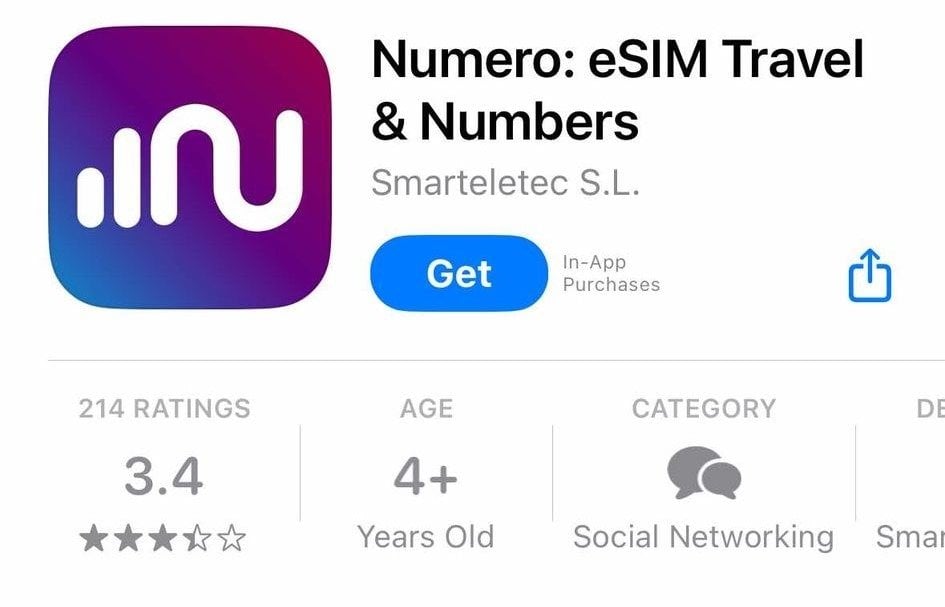 ### 1.2. Once downloaded, open the app and create an account or log in if you already have one.
## Step 2: Explore the Available Phone Numbers
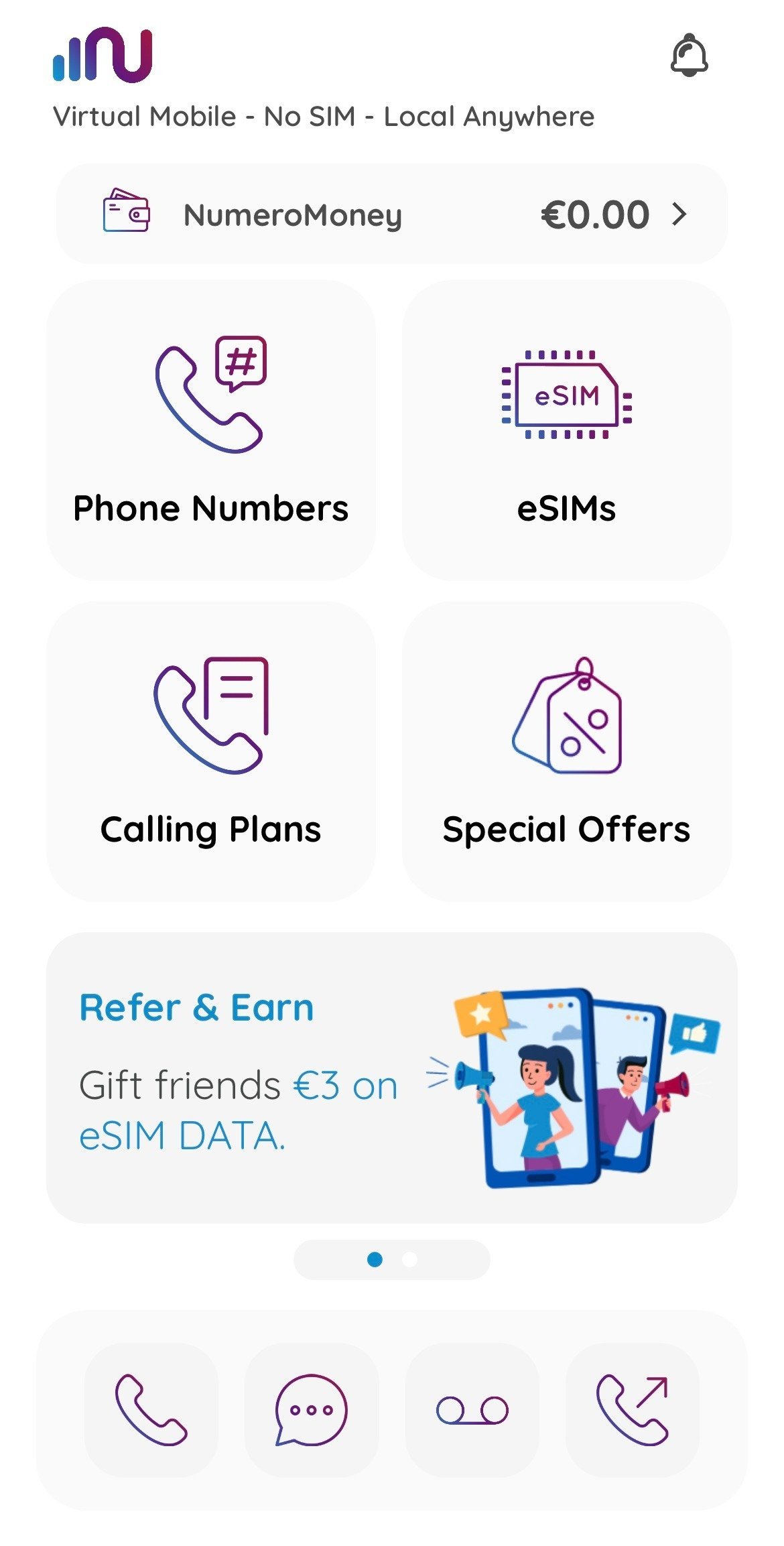
### 2.1. Open the app, go to the **Home** screen and click on \[Phone Numbers]
### 1.2. Once downloaded, open the app and create an account or log in if you already have one.
## Step 2: Explore the Available Phone Numbers
### 2.1. Open the app, go to the **Home** screen and click on \[Phone Numbers]
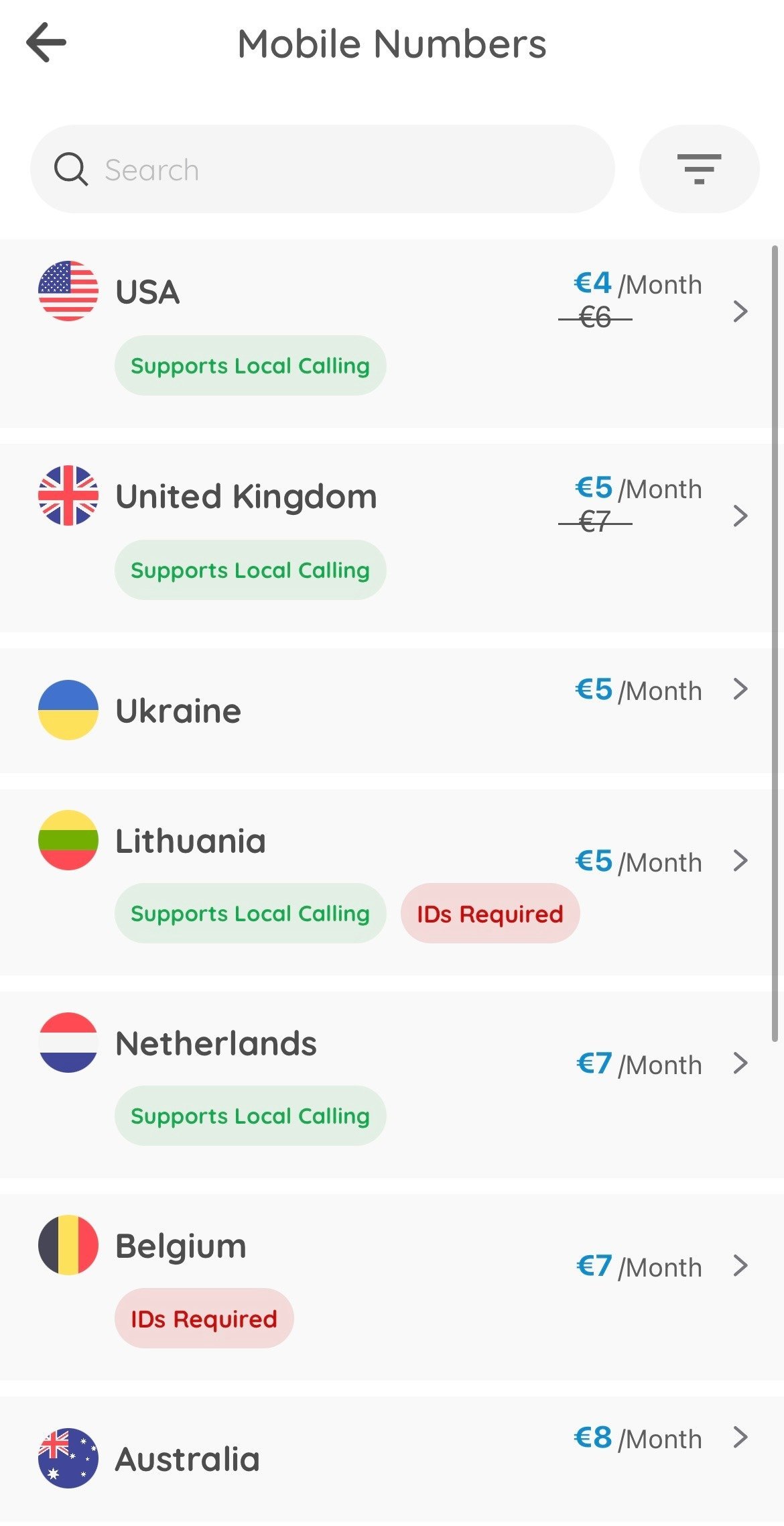
 ### 2.2. Select \[Mobile Numbers] to continue
### 2.3. Select the country your business is based in to see the available phone number plans
### 2.2. Select \[Mobile Numbers] to continue
### 2.3. Select the country your business is based in to see the available phone number plans
 ## Step 3: Buy a Phone Number
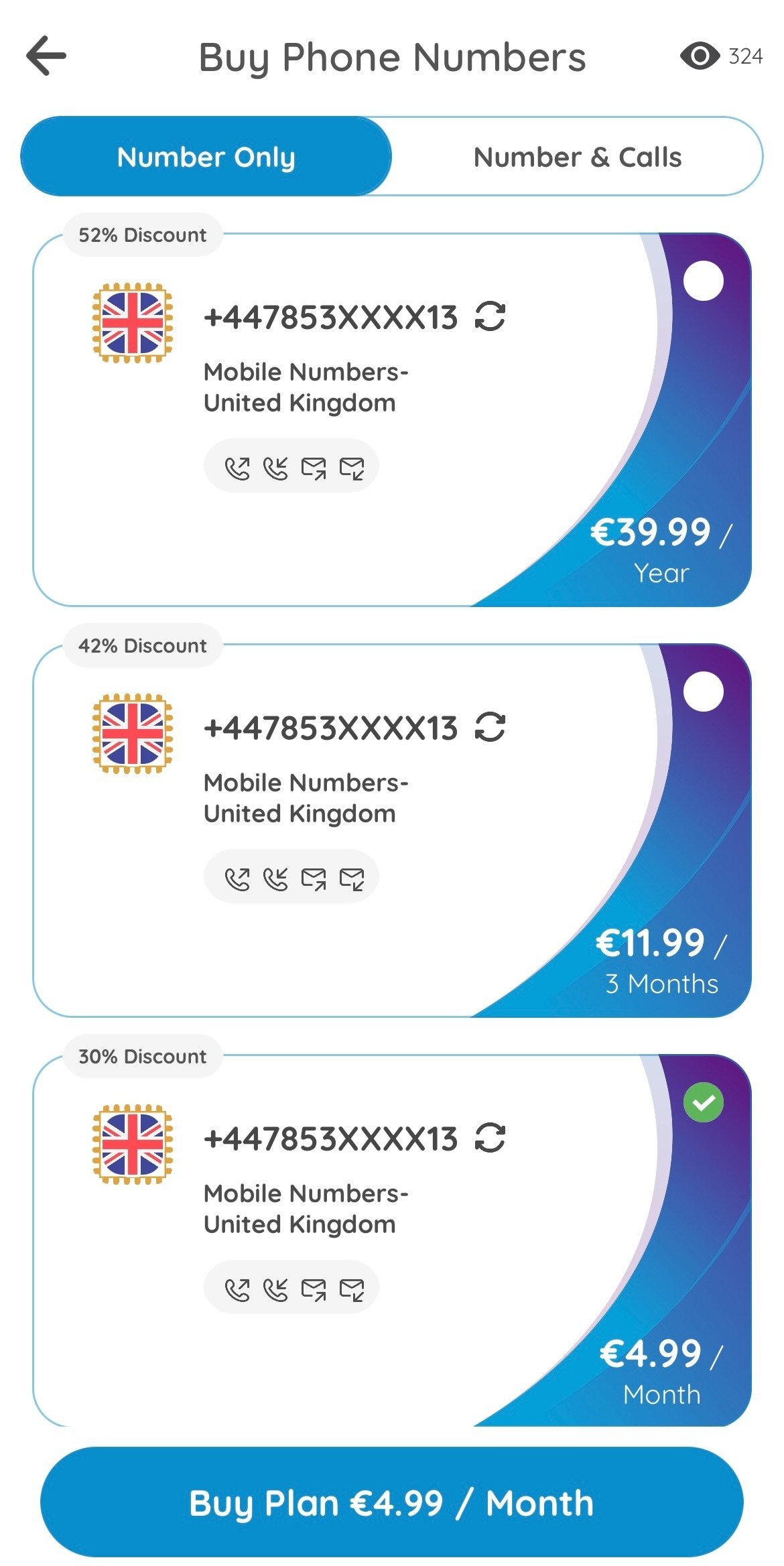
### 3.1. Review the features associated with each subscription (e.g., calling, texting, and verification support). Select one of the plans and click \[Buy Plan].
## Step 3: Buy a Phone Number
### 3.1. Review the features associated with each subscription (e.g., calling, texting, and verification support). Select one of the plans and click \[Buy Plan].
 ### 3.2. Select your preferred payment method (credit card, Google Pay, Apple Pay, or other options available in the app) and confirm the purchase. Once done, the phone number will be added to your account.
## Step 4: Set Up and Start Using Your New Number
Go back to the **My Numbers** section to see your purchased number.
* Numero eSIM allows you to manage your new number, including making calls, sending texts, and setting up voicemail.
* You can also activate or deactivate features like call forwarding or setting a custom ringtone for incoming calls.
### 3.2. Select your preferred payment method (credit card, Google Pay, Apple Pay, or other options available in the app) and confirm the purchase. Once done, the phone number will be added to your account.
## Step 4: Set Up and Start Using Your New Number
Go back to the **My Numbers** section to see your purchased number.
* Numero eSIM allows you to manage your new number, including making calls, sending texts, and setting up voicemail.
* You can also activate or deactivate features like call forwarding or setting a custom ringtone for incoming calls.
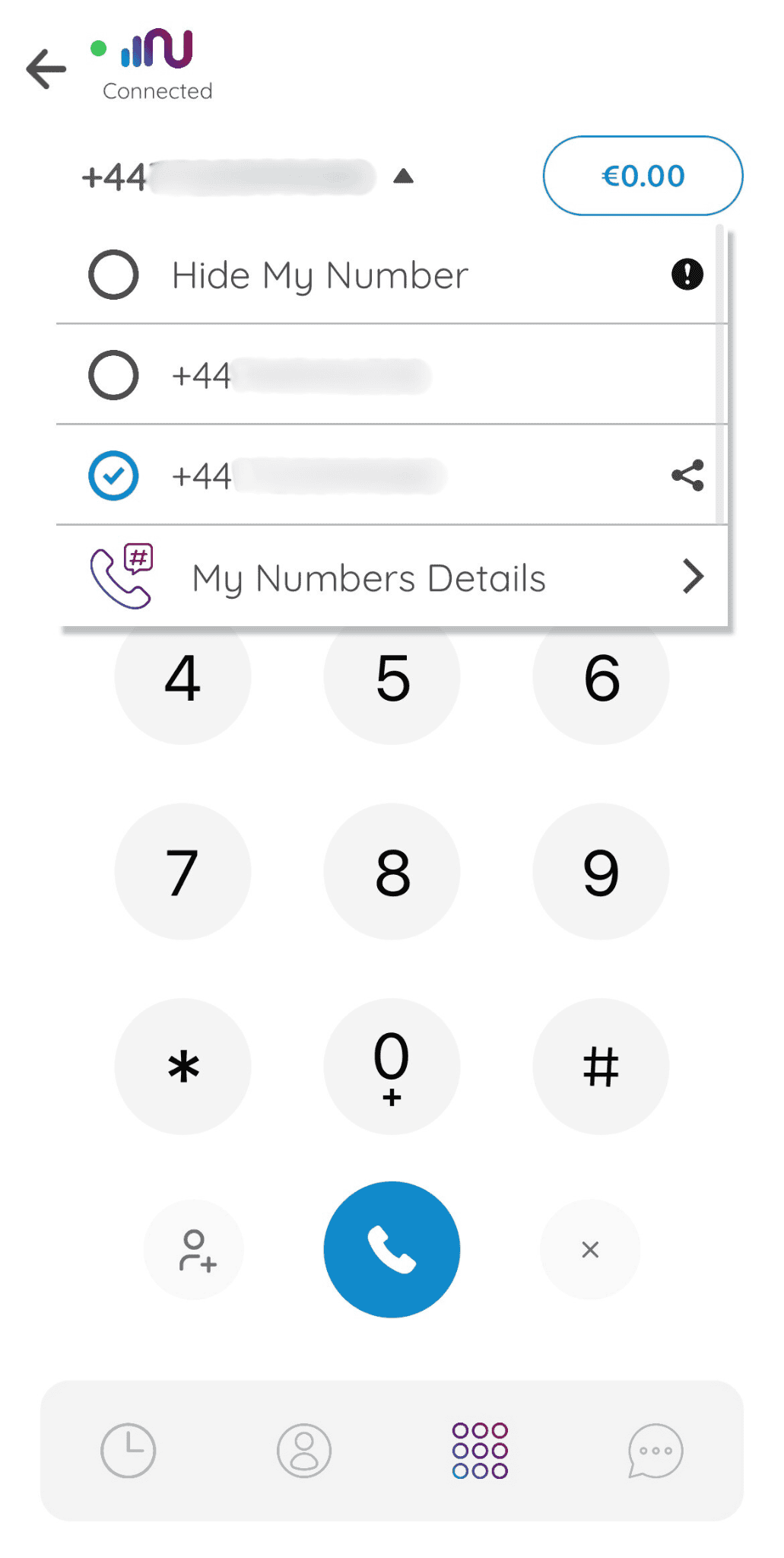 After you have your new phone number, you can go back and complete [connecting your WhatsApp to HireData](/apps/messaging/whatsapp/connect-with-whatsapp-embedded-sign-up).
💡 **Subscription Renewal**: Remember to renew your subscription to avoid interruptions. Numero may offer auto-renew options, which can be helpful if you plan to keep the number for an extended period.
## Related topics
- [Connect with WhatsApp: Embedded sign-up](/apps/messaging/whatsapp/connect-with-whatsapp-embedded-sign-up.md)
- [Prevent your WhatsApp account from being flagged as spam](/apps/messaging/whatsapp/how-to-prevent-your-whatsapp-account-from-being-flagged-as-spam.md)
- [WhatsApp Error Codes Explained](/apps/messaging/whatsapp/whatsapp-error-codes-explained.md)
- [Manually sync WhatsApp with HireData](/apps/messaging/whatsapp/manually-sync-whatsapp-with-hiredata.md)
- [How to Add a WhatsApp Chat Button to Your Website](/apps/messaging/whatsapp/how-to-add-a-whatsapp-chat-button-to-your-website.md)
After you have your new phone number, you can go back and complete [connecting your WhatsApp to HireData](/apps/messaging/whatsapp/connect-with-whatsapp-embedded-sign-up).
💡 **Subscription Renewal**: Remember to renew your subscription to avoid interruptions. Numero may offer auto-renew options, which can be helpful if you plan to keep the number for an extended period.
## Related topics
- [Connect with WhatsApp: Embedded sign-up](/apps/messaging/whatsapp/connect-with-whatsapp-embedded-sign-up.md)
- [Prevent your WhatsApp account from being flagged as spam](/apps/messaging/whatsapp/how-to-prevent-your-whatsapp-account-from-being-flagged-as-spam.md)
- [WhatsApp Error Codes Explained](/apps/messaging/whatsapp/whatsapp-error-codes-explained.md)
- [Manually sync WhatsApp with HireData](/apps/messaging/whatsapp/manually-sync-whatsapp-with-hiredata.md)
- [How to Add a WhatsApp Chat Button to Your Website](/apps/messaging/whatsapp/how-to-add-a-whatsapp-chat-button-to-your-website.md)