> ## Documentation Index
> Fetch the complete documentation index at: https://help.hiredata.com/llms.txt
> Use this file to discover all available pages before exploring further.
# Using a WhatsApp Business number after API connection
> Understand what happens to your WhatsApp Business number once connected via the API and how users can still manage conversations from HireData's inbox.
*This article explains how users can effectively manage their WhatsApp conversations using HireData’s inbox once a WhatsApp Business Account (WABA) number is connected through the WhatsApp Business API.*
## What happens when you connect a WABA via API
Once a WhatsApp Business number is integrated with the WhatsApp Business API:
* The number **cannot** be used via the standard WhatsApp or WhatsApp Business mobile applications.
* All message handling—both inbound and outbound—occurs exclusively through HireData’s Inbox interface.
## Managing your conversations in the HireData inbox
### Log in to HireData
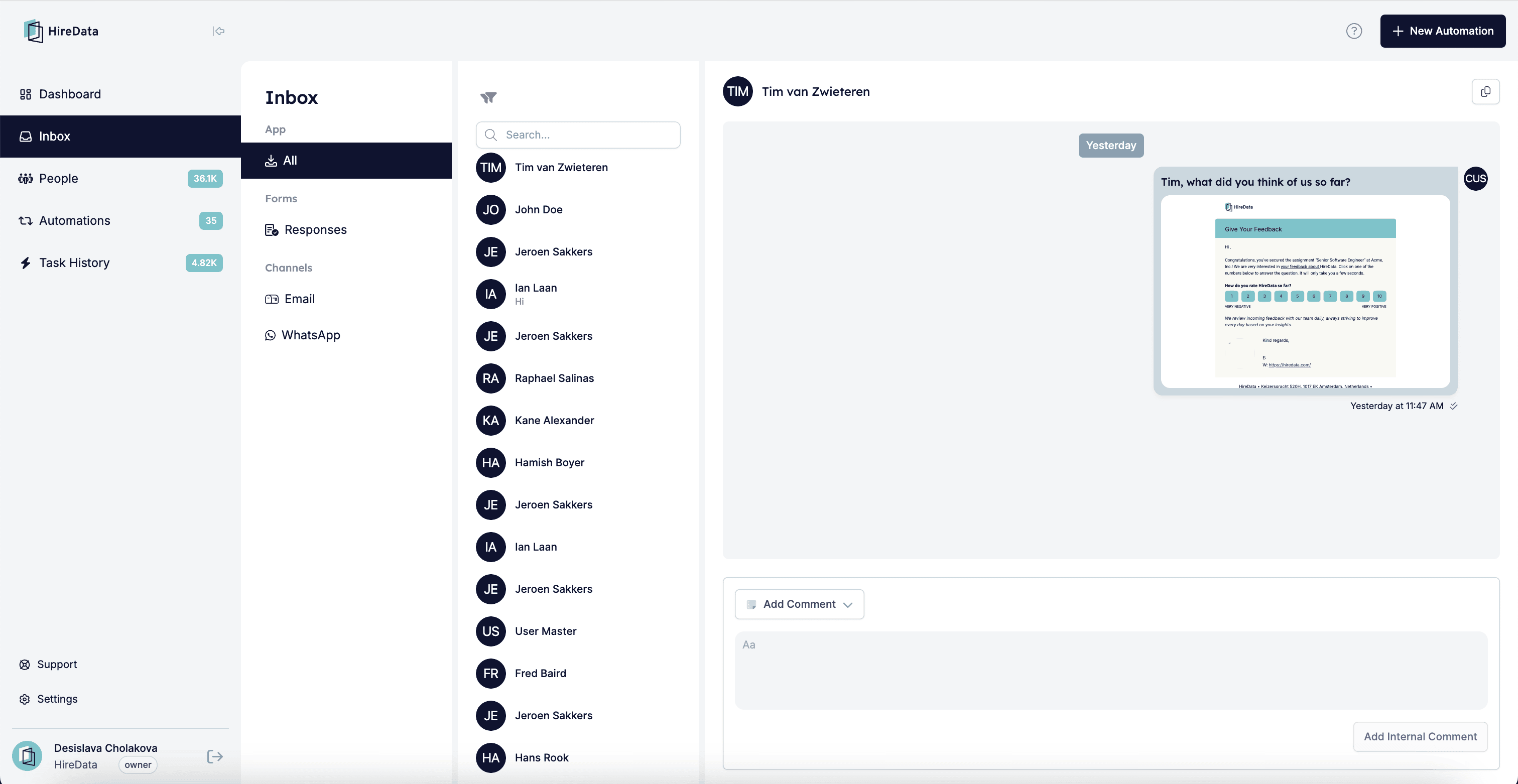
* Navigate to your HireData dashboard and select the **Inbox** from the menu.
 ### Handling incoming messages
* New WhatsApp messages appear in real-time in the HireData inbox.
* Conversations are clearly labelled and associated with the relevant contact, user, brand, or account.
### Handling incoming messages
* New WhatsApp messages appear in real-time in the HireData inbox.
* Conversations are clearly labelled and associated with the relevant contact, user, brand, or account.
 ### Sending messages
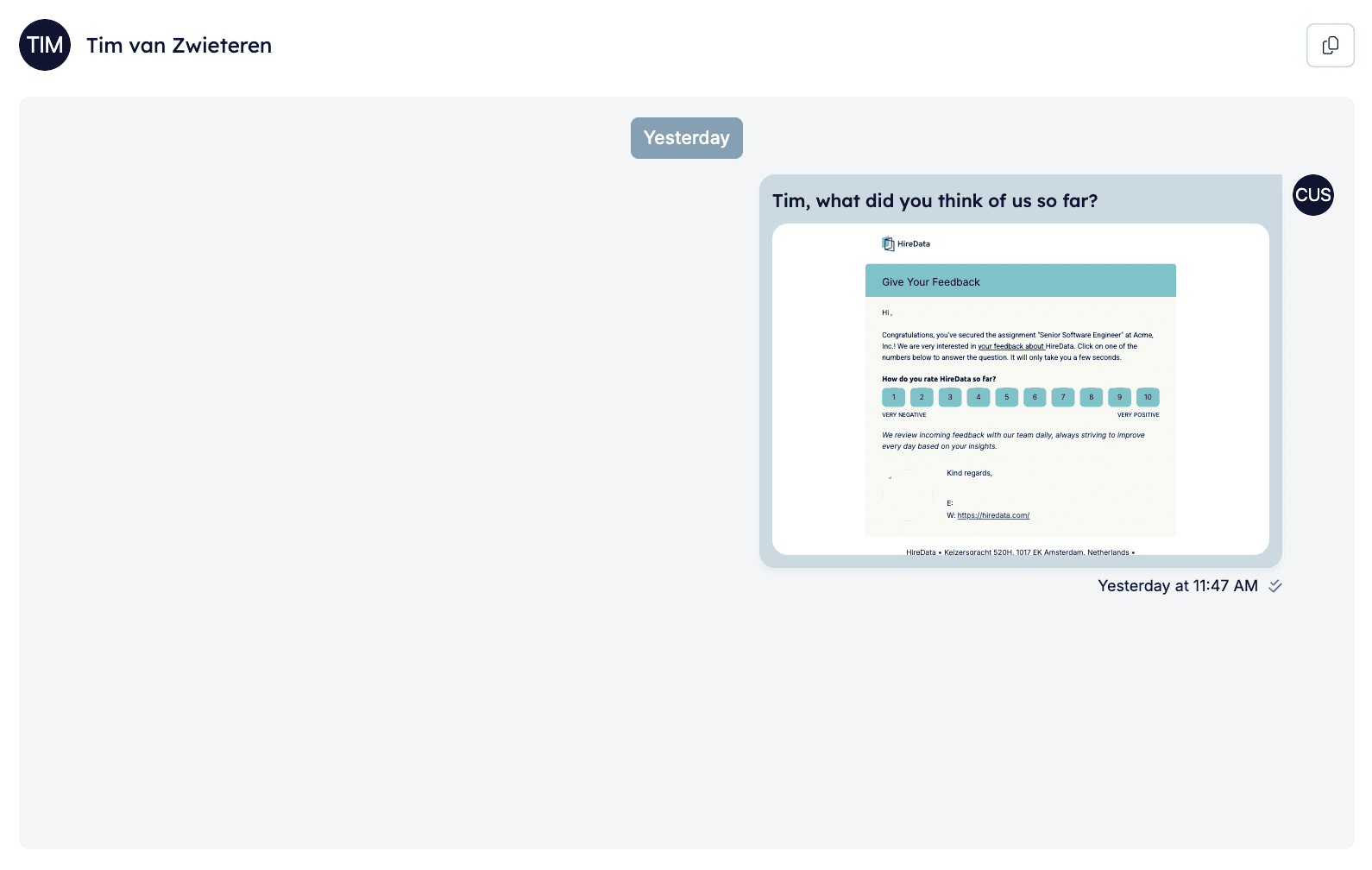
* You can manually reply to incoming messages directly from the inbox.
* Messages sent from the HireData inbox appear to recipients exactly as if sent directly from your connected WhatsApp Business number.
### Automation and personalisation
* Initial outreach messages and automated reminders can be set up to run automatically.
* Users can seamlessly take over automated conversations anytime to ensure personalised communication.
## Advantages of using the HireData inbox
* **Personalised Outreach:** Messages sent via HireData reflect your connected WhatsApp Business number, maintaining personalised engagement.
* **Centralised Communication:** Easily manage all conversations from a single interface.
* **Automation Control:** Balance automated outreach with manual follow-up at your discretion.
### Mobile accessibility
Currently, HireData’s inbox is accessible via desktop browsers. Mobile accessibility for manual message handling is under consideration for future development.
## Best practices
* Regularly check your HireData inbox for timely follow-ups.
* Customise your automated sequences while retaining the ability to step in manually at any time.
* Clearly communicate with your recipients that messages received originate from your connected WhatsApp Business number.
For further questions or feature requests, please reach out to our support team. We’re here to ensure your messaging experience with HireData meets your professional needs.
## Related topics
- [How to Add a WhatsApp Chat Button to Your Website](/apps/messaging/whatsapp/how-to-add-a-whatsapp-chat-button-to-your-website.md)
- [Buy a Phone Number from Numero for your WhatsApp account](/apps/messaging/whatsapp/buy-a-phone-number-from-numero-for-your-whatsapp-account.md)
- [WhatsApp Error Codes Explained](/apps/messaging/whatsapp/whatsapp-error-codes-explained.md)
- [How to Resolve WhatsApp Business Account Permission Issues](/apps/messaging/whatsapp/how-to-resolve-whatsapp-business-account-permission-issues.md)
- [Connect with WhatsApp: Embedded sign-up](/apps/messaging/whatsapp/connect-with-whatsapp-embedded-sign-up.md)
### Sending messages
* You can manually reply to incoming messages directly from the inbox.
* Messages sent from the HireData inbox appear to recipients exactly as if sent directly from your connected WhatsApp Business number.
### Automation and personalisation
* Initial outreach messages and automated reminders can be set up to run automatically.
* Users can seamlessly take over automated conversations anytime to ensure personalised communication.
## Advantages of using the HireData inbox
* **Personalised Outreach:** Messages sent via HireData reflect your connected WhatsApp Business number, maintaining personalised engagement.
* **Centralised Communication:** Easily manage all conversations from a single interface.
* **Automation Control:** Balance automated outreach with manual follow-up at your discretion.
### Mobile accessibility
Currently, HireData’s inbox is accessible via desktop browsers. Mobile accessibility for manual message handling is under consideration for future development.
## Best practices
* Regularly check your HireData inbox for timely follow-ups.
* Customise your automated sequences while retaining the ability to step in manually at any time.
* Clearly communicate with your recipients that messages received originate from your connected WhatsApp Business number.
For further questions or feature requests, please reach out to our support team. We’re here to ensure your messaging experience with HireData meets your professional needs.
## Related topics
- [How to Add a WhatsApp Chat Button to Your Website](/apps/messaging/whatsapp/how-to-add-a-whatsapp-chat-button-to-your-website.md)
- [Buy a Phone Number from Numero for your WhatsApp account](/apps/messaging/whatsapp/buy-a-phone-number-from-numero-for-your-whatsapp-account.md)
- [WhatsApp Error Codes Explained](/apps/messaging/whatsapp/whatsapp-error-codes-explained.md)
- [How to Resolve WhatsApp Business Account Permission Issues](/apps/messaging/whatsapp/how-to-resolve-whatsapp-business-account-permission-issues.md)
- [Connect with WhatsApp: Embedded sign-up](/apps/messaging/whatsapp/connect-with-whatsapp-embedded-sign-up.md)