> ## Documentation Index
> Fetch the complete documentation index at: https://help.hiredata.com/llms.txt
> Use this file to discover all available pages before exploring further.
# How to Use Forms in WhatsApp Conversations
> Use HireData forms inside WhatsApp conversations to collect candidate information and automatically update fields in your ATS without manual data entry.
*This guide will walk you through the process of setting up and using forms in HireData for your WhatsApp conversation, ensuring that the collected responses automatically update the relevant fields in your ATS.*
## Step 1: Create a Form
Firstly, you need to **define the purpose of the form.** Determine what data you need to collect (e.g., candidate's details such as availability date, salary expectations, years of work experience, etc.).
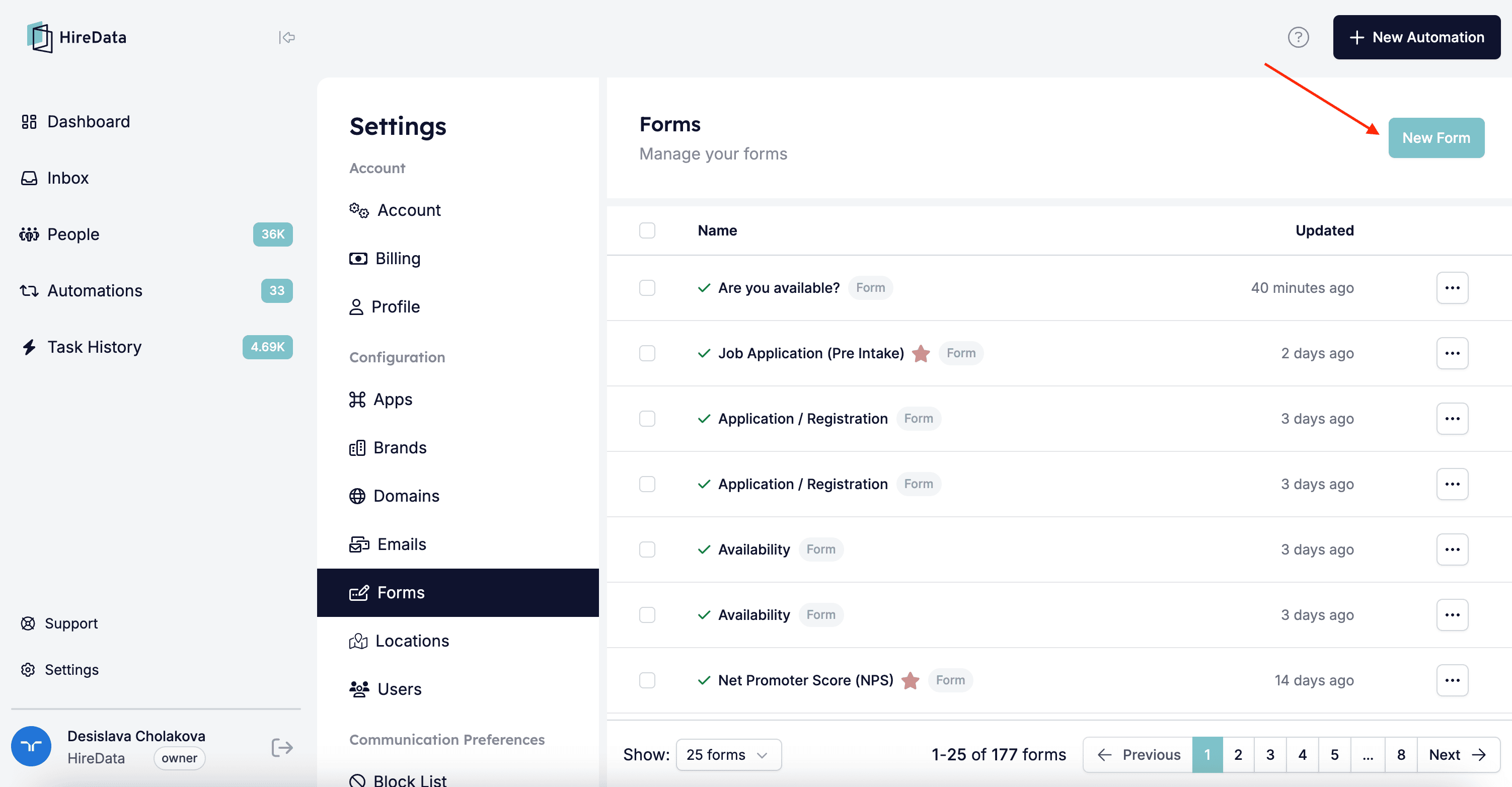
Then open the Forms page via the Settings and click on \[New Form]:
 There will be plenty of question types to choose from, so add the ones that will fit the purpose of your form and add any logic to them:
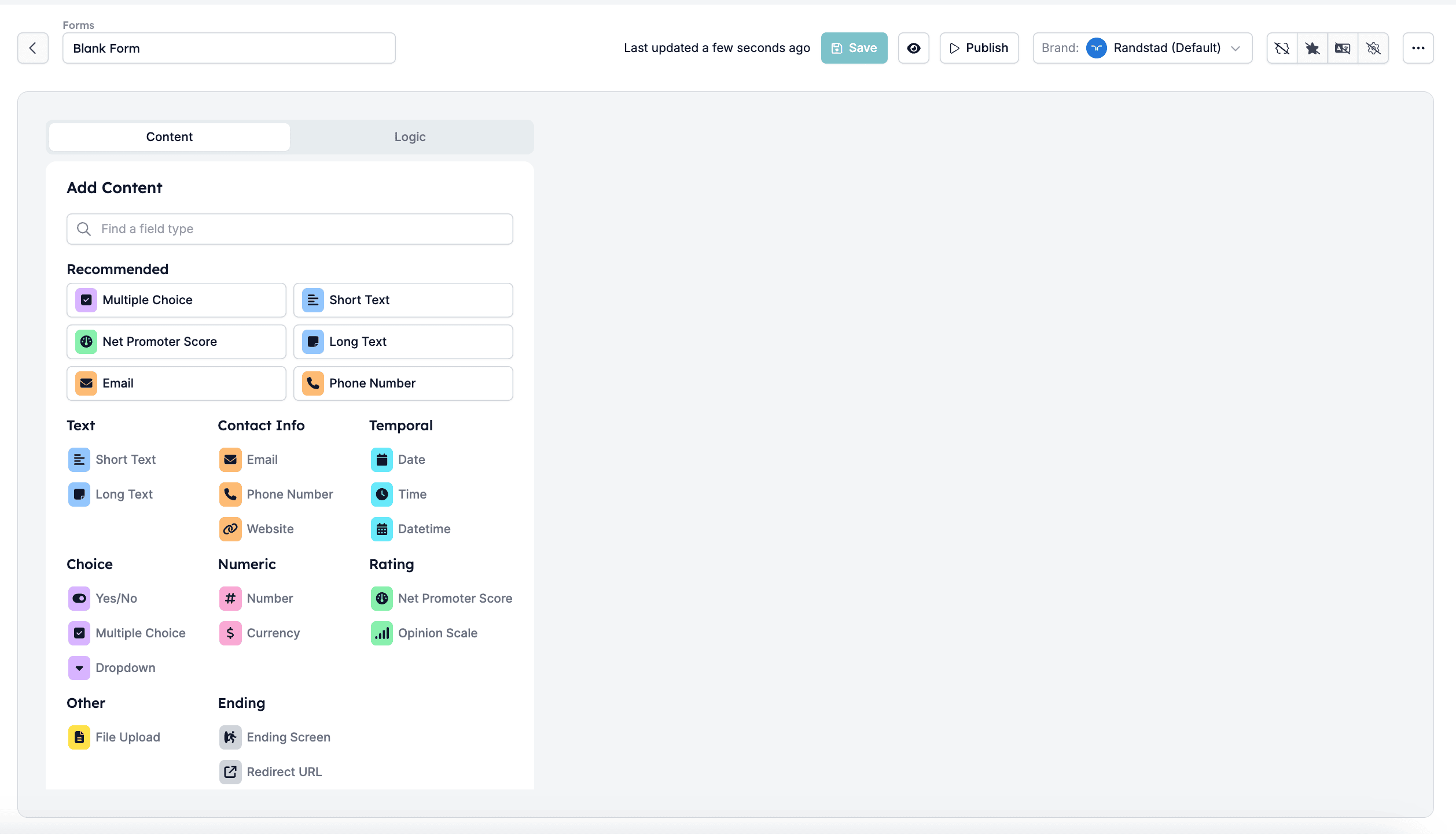 Once completed, review the form and click on \[Save].
## Step 2: Add a Form to your Automation
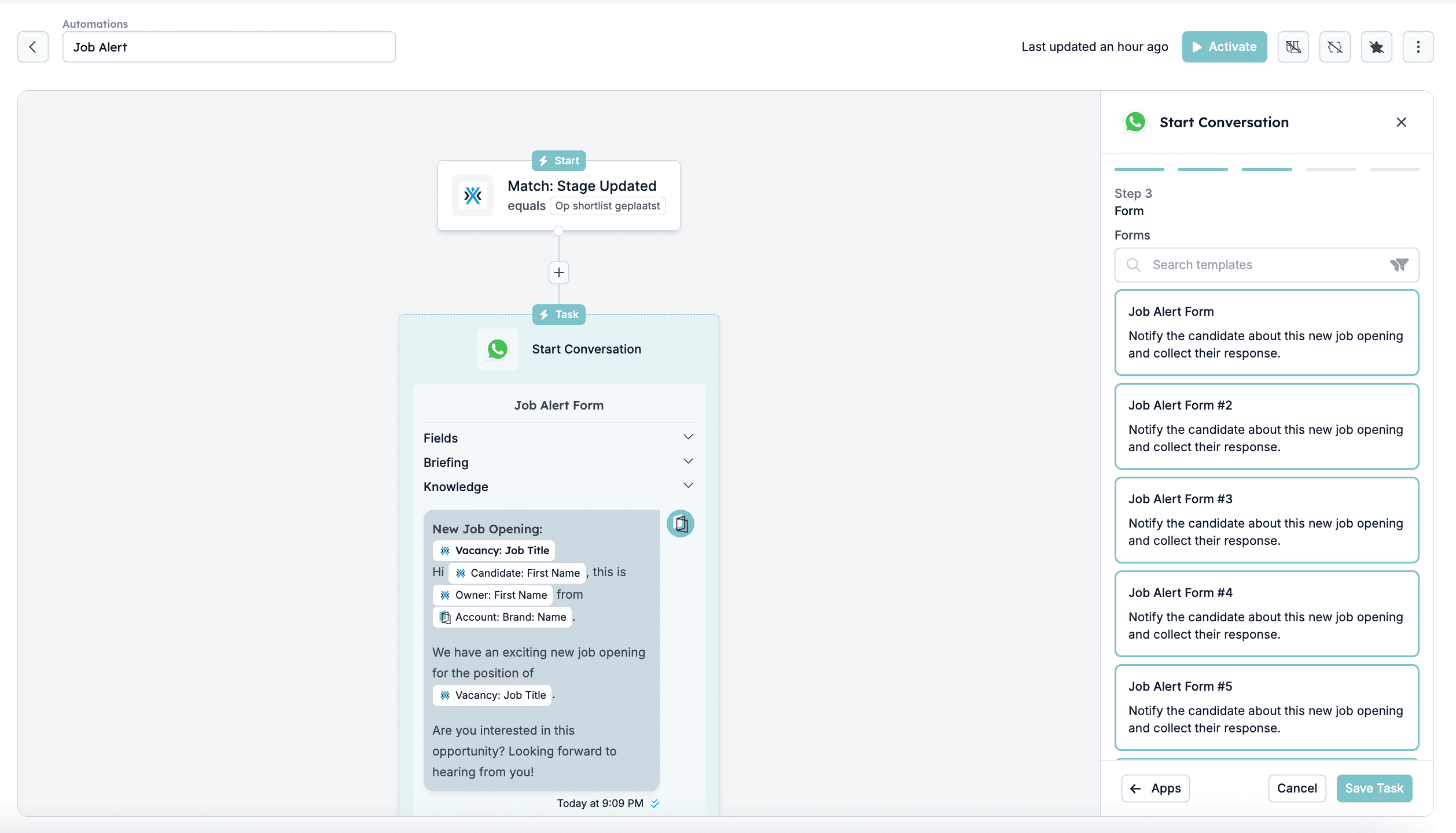
[Create your automation](/apps/messaging/whatsapp/create-a-whatsapp-automation-in-hiredata) with two tasks \[Start a Conversation] and \[Update field(s)]. Add the form you've created or select any of the templates:
Once completed, review the form and click on \[Save].
## Step 2: Add a Form to your Automation
[Create your automation](/apps/messaging/whatsapp/create-a-whatsapp-automation-in-hiredata) with two tasks \[Start a Conversation] and \[Update field(s)]. Add the form you've created or select any of the templates:
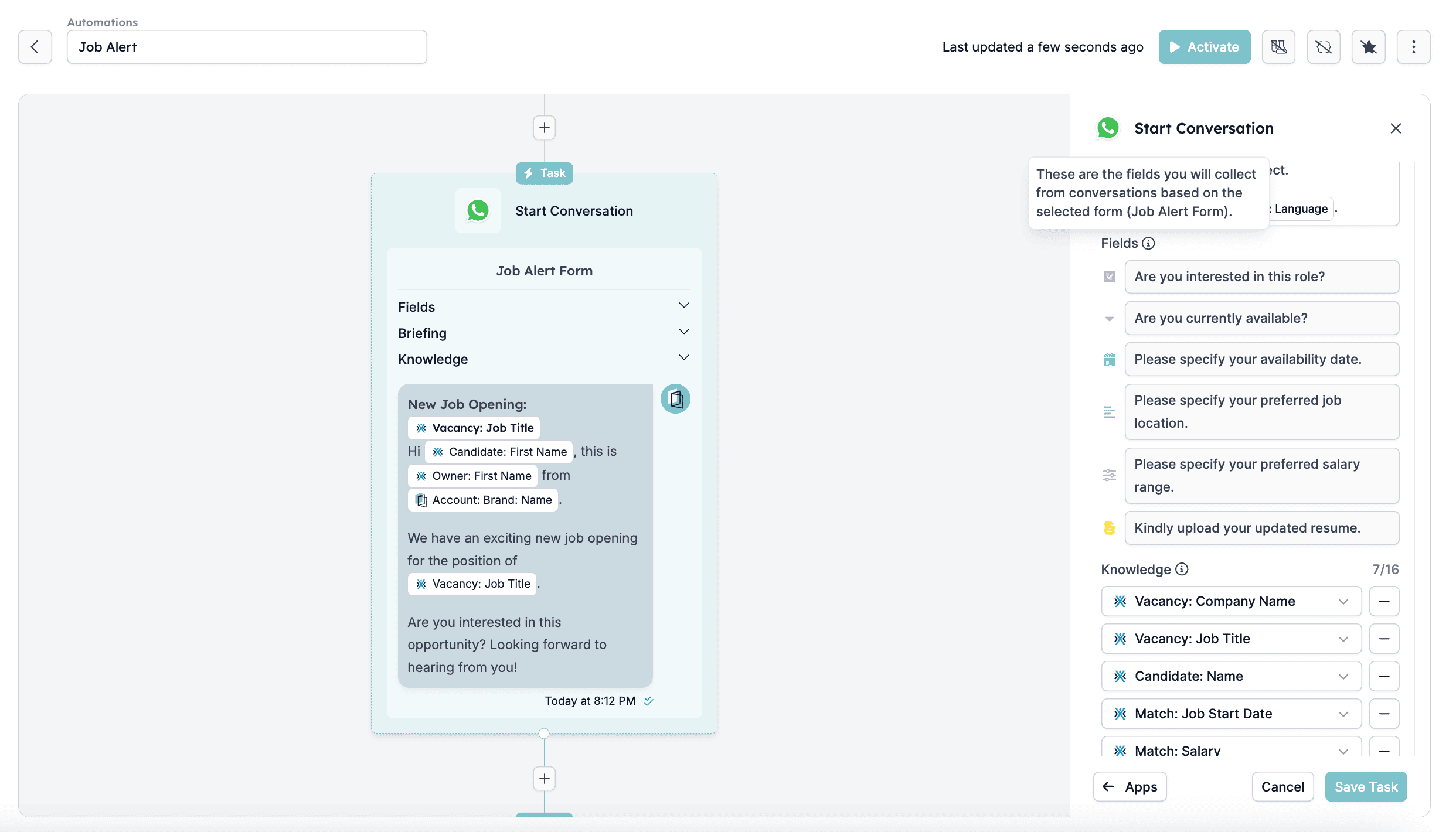
 In the Fields section, you will see the questions in the form, so all fields for which data should be collected during the WhatsApp conversation:
 ## Step 3: Automatically Update Fields Based on Form Responses
One of our key features is automatic field updates. When a user fills out a form in a WhatsApp conversation:
1. The submitted responses are collected in real-time
2. The system maps the answers to the corresponding fields and updates them in the specified app (e.g., Carerix)
## Step 3: Automatically Update Fields Based on Form Responses
One of our key features is automatic field updates. When a user fills out a form in a WhatsApp conversation:
1. The submitted responses are collected in real-time
2. The system maps the answers to the corresponding fields and updates them in the specified app (e.g., Carerix)
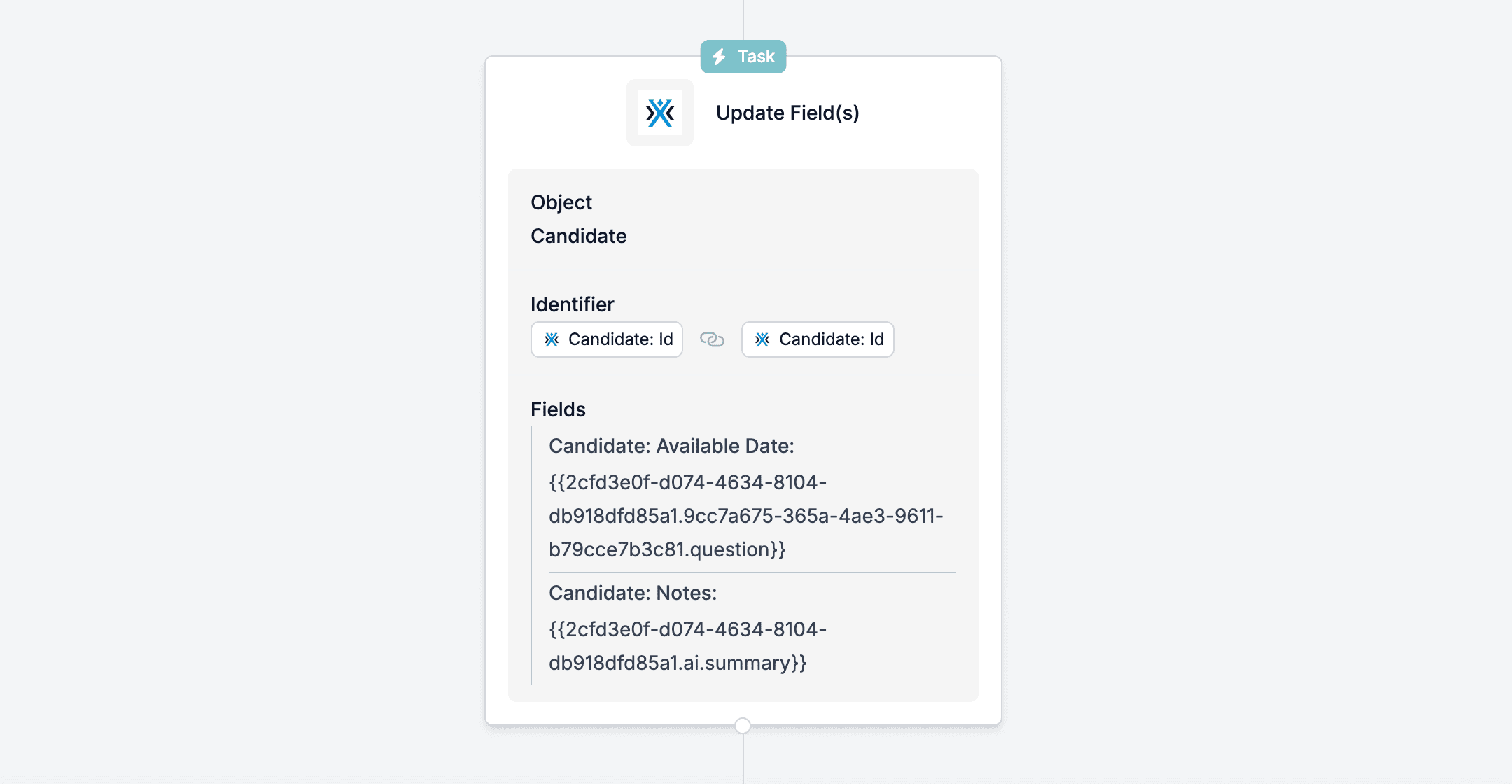 ## Example:
* A candidate provides their **availability date** via the form
* We automatically update their next availability date in your app, so all details stay up-to-date
In summary, HireData’s WhatsApp-integrated forms provide a seamless way to collect and update candidates' information in real-time, eliminating manual data entry.
## Related topics
- [How WhatsApp Templates Work](/apps/messaging/whatsapp/how-whatsapp-templates-work.md)
- [How does the WhatsApp messaging cost structure work?](/apps/messaging/whatsapp/how-does-the-whatsapp-messaging-cost-structure-work.md)
- [Create a WhatsApp automation in HireData](/apps/messaging/whatsapp/create-a-whatsapp-automation-in-hiredata.md)
- [Logging WhatsApp conversations in Carerix with HireData](/apps/carerix/logging-whatsapp-conversations-in-carerix-with-hiredata.md)
- [How to Add a WhatsApp Chat Button to Your Website](/apps/messaging/whatsapp/how-to-add-a-whatsapp-chat-button-to-your-website.md)
## Example:
* A candidate provides their **availability date** via the form
* We automatically update their next availability date in your app, so all details stay up-to-date
In summary, HireData’s WhatsApp-integrated forms provide a seamless way to collect and update candidates' information in real-time, eliminating manual data entry.
## Related topics
- [How WhatsApp Templates Work](/apps/messaging/whatsapp/how-whatsapp-templates-work.md)
- [How does the WhatsApp messaging cost structure work?](/apps/messaging/whatsapp/how-does-the-whatsapp-messaging-cost-structure-work.md)
- [Create a WhatsApp automation in HireData](/apps/messaging/whatsapp/create-a-whatsapp-automation-in-hiredata.md)
- [Logging WhatsApp conversations in Carerix with HireData](/apps/carerix/logging-whatsapp-conversations-in-carerix-with-hiredata.md)
- [How to Add a WhatsApp Chat Button to Your Website](/apps/messaging/whatsapp/how-to-add-a-whatsapp-chat-button-to-your-website.md)