> ## Documentation Index
> Fetch the complete documentation index at: https://help.hiredata.com/llms.txt
> Use this file to discover all available pages before exploring further.
# Manually sync WhatsApp with HireData
> Trigger a manual sync between WhatsApp and HireData to refresh templates, phone numbers, and account status so your messaging automations stay accurate.
*Welcome to our guide on syncing your Business WhatsApp account with HireData. Please follow the instructions below and learn how to manually sync your app when needed.*
To do that, you should first connect your Business WhatsApp account with HireData via the **[embedded sign-up](/apps/messaging/whatsapp/connect-with-whatsapp-embedded-sign-up)** or the **[system user](/apps/messaging/whatsapp/connect-with-whatsapp-embedded-sign-up)**.
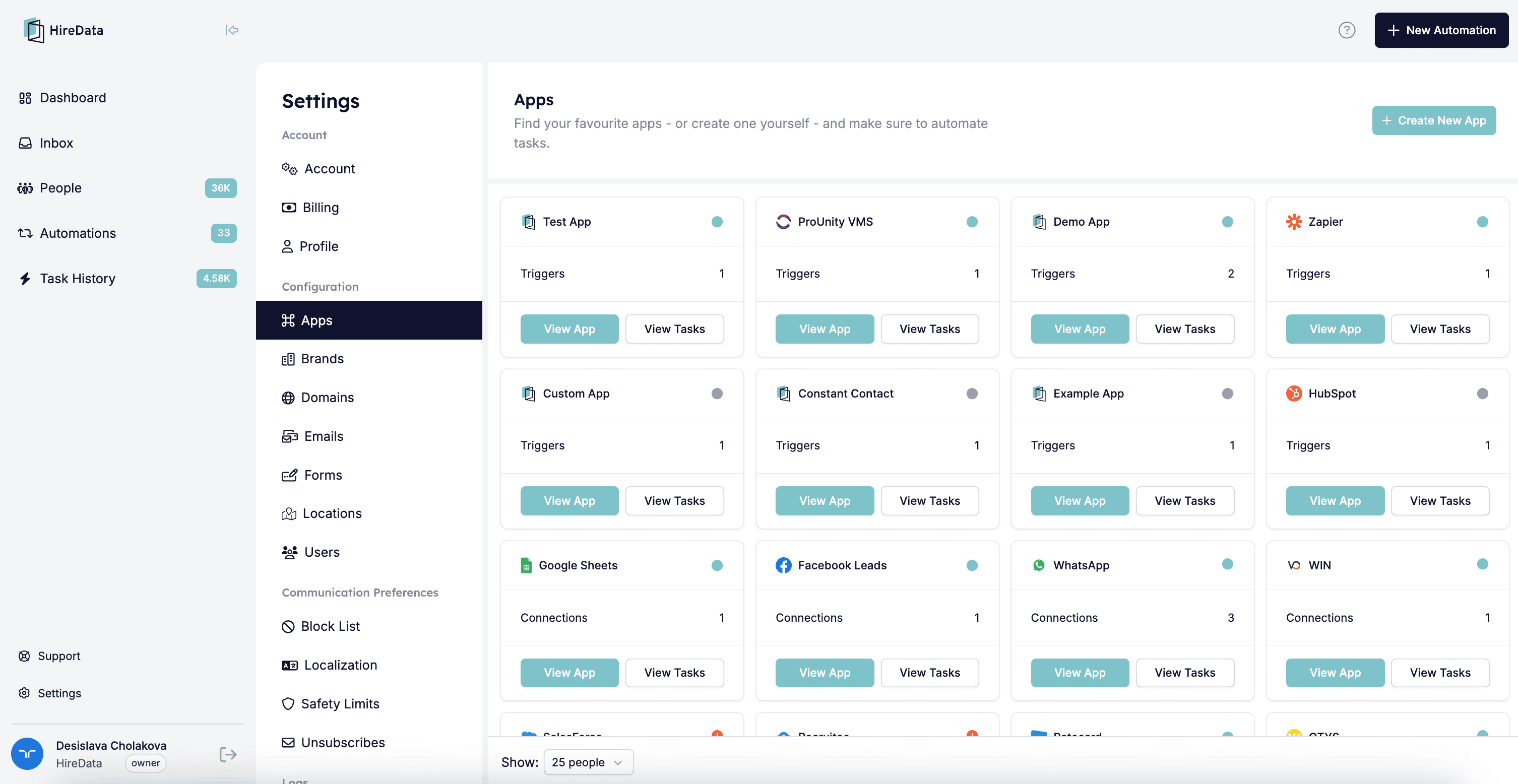
## Step 1: Navigate to the Settings page and open the Apps menu
Login to your HireData account and open the Settings page via the \[Settings] button above your name. Then, go to the Apps menu.
 ## Step 2: Select WhatsApp
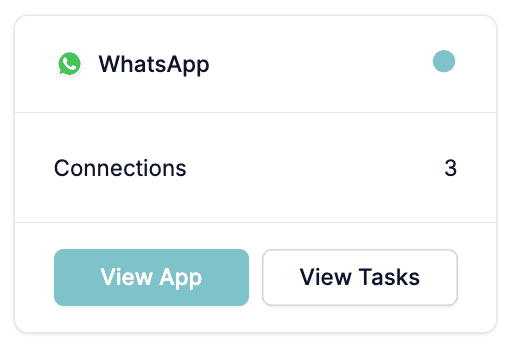
You can open WhatsApp to see your connection(s) by clicking on the name or the \[View app] button.
## Step 2: Select WhatsApp
You can open WhatsApp to see your connection(s) by clicking on the name or the \[View app] button.
 ## Step 3:\*\* \*\*Sync the data
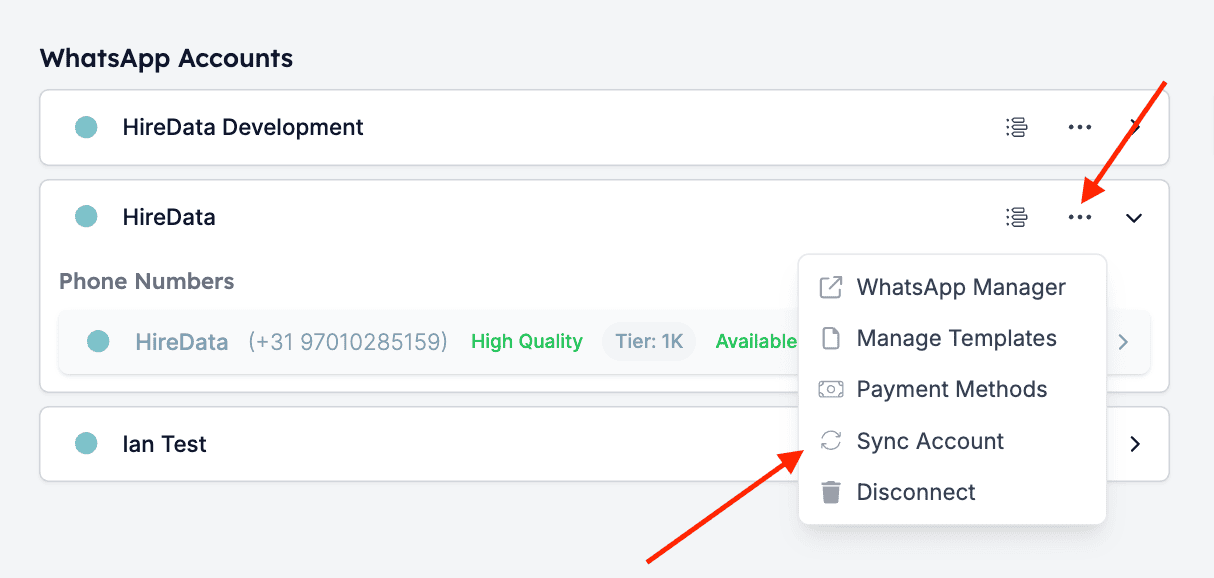
Click on the \[Sync] button (the two arrows in a circular motion) located in the drop-down menu of the company's connection. After you have clicked on it, you will see the syncing progress.
## Step 3:\*\* \*\*Sync the data
Click on the \[Sync] button (the two arrows in a circular motion) located in the drop-down menu of the company's connection. After you have clicked on it, you will see the syncing progress.
 ## Related topics
- [Manually sync Vincere with HireData](/apps/vincere/manually-sync-vincere-with-hiredata.md)
- [Manually sync Carerix with HireData](/apps/carerix/manually-sync-carerix-with-hiredata.md)
- [Manually sync OTYS with HireData](/apps/otys/manually-sync-otys-with-hiredata.md)
- [How WhatsApp Templates Work](/apps/messaging/whatsapp/how-whatsapp-templates-work.md)
- [Add a Valid Payment Method for WhatsApp](/apps/messaging/whatsapp/add-a-valid-payment-method-for-whatsapp.md)
## Related topics
- [Manually sync Vincere with HireData](/apps/vincere/manually-sync-vincere-with-hiredata.md)
- [Manually sync Carerix with HireData](/apps/carerix/manually-sync-carerix-with-hiredata.md)
- [Manually sync OTYS with HireData](/apps/otys/manually-sync-otys-with-hiredata.md)
- [How WhatsApp Templates Work](/apps/messaging/whatsapp/how-whatsapp-templates-work.md)
- [Add a Valid Payment Method for WhatsApp](/apps/messaging/whatsapp/add-a-valid-payment-method-for-whatsapp.md)