> ## Documentation Index
> Fetch the complete documentation index at: https://help.hiredata.com/llms.txt
> Use this file to discover all available pages before exploring further.
# HTML
> The HTML block in the HireData email builder: a code editor for markup of your own, the font size HireData adds to it, and the character limit.
An HTML block drops markup you write yourself into the email. Use it for the thing the other blocks cannot do. Add it from the **Blocks** menu of a section or a column.
## How it renders
HireData drops your markup into the email untouched, with one exception it has to make.
The email is built with MJML, which sets the font size of anything it did not lay out itself to zero. Text pasted into an HTML block would arrive invisible. So before sending, HireData walks your markup and adds `font-size: 16px` to any `body`, `table`, `p`, `span`, or `a` element that does not already carry one. It also wraps loose text in a `span` at the same size.
Set a font size yourself and HireData leaves it alone. That is the way to get any size other than 16 pixels out of an HTML block.
 Paste a whole HTML document and only what is inside `` survives. Paste something the parser cannot read at all and it goes through exactly as written.
An HTML block carries no [translations](/reference/email-builder/translations). What you write in it goes out unchanged in every language the email is sent in.
## Settings
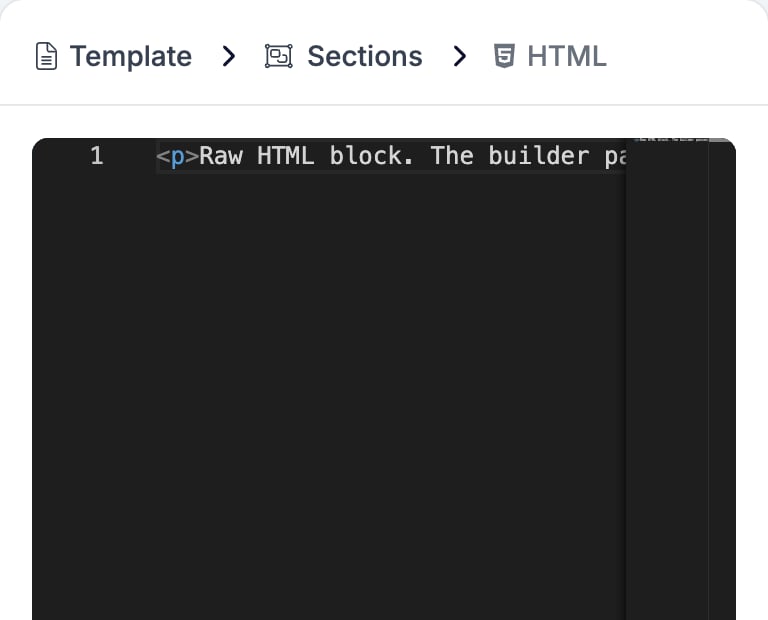
There are no settings. The panel is the editor, with line numbers down the left. Type or paste your markup and it appears in the email as you go.
Paste a whole HTML document and only what is inside `` survives. Paste something the parser cannot read at all and it goes through exactly as written.
An HTML block carries no [translations](/reference/email-builder/translations). What you write in it goes out unchanged in every language the email is sent in.
## Settings
There are no settings. The panel is the editor, with line numbers down the left. Type or paste your markup and it appears in the email as you go.
 The block does not style anything for you. Colours, fonts, and spacing that the other blocks take from the brand are yours to write out.
## Limits
An email template sent to the HireData API is refused if an HTML block runs past 100,000 characters. The editor counts nothing for you, so a paste that large is worth trimming before it becomes someone else's problem.
## Related
* [Email builder overview](/reference/email-builder/overview) covers the builder, the toolbar, the theme, and every block type.
* [Section](/reference/email-builder/sections) and [Two Columns](/reference/email-builder/blocks/columns) both accept an HTML block.
* [Paragraph](/reference/email-builder/blocks/paragraph) is the block to reach for first, because it takes the brand's fonts and colours without being told.
* [Translations](/reference/email-builder/translations) explains why an HTML block is the one thing you cannot translate.
## Related topics
- [Modifiers](/variables/modifiers.md)
- [Heading](/reference/email-builder/blocks/heading.md)
- [Template](/reference/email-builder/template.md)
- [Two Columns](/reference/email-builder/blocks/columns.md)
- [Translations](/reference/email-builder/translations.md)
The block does not style anything for you. Colours, fonts, and spacing that the other blocks take from the brand are yours to write out.
## Limits
An email template sent to the HireData API is refused if an HTML block runs past 100,000 characters. The editor counts nothing for you, so a paste that large is worth trimming before it becomes someone else's problem.
## Related
* [Email builder overview](/reference/email-builder/overview) covers the builder, the toolbar, the theme, and every block type.
* [Section](/reference/email-builder/sections) and [Two Columns](/reference/email-builder/blocks/columns) both accept an HTML block.
* [Paragraph](/reference/email-builder/blocks/paragraph) is the block to reach for first, because it takes the brand's fonts and colours without being told.
* [Translations](/reference/email-builder/translations) explains why an HTML block is the one thing you cannot translate.
## Related topics
- [Modifiers](/variables/modifiers.md)
- [Heading](/reference/email-builder/blocks/heading.md)
- [Template](/reference/email-builder/template.md)
- [Two Columns](/reference/email-builder/blocks/columns.md)
- [Translations](/reference/email-builder/translations.md)