> ## Documentation Index
> Fetch the complete documentation index at: https://help.hiredata.com/llms.txt
> Use this file to discover all available pages before exploring further.
# Paragraph
> The Paragraph block in the HireData email builder: body text, its font and colour settings, the formatting menu, and the link colour it can override.
A Paragraph block is body text. You edit it by clicking the words in the email and typing, the same way you would in a document.
Add it from the **Blocks** menu of a section or a column. Both offer it first.
## How it renders
The paragraph becomes a block of text the full width of whatever holds it, wrapping at that width.
Select words in the email and a small menu appears over them. It holds bold, underline, italic, strikethrough, a text colour, and a link. The three dots at the end hold subscript and superscript.
A link you add from that menu can be a web address, an email address, or a phone number. HireData accepts `http`, `https`, `mailto`, and `tel`.
 ## Settings
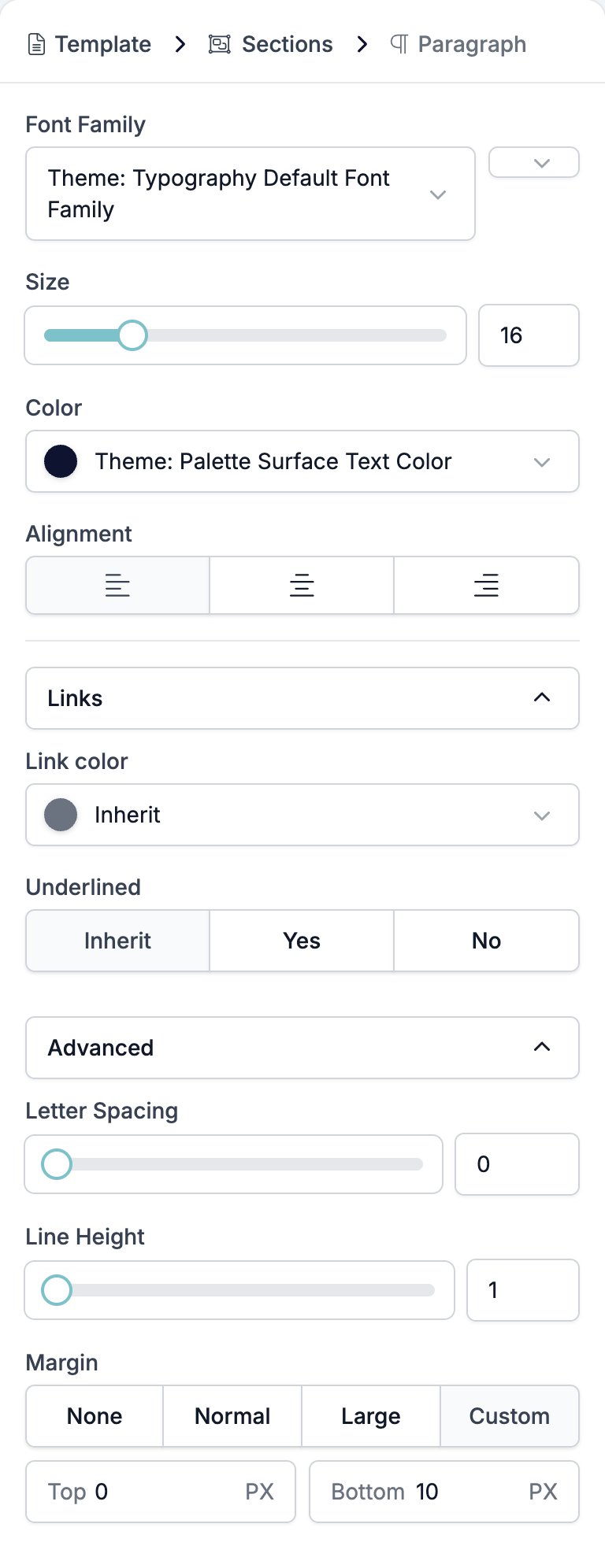
* **Font Family** picks the typeface, with a weight selector beside it running from Ultra Light to Heavy. The brand's own fonts sit at the top of the list, above the rest.
* **Size** is a slider and a box, 8 to 48 pixels. New paragraphs start at 16.
* **Color** sets the text colour and starts on the brand's surface text colour.
* **Alignment** is left, centre, or right.
* **Links** holds two controls for the links in this paragraph only. Both offer **Inherit**, which hands the decision back to the [template](/reference/email-builder/template#settings), and that is what a new paragraph uses.
* **Link color**.
* **Underlined**, **Inherit**, **Yes**, or **No**.
* **Advanced** holds three controls.
* **Letter Spacing**, 0 to 10.
* **Line Height**, 1 to 2.
* **Margin**, the gap above and below the paragraph.
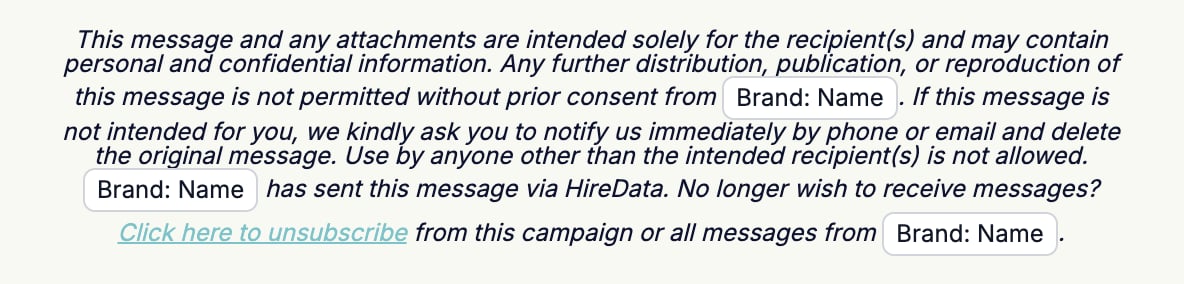
Type `{{` anywhere in a paragraph to drop in a variable.
## Settings
* **Font Family** picks the typeface, with a weight selector beside it running from Ultra Light to Heavy. The brand's own fonts sit at the top of the list, above the rest.
* **Size** is a slider and a box, 8 to 48 pixels. New paragraphs start at 16.
* **Color** sets the text colour and starts on the brand's surface text colour.
* **Alignment** is left, centre, or right.
* **Links** holds two controls for the links in this paragraph only. Both offer **Inherit**, which hands the decision back to the [template](/reference/email-builder/template#settings), and that is what a new paragraph uses.
* **Link color**.
* **Underlined**, **Inherit**, **Yes**, or **No**.
* **Advanced** holds three controls.
* **Letter Spacing**, 0 to 10.
* **Line Height**, 1 to 2.
* **Margin**, the gap above and below the paragraph.
Type `{{` anywhere in a paragraph to drop in a variable.
 ## Related
* [Email builder overview](/reference/email-builder/overview) covers the builder, the toolbar, the theme, and every block type.
* [Heading](/reference/email-builder/blocks/heading) is the same text controls at a heading level.
* [Template](/reference/email-builder/template#settings) sets the link colour a paragraph inherits.
* [Variables](/reference/email-builder/variables) covers the picker, the fallbacks, and what a missing value looks like.
* [Button](/reference/email-builder/blocks/button) is the block to use when the link is the point.
## Related topics
- [Translations](/reference/email-builder/translations.md)
- [Two Columns](/reference/email-builder/blocks/columns.md)
- [Ask for feedback in one click](/knowledge-base/cookbook/one-click-feedback-email.md)
- [Signature](/reference/email-builder/blocks/signature.md)
- [Heading](/reference/email-builder/blocks/heading.md)
## Related
* [Email builder overview](/reference/email-builder/overview) covers the builder, the toolbar, the theme, and every block type.
* [Heading](/reference/email-builder/blocks/heading) is the same text controls at a heading level.
* [Template](/reference/email-builder/template#settings) sets the link colour a paragraph inherits.
* [Variables](/reference/email-builder/variables) covers the picker, the fallbacks, and what a missing value looks like.
* [Button](/reference/email-builder/blocks/button) is the block to use when the link is the point.
## Related topics
- [Translations](/reference/email-builder/translations.md)
- [Two Columns](/reference/email-builder/blocks/columns.md)
- [Ask for feedback in one click](/knowledge-base/cookbook/one-click-feedback-email.md)
- [Signature](/reference/email-builder/blocks/signature.md)
- [Heading](/reference/email-builder/blocks/heading.md)