> ## Documentation Index
> Fetch the complete documentation index at: https://help.hiredata.com/llms.txt
> Use this file to discover all available pages before exploring further.
# Datetime
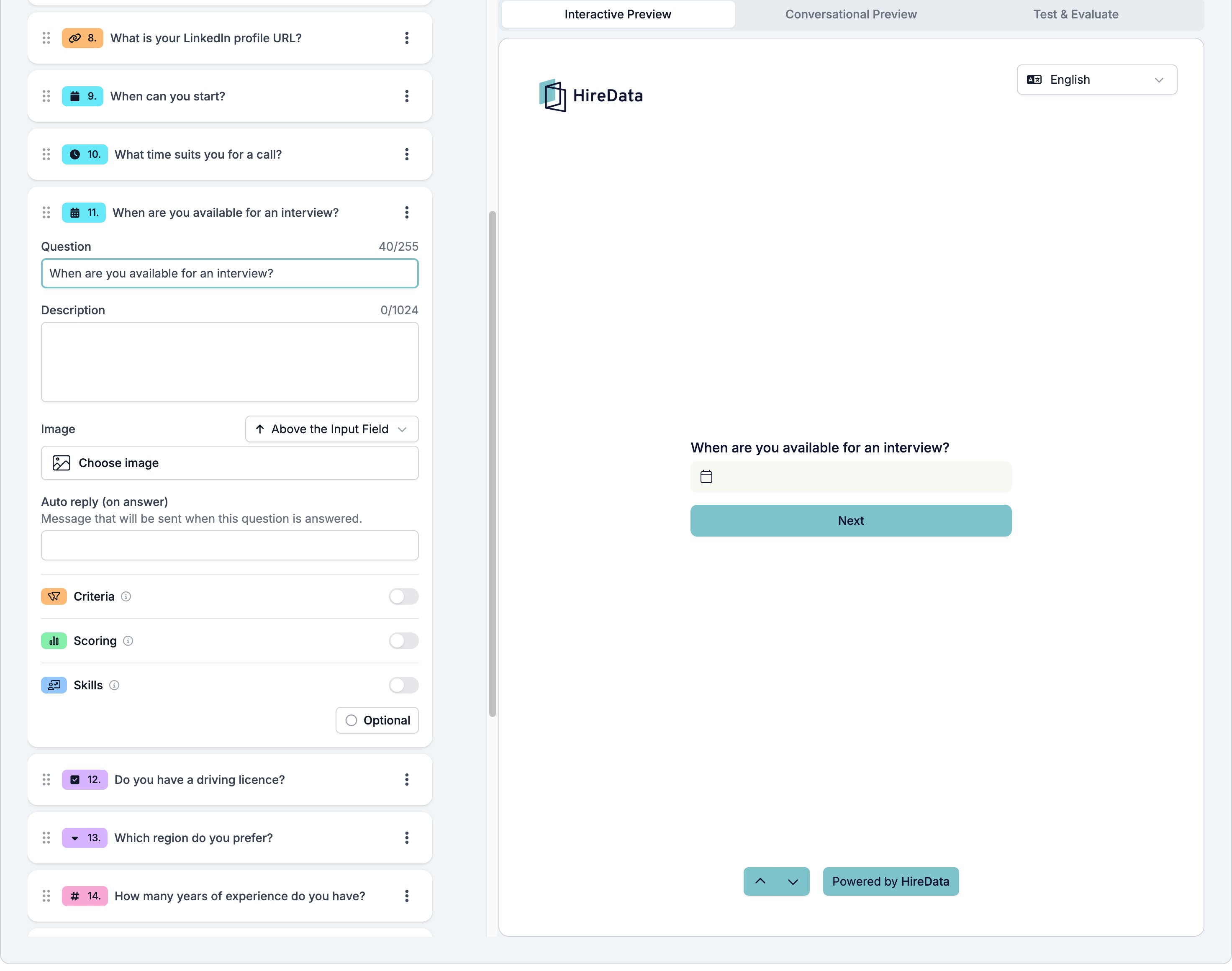
> The datetime field in a HireData form. It asks for a day and a time in one answer and can only be branched on with the has response operator.
Datetime asks for a day and a time in one answer. Use it when both halves matter, such as an interview slot, and use [Date](/reference/forms/fields/date) when the day is enough.
It sits in the **Temporal** group of the **Add Content** palette.
## Settings
Datetime adds nothing to the [settings every field shares](/reference/forms/overview#settings-every-field-shares). There is no window to set and no working-hours limit.
 ## What it stores
A date and time. All three temporal types share one value, and Datetime fills in both halves.
## Logic operators
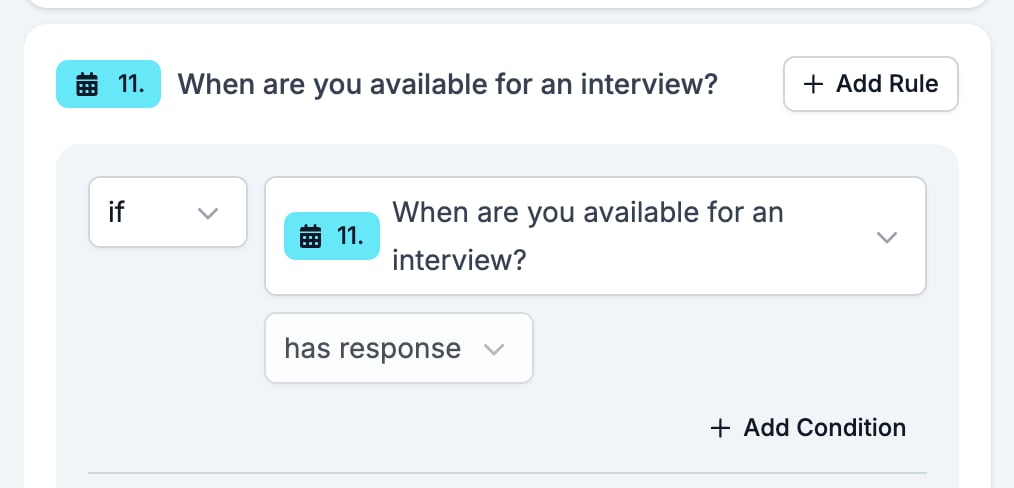
The operator picker is fixed at **has response** and cannot be changed. A rule can ask whether the respondent gave a slot, not whether it falls in the window you wanted.
## What it stores
A date and time. All three temporal types share one value, and Datetime fills in both halves.
## Logic operators
The operator picker is fixed at **has response** and cannot be changed. A rule can ask whether the respondent gave a slot, not whether it falls in the window you wanted.
 ## Evaluation
Switch **Criteria**, **Scoring**, or **Skills** on for the form in the [Evaluation tab](/reference/forms/evaluation/overview) and each one gets a switch on this card.
## Related
* [Form builder overview](/reference/forms/overview) covers the builder, the shared settings, and every field type.
* [Logic](/reference/forms/logic) covers the operators, the branching patterns, and what to check when a rule does not fire.
* [Date](/reference/forms/fields/date) and [Time](/reference/forms/fields/time) are the other two Temporal fields.
## Related topics
- [Date](/reference/forms/fields/date.md)
- [Logic](/reference/forms/logic.md)
- [Time](/reference/forms/fields/time.md)
- [Criteria](/reference/forms/evaluation/criteria.md)
- [Form builder overview](/reference/forms/overview.md)
## Evaluation
Switch **Criteria**, **Scoring**, or **Skills** on for the form in the [Evaluation tab](/reference/forms/evaluation/overview) and each one gets a switch on this card.
## Related
* [Form builder overview](/reference/forms/overview) covers the builder, the shared settings, and every field type.
* [Logic](/reference/forms/logic) covers the operators, the branching patterns, and what to check when a rule does not fire.
* [Date](/reference/forms/fields/date) and [Time](/reference/forms/fields/time) are the other two Temporal fields.
## Related topics
- [Date](/reference/forms/fields/date.md)
- [Logic](/reference/forms/logic.md)
- [Time](/reference/forms/fields/time.md)
- [Criteria](/reference/forms/evaluation/criteria.md)
- [Form builder overview](/reference/forms/overview.md)