> ## Documentation Index
> Fetch the complete documentation index at: https://help.hiredata.com/llms.txt
> Use this file to discover all available pages before exploring further.
# Ending Screen
> The last screen of a HireData form. It shows a title and description, and can carry a button that sends the respondent on, with an optional timer.
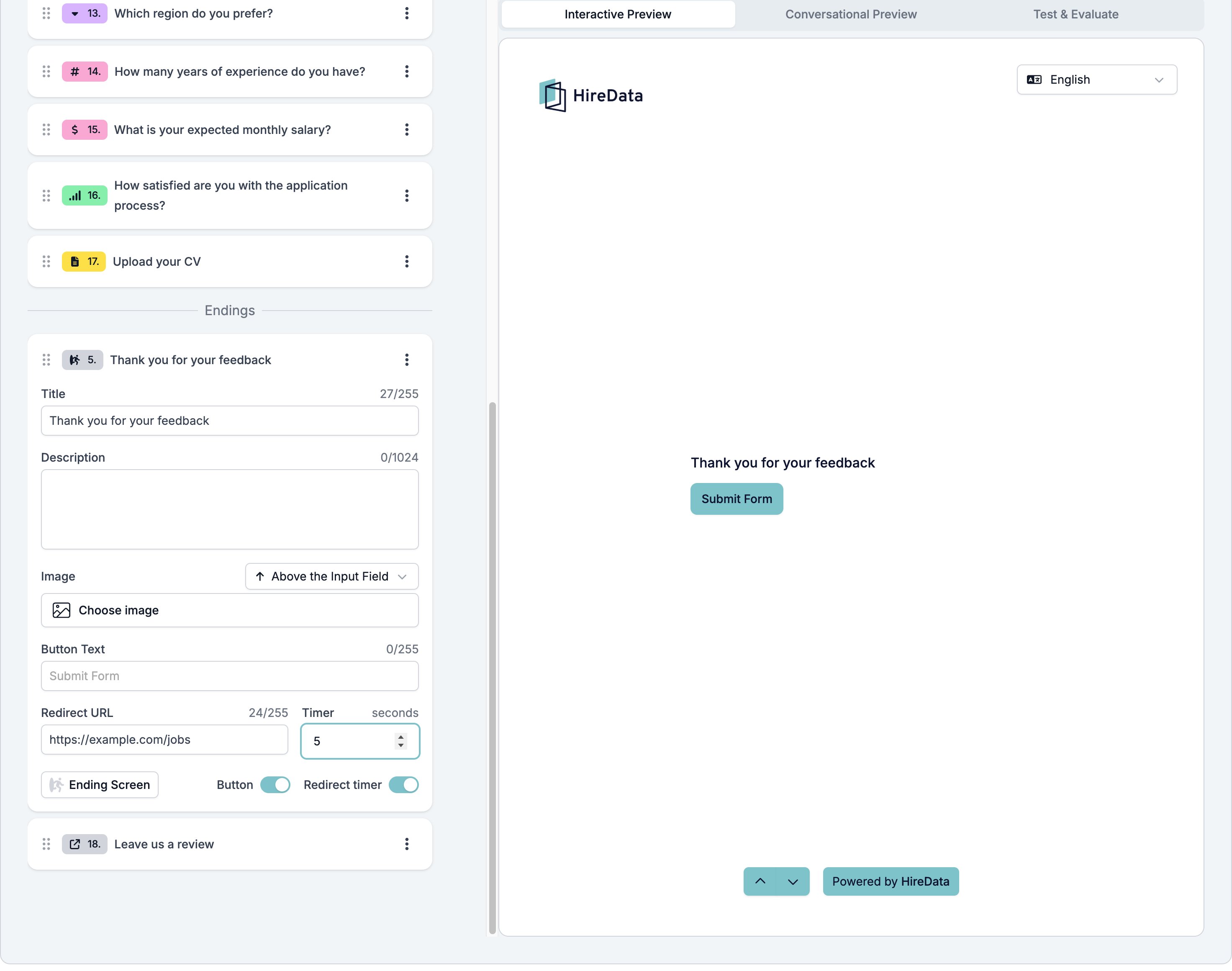
An ending screen is where a respondent lands when the form is over. It shows a title, an optional description, and an optional button.
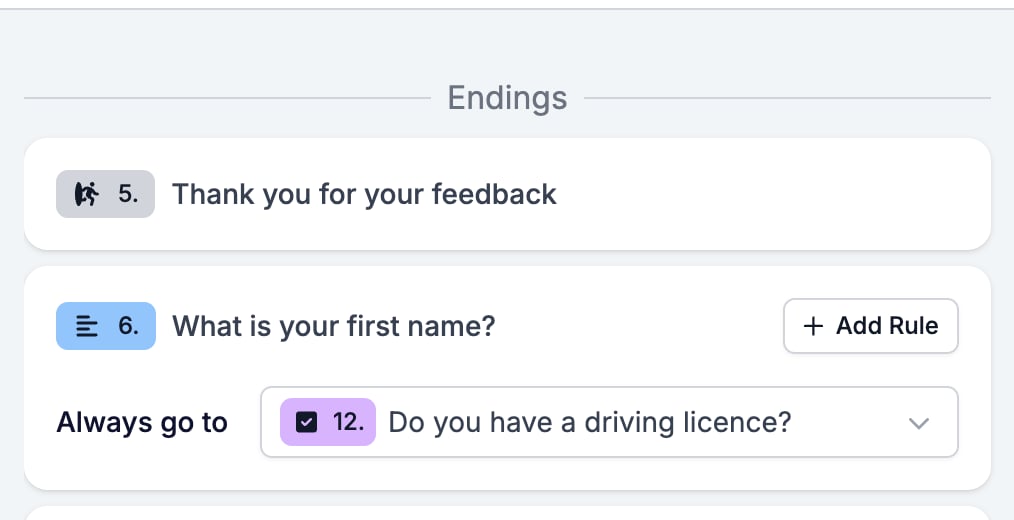
The **Content** tab collects endings in their own **Endings** group at the bottom of the field list, apart from the questions. A form can hold several of them, and that is the point. A logic rule can send a strong candidate to one ending and everyone else to another.
It sits in the **Ending** group of the **Add Content** palette. The button at the bottom left of the card switches it to a [Redirect URL](/reference/forms/fields/redirect-url).
## Settings
An ending has fewer settings than a question, because nobody answers it.
* **Title**, up to 255 characters. This is what other field types call **Question**.
* **Description**, up to 1024 characters.
* **Image**, with the same placement selector every field has.
* **Button**, a switch in the footer.
Turning **Button** on adds two settings and a second switch.
* **Button Text**, the label on the button. The box shows "Submit Form" as its placeholder.
* **Redirect URL**, the address the button opens.
* **Redirect timer**, a switch that adds a **Timer** in seconds, so the respondent is sent to the address on their own after that many seconds rather than waiting for a click.
There is no **Display & requirements** button, no auto reply, and no evaluator switch. An ending is not a question, so none of them apply.
 ## What it stores
Nothing. An ending has no input.
## Logic operators
None. An ending has no **Add Rule** button in the **Logic** tab, because an ending is where the form stops. Rules on the questions point at endings, not the other way round.
## What it stores
Nothing. An ending has no input.
## Logic operators
None. An ending has no **Add Rule** button in the **Logic** tab, because an ending is where the form stops. Rules on the questions point at endings, not the other way round.
 ## Evaluation
An ending screen carries no evaluator switches. The AI evaluators read the answers, and an ending has none.
## Related
* [Form builder overview](/reference/forms/overview) covers the builder, the shared settings, and every field type.
* [Redirect URL](/reference/forms/fields/redirect-url) is the other ending, with no screen at all.
* [Logic](/reference/forms/logic) explains sending different respondents to different endings.
## Related topics
- [Redirect URL](/reference/forms/fields/redirect-url.md)
- [Form evaluation overview](/reference/forms/evaluation/overview.md)
- [Screen and score applicants with a pre-screening form](/knowledge-base/cookbook/pre-screening-form.md)
- [Configuring a form per record](/content/configuring-a-form-per-record.md)
- [Form builder overview](/reference/forms/overview.md)
## Evaluation
An ending screen carries no evaluator switches. The AI evaluators read the answers, and an ending has none.
## Related
* [Form builder overview](/reference/forms/overview) covers the builder, the shared settings, and every field type.
* [Redirect URL](/reference/forms/fields/redirect-url) is the other ending, with no screen at all.
* [Logic](/reference/forms/logic) explains sending different respondents to different endings.
## Related topics
- [Redirect URL](/reference/forms/fields/redirect-url.md)
- [Form evaluation overview](/reference/forms/evaluation/overview.md)
- [Screen and score applicants with a pre-screening form](/knowledge-base/cookbook/pre-screening-form.md)
- [Configuring a form per record](/content/configuring-a-form-per-record.md)
- [Form builder overview](/reference/forms/overview.md)