> ## Documentation Index
> Fetch the complete documentation index at: https://help.hiredata.com/llms.txt
> Use this file to discover all available pages before exploring further.
# File Upload
> The file upload field in a HireData form. Choose whether the respondent can attach more than one file, and which file types you accept.
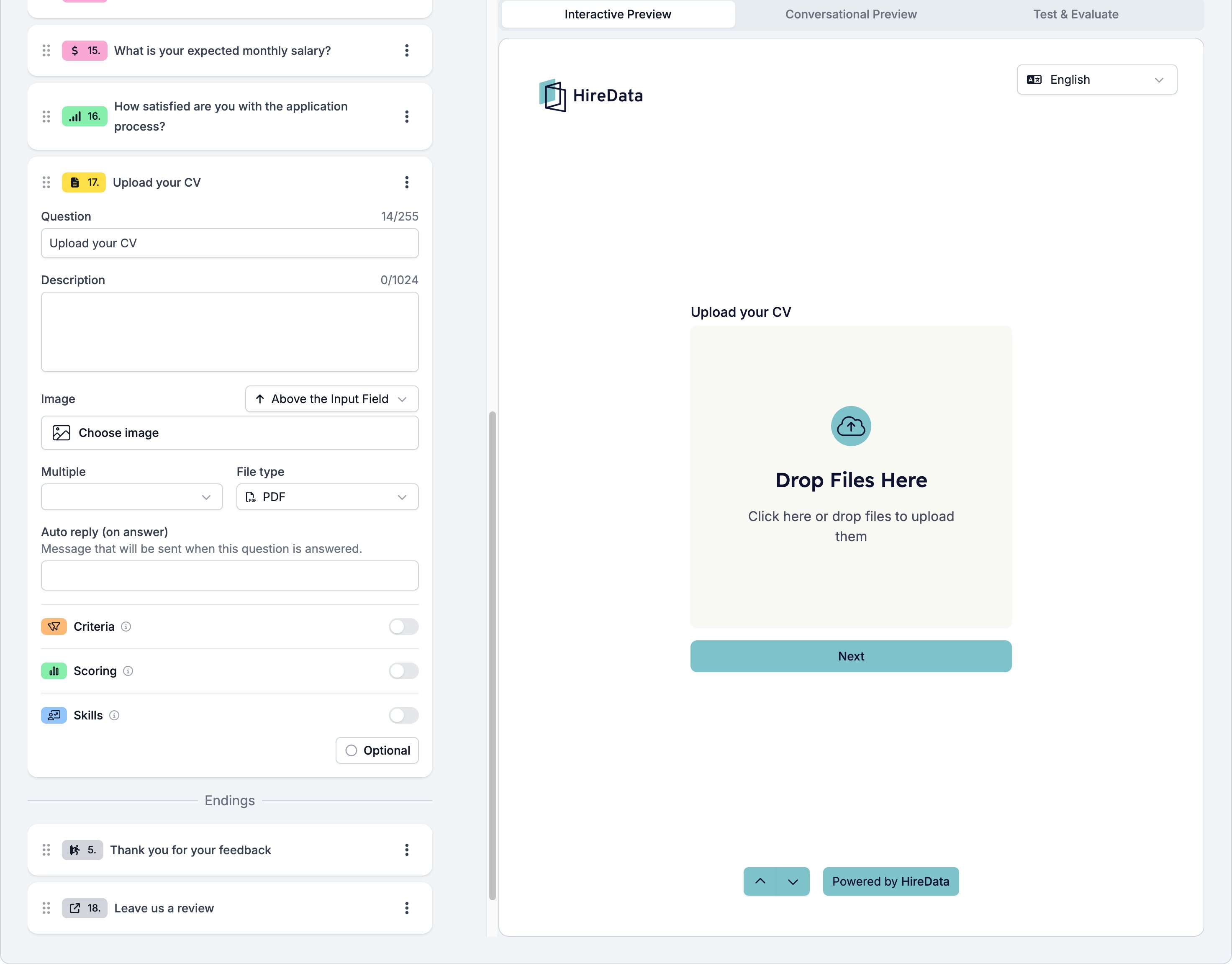
File Upload gives the respondent a drop area reading **Drop Files Here**, with "Click here or drop files to upload them" underneath. It is how a form collects a CV, a certificate, or a portfolio.
It sits in the **Other** group of the **Add Content** palette.
## Settings
The card carries the [settings every field shares](/reference/forms/overview#settings-every-field-shares). File Upload adds two of its own.
* **Multiple**, **Yes** or **No**, which decides whether the respondent can attach more than one file.
* **File type**, one preset from **Any**, **Image**, **Audio**, **Video**, **Media**, **PDF**, **Document**, **Powerpoint**, **Word Document**, **Sheet**, and **Archive**.
**File type** is a preset, not a list you write, so a form that wants a PDF or a Word document has to accept **Document** and sort it out later. There is no size limit to set.
The wording of the drop area is translatable. It sits under **Settings** in [Languages and translations](/reference/forms/overview#localization), as **Upload title** and **Upload description**.
 ## What it stores
The uploaded files, with the file name and type of each one.
## Logic operators
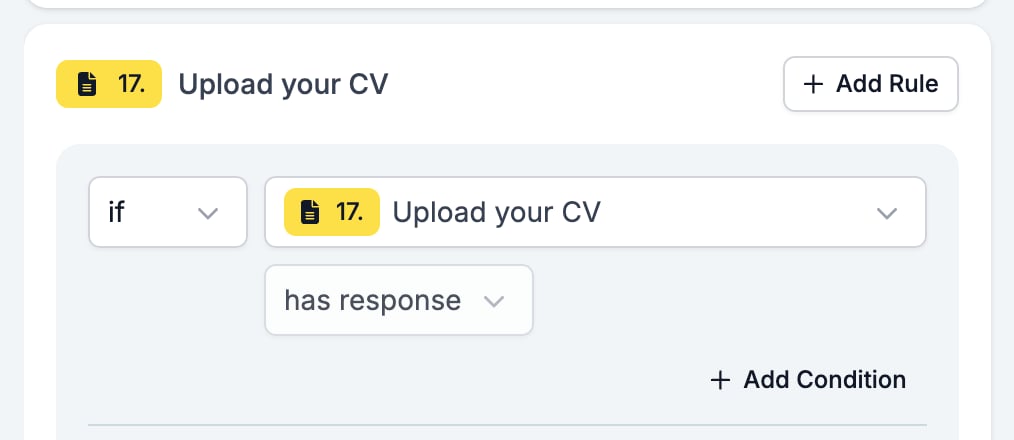
The operator picker is fixed at **has response** and cannot be changed. A rule can ask whether the respondent attached anything, which is enough to send a candidate without a CV somewhere else.
## What it stores
The uploaded files, with the file name and type of each one.
## Logic operators
The operator picker is fixed at **has response** and cannot be changed. A rule can ask whether the respondent attached anything, which is enough to send a candidate without a CV somewhere else.
 ## Evaluation
Switch **Criteria**, **Scoring**, or **Skills** on for the form in the [Evaluation tab](/reference/forms/evaluation/overview) and each one gets a switch on this card.
## Related
* [Form builder overview](/reference/forms/overview) covers the builder, the shared settings, and every field type.
* [Logic](/reference/forms/logic) covers the operators, the branching patterns, and what to check when a rule does not fire.
* [Languages and translations](/reference/forms/overview#localization) is where you reword the drop area.
## Related topics
- [HTTP Request task](/reference/automation-tasks/http-request-task.md)
- [Criteria](/reference/forms/evaluation/criteria.md)
- [Form evaluation overview](/reference/forms/evaluation/overview.md)
- [Logic](/reference/forms/logic.md)
- [Skills](/reference/forms/evaluation/skills.md)
## Evaluation
Switch **Criteria**, **Scoring**, or **Skills** on for the form in the [Evaluation tab](/reference/forms/evaluation/overview) and each one gets a switch on this card.
## Related
* [Form builder overview](/reference/forms/overview) covers the builder, the shared settings, and every field type.
* [Logic](/reference/forms/logic) covers the operators, the branching patterns, and what to check when a rule does not fire.
* [Languages and translations](/reference/forms/overview#localization) is where you reword the drop area.
## Related topics
- [HTTP Request task](/reference/automation-tasks/http-request-task.md)
- [Criteria](/reference/forms/evaluation/criteria.md)
- [Form evaluation overview](/reference/forms/evaluation/overview.md)
- [Logic](/reference/forms/logic.md)
- [Skills](/reference/forms/evaluation/skills.md)