> ## Documentation Index
> Fetch the complete documentation index at: https://help.hiredata.com/llms.txt
> Use this file to discover all available pages before exploring further.
# Redirect URL
> The Redirect URL ending in a HireData form. It sends the respondent straight to an address you set, such as a booking page, instead of showing a screen.
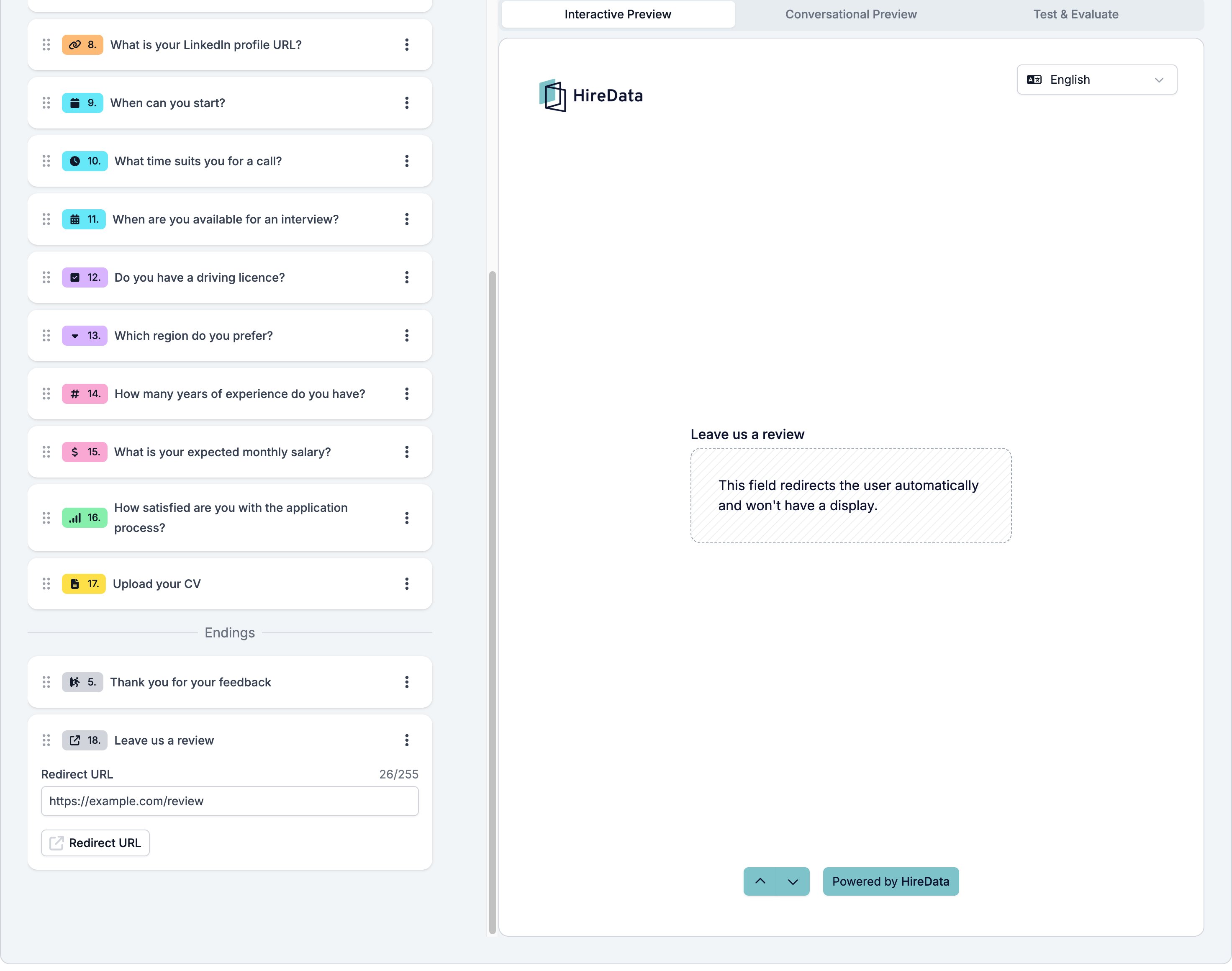
Redirect URL is an ending with no screen. The respondent reaches it and the browser sends them to the address you set. The builder preview says so plainly: "This field redirects the user automatically and won't have a display."
Use it to hand someone over to a booking page, a job board, or your own site once the form is done.
Like the other ending, it lives in the **Endings** group at the bottom of the **Content** tab's field list. It sits in the **Ending** group of the **Add Content** palette, and the button at the bottom left of the card switches it to an [Ending Screen](/reference/forms/fields/ending-screen).
## Settings
One, and it is the whole field.
* **Redirect URL**, up to 255 characters, the address to send the respondent to.
There is no title, no description, no image, and no button, because the respondent never sees the field. If you want them to read something before they go, use an [Ending Screen](/reference/forms/fields/ending-screen) with **Button** and **Redirect timer** on instead.
 ## What it stores
Nothing.
## Logic operators
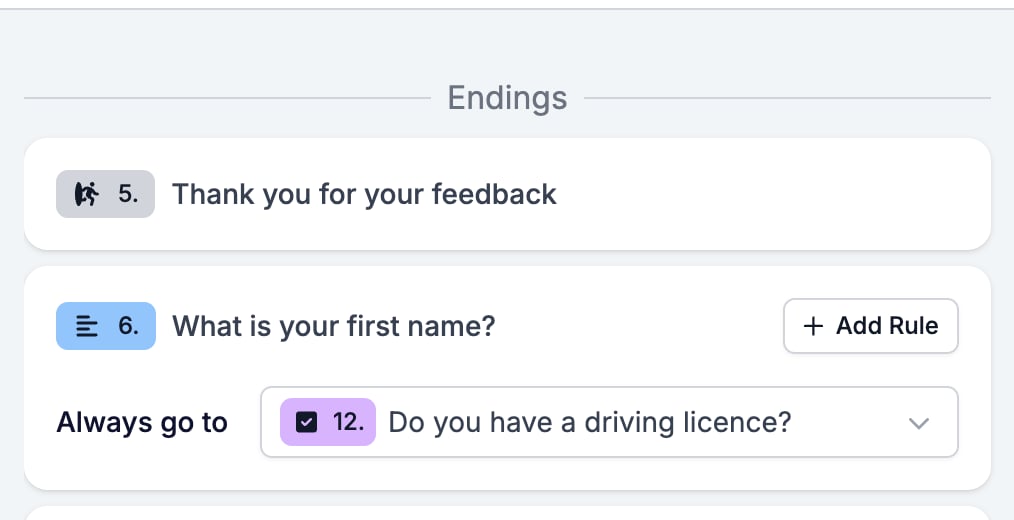
None. An ending has no **Add Rule** button in the **Logic** tab. Point a rule on a question at this ending to send someone here.
## What it stores
Nothing.
## Logic operators
None. An ending has no **Add Rule** button in the **Logic** tab. Point a rule on a question at this ending to send someone here.
 ## Evaluation
A Redirect URL carries no evaluator switches.
## Related
* [Form builder overview](/reference/forms/overview) covers the builder, the shared settings, and every field type.
* [Ending Screen](/reference/forms/fields/ending-screen) is the other ending, with a screen and an optional button.
* [Logic](/reference/forms/logic) explains sending different respondents to different endings.
## Related topics
- [Creating a form in HireData](/content/creating-a-form-in-hiredata.md)
- [Ending Screen](/reference/forms/fields/ending-screen.md)
- [HireData MCP: Connect HireData to your AI assistant](/apps/mcp/connect-hiredata-to-your-ai-assistant.md)
- [Form evaluation overview](/reference/forms/evaluation/overview.md)
- [HTTP Request task](/reference/automation-tasks/http-request-task.md)
## Evaluation
A Redirect URL carries no evaluator switches.
## Related
* [Form builder overview](/reference/forms/overview) covers the builder, the shared settings, and every field type.
* [Ending Screen](/reference/forms/fields/ending-screen) is the other ending, with a screen and an optional button.
* [Logic](/reference/forms/logic) explains sending different respondents to different endings.
## Related topics
- [Creating a form in HireData](/content/creating-a-form-in-hiredata.md)
- [Ending Screen](/reference/forms/fields/ending-screen.md)
- [HireData MCP: Connect HireData to your AI assistant](/apps/mcp/connect-hiredata-to-your-ai-assistant.md)
- [Form evaluation overview](/reference/forms/evaluation/overview.md)
- [HTTP Request task](/reference/automation-tasks/http-request-task.md)