> ## Documentation Index
> Fetch the complete documentation index at: https://help.hiredata.com/llms.txt
> Use this file to discover all available pages before exploring further.
# Yes/No
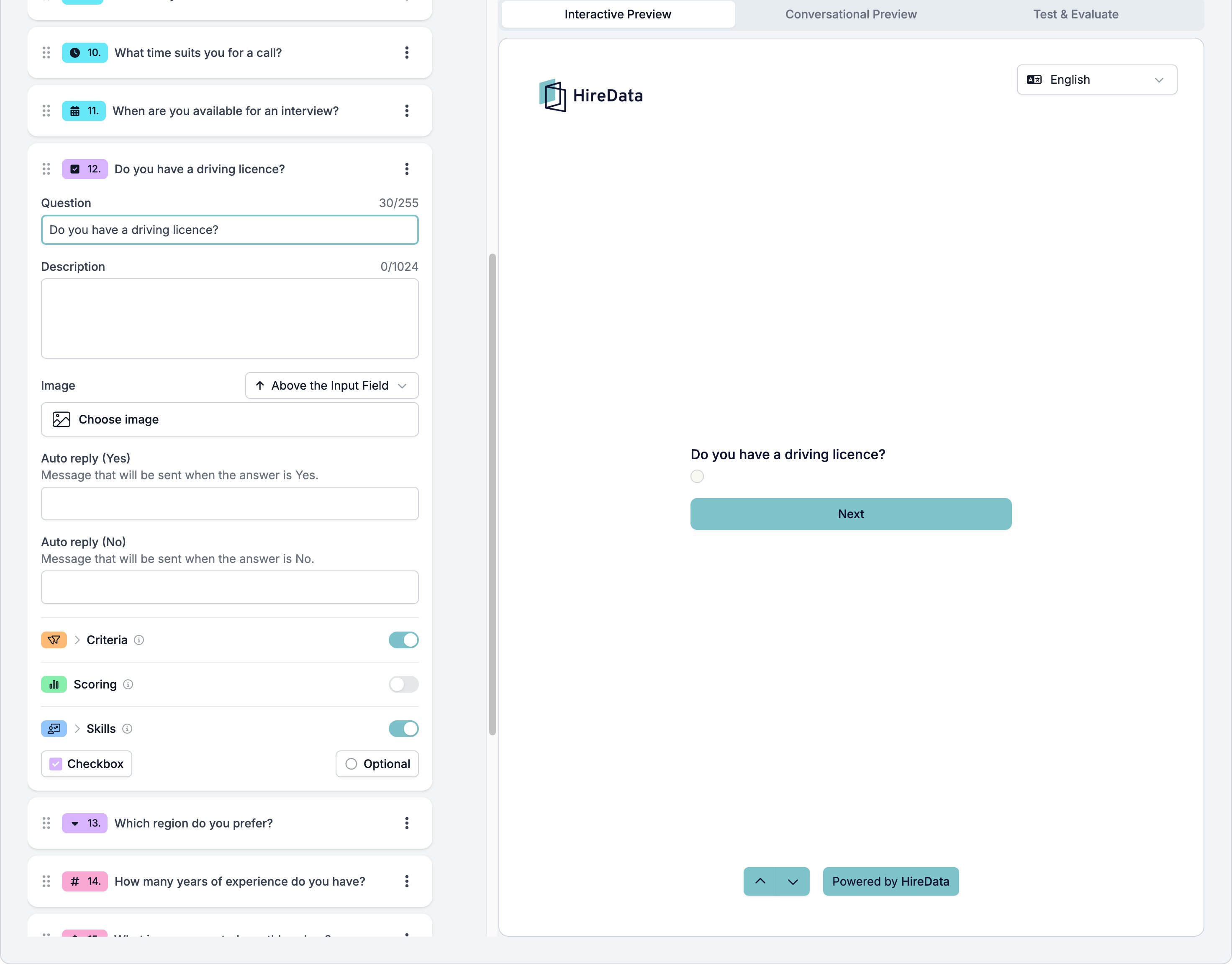
> The yes or no field in a HireData form, drawn as a checkbox or a toggle, with a separate WhatsApp auto reply for the Yes and the No answer.
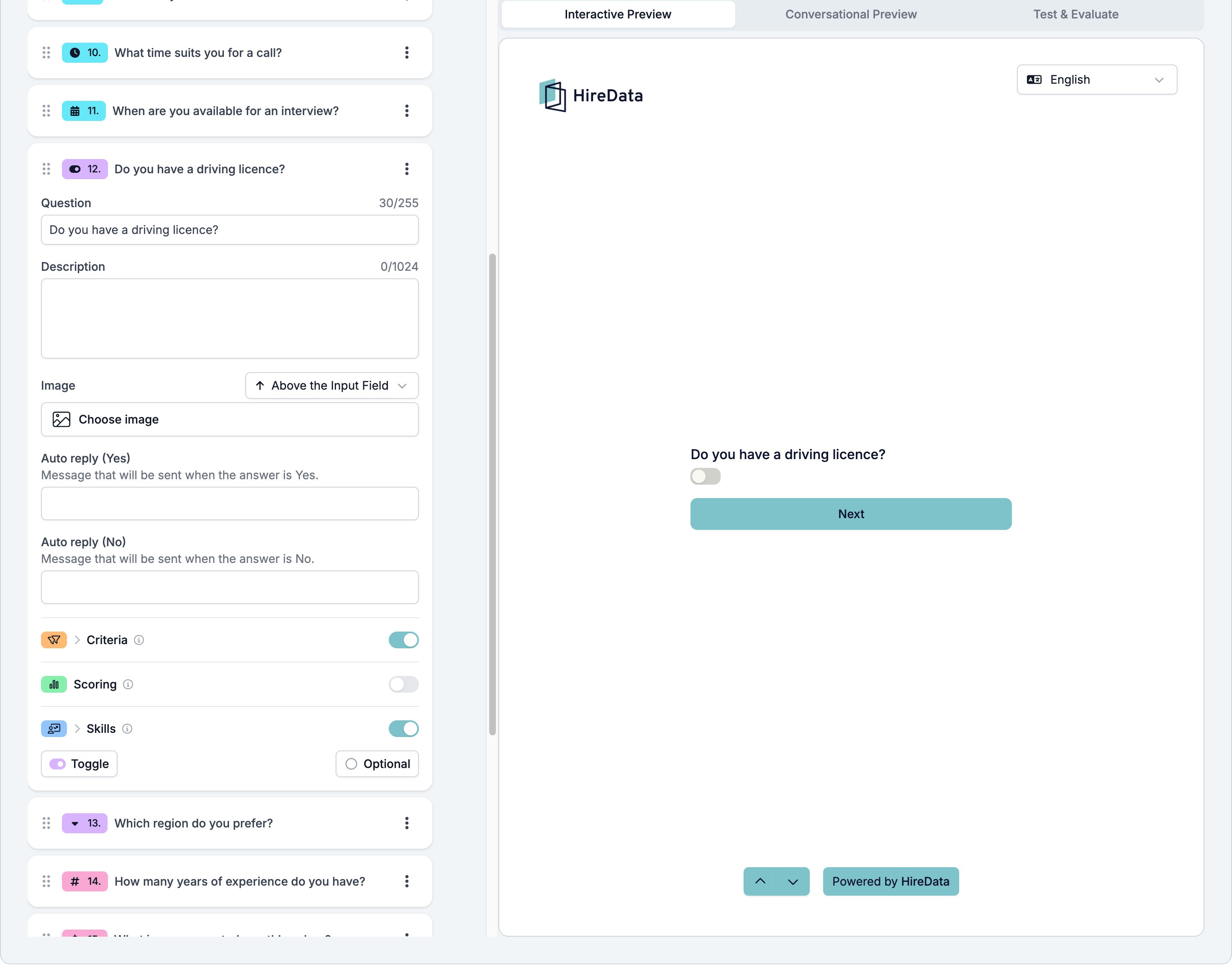
Yes/No asks a question with two answers. **Checkbox** draws a box the respondent ticks. **Toggle** draws a switch they slide. The two behave the same and store the same value, so pick whichever suits the question.
It sits in the **Choice** group of the **Add Content** palette. The button at the bottom left of the card switches between the two.
## Settings
The card carries the [settings every field shares](/reference/forms/overview#settings-every-field-shares), with one difference. Instead of the single **Auto reply (on answer)** most types have, Yes/No gives each answer its own WhatsApp message.
* **Auto reply (Yes)**, sent when the answer is Yes.
* **Auto reply (No)**, sent when the answer is No.
There is nothing else to set. You cannot relabel the two answers. If you need wording of your own, such as "Full licence" against "Provisional", use [Multiple Choice](/reference/forms/fields/multiple-choice-and-dropdown) with two options.
 The same field switched to Toggle:
 ## What it stores
Yes or No.
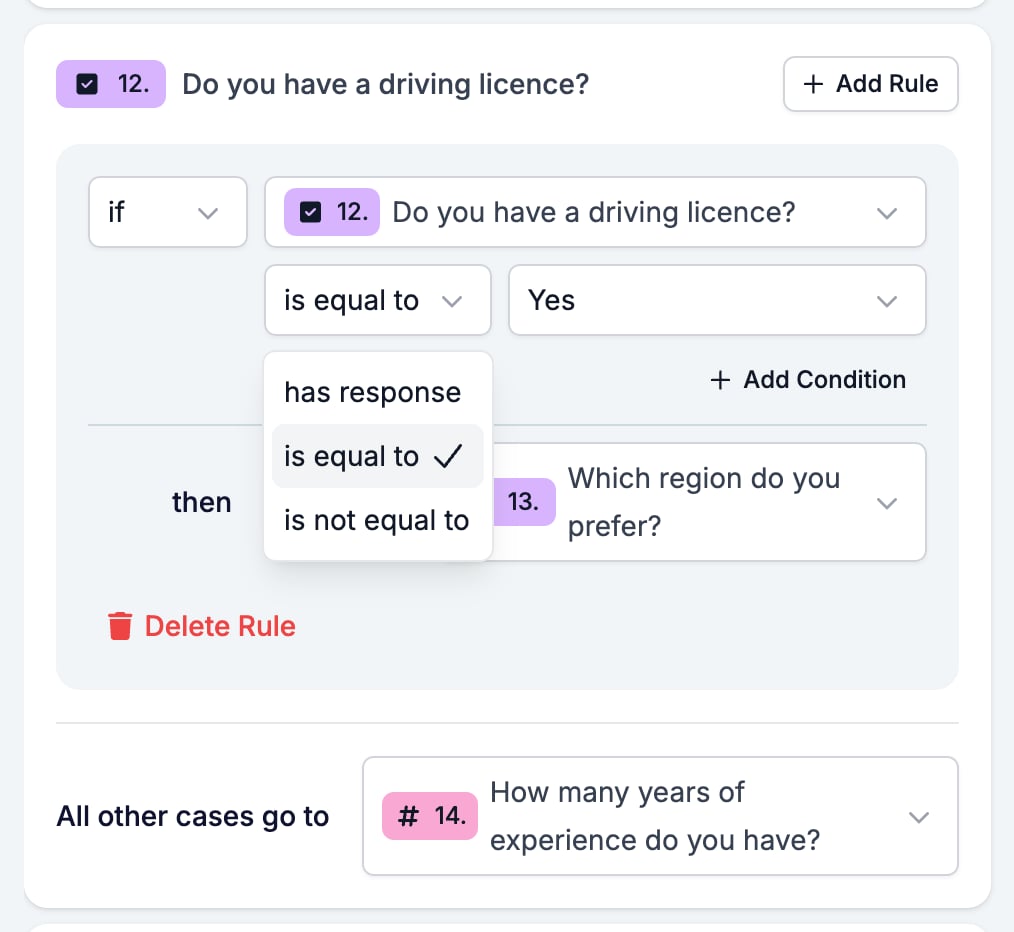
## Logic operators
| Operator | Matches when |
| --------------- | -------------------------------------- |
| has response | the respondent answered at all |
| is equal to | the answer matches the one in the rule |
| is not equal to | the answer is the other one |
## What it stores
Yes or No.
## Logic operators
| Operator | Matches when |
| --------------- | -------------------------------------- |
| has response | the respondent answered at all |
| is equal to | the answer matches the one in the rule |
| is not equal to | the answer is the other one |
 Do not make a Yes/No field required. A respondent who answers No cannot get past it. **Next** does nothing, no message appears, and any rule on the field never fires. Leave the field optional until the fix ships.
## Evaluation
Switch **Criteria**, **Scoring**, or **Skills** on for the form in the [Evaluation tab](/reference/forms/evaluation/overview) and each one gets a switch on this card.
Yes/No is the cleanest field to hang a **Criteria** must-have on, because the answer is one of two known values and needs no interpretation. "Do you have a driving licence?" is either met or not.
## Related
* [Form builder overview](/reference/forms/overview) covers the builder, the shared settings, and every field type.
* [Logic](/reference/forms/logic) covers the operators, the branching patterns, and what to check when a rule does not fire.
* [Multiple Choice and Dropdown](/reference/forms/fields/multiple-choice-and-dropdown) handles two answers in your own words, or more than two.
* [Display and requirements](/reference/forms/overview#display-and-requirements) explains what counts as an answer.
## Related topics
- [Logic](/reference/forms/logic.md)
- [Screen and score applicants with a pre-screening form](/knowledge-base/cookbook/pre-screening-form.md)
- [Multiple Choice and Dropdown](/reference/forms/fields/multiple-choice-and-dropdown.md)
- [Form evaluation overview](/reference/forms/evaluation/overview.md)
- [Criteria](/reference/forms/evaluation/criteria.md)
Do not make a Yes/No field required. A respondent who answers No cannot get past it. **Next** does nothing, no message appears, and any rule on the field never fires. Leave the field optional until the fix ships.
## Evaluation
Switch **Criteria**, **Scoring**, or **Skills** on for the form in the [Evaluation tab](/reference/forms/evaluation/overview) and each one gets a switch on this card.
Yes/No is the cleanest field to hang a **Criteria** must-have on, because the answer is one of two known values and needs no interpretation. "Do you have a driving licence?" is either met or not.
## Related
* [Form builder overview](/reference/forms/overview) covers the builder, the shared settings, and every field type.
* [Logic](/reference/forms/logic) covers the operators, the branching patterns, and what to check when a rule does not fire.
* [Multiple Choice and Dropdown](/reference/forms/fields/multiple-choice-and-dropdown) handles two answers in your own words, or more than two.
* [Display and requirements](/reference/forms/overview#display-and-requirements) explains what counts as an answer.
## Related topics
- [Logic](/reference/forms/logic.md)
- [Screen and score applicants with a pre-screening form](/knowledge-base/cookbook/pre-screening-form.md)
- [Multiple Choice and Dropdown](/reference/forms/fields/multiple-choice-and-dropdown.md)
- [Form evaluation overview](/reference/forms/evaluation/overview.md)
- [Criteria](/reference/forms/evaluation/criteria.md)