> ## Documentation Index
> Fetch the complete documentation index at: https://help.hiredata.com/llms.txt
> Use this file to discover all available pages before exploring further.
# Adding a default sender to your domains
> Add a default sender address to your verified HireData domains to improve email deliverability and give recruitment messages a consistent from address.
*To start sending emails from your account, you first need to add your domain and set a default sender. This ensures your messages will be delivered correctly and appear professional to recipients. Continue reading to learn how to do this in seconds.*
Navigate to the **Settings** menu and open the **Domains** page. You should first [add your domain](/settings/domains/how-to-verify-a-domain-in-hiredata-to-send-emails) and then open it to see the field to add the default sender of your emails.
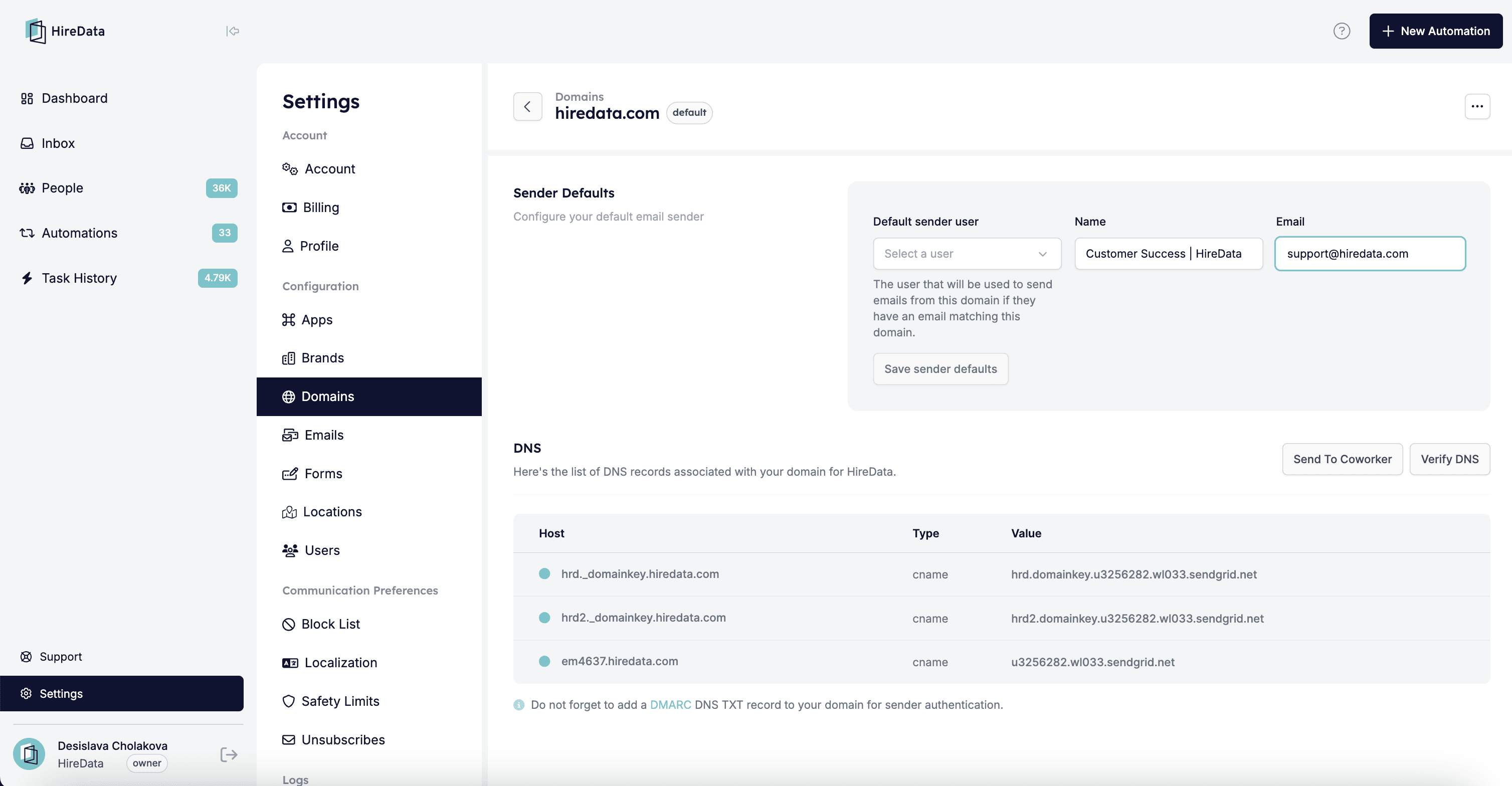 There are two ways to add a default sender:
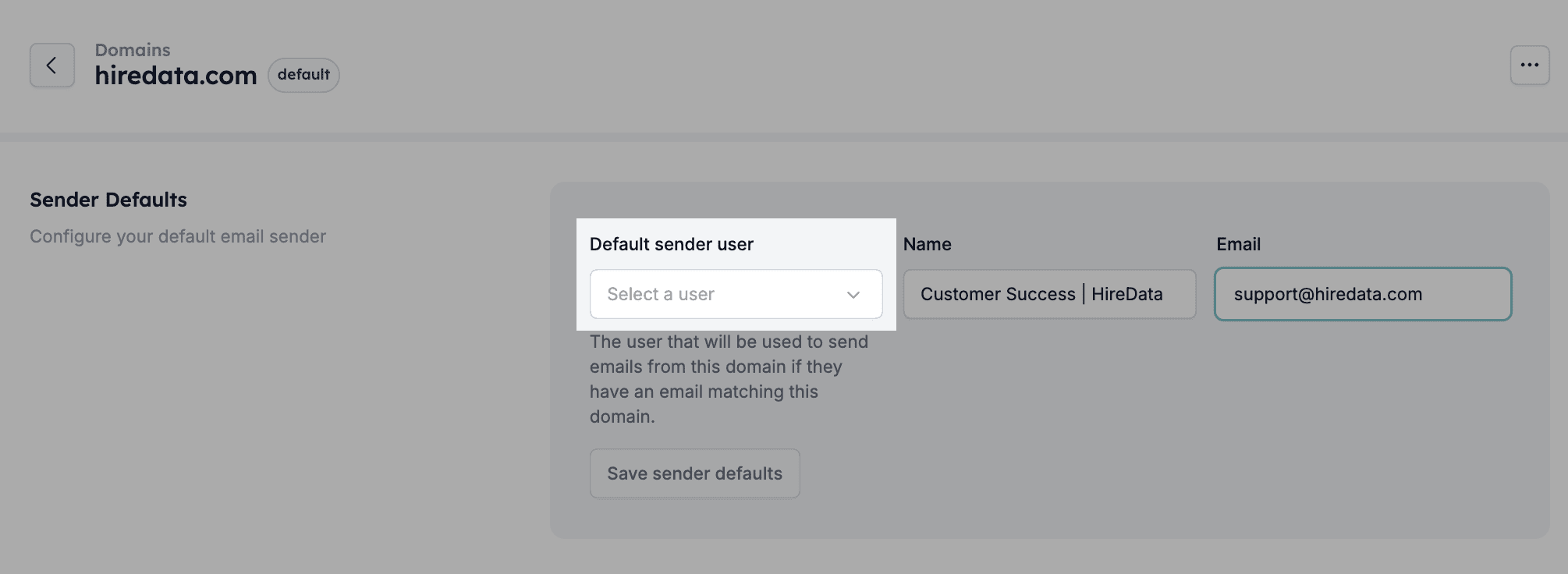
**1. Selecting a synced user from the drop-down menu**
There are two ways to add a default sender:
**1. Selecting a synced user from the drop-down menu**
 **2. Manually typing their name and email address**
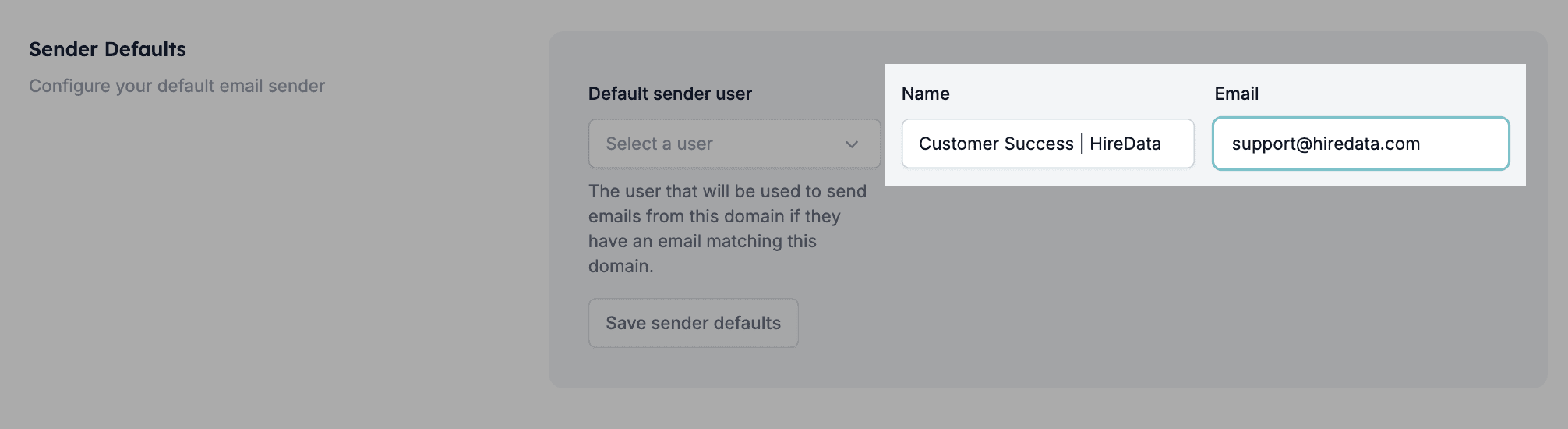 Note that the user who will be used to send emails from this domain should have the same email domain. If you have multiple domains in your account, each of them can have a different default sender; simply follow the steps explained in this guide.
## Related topics
- [How to Verify a Domain in HireData to Send Emails](/settings/domains/how-to-verify-a-domain-in-hiredata-to-send-emails.md)
- [Your First Week with HireData](/get-started/your-first-week.md)
- [Why Can't I Verify My DNS Records?](/knowledge-base/why-cant-i-verify-my-dns-records.md)
- [Sending an Email Newsletter to Your Audience](/apps/messaging/emails/sending-an-email-newsletter-to-your-audience.md)
- [Setting a Default Language and AI Tone of Voice](/settings/setting-a-default-language-and-ai-tone-of-voice.md)
Note that the user who will be used to send emails from this domain should have the same email domain. If you have multiple domains in your account, each of them can have a different default sender; simply follow the steps explained in this guide.
## Related topics
- [How to Verify a Domain in HireData to Send Emails](/settings/domains/how-to-verify-a-domain-in-hiredata-to-send-emails.md)
- [Your First Week with HireData](/get-started/your-first-week.md)
- [Why Can't I Verify My DNS Records?](/knowledge-base/why-cant-i-verify-my-dns-records.md)
- [Sending an Email Newsletter to Your Audience](/apps/messaging/emails/sending-an-email-newsletter-to-your-audience.md)
- [Setting a Default Language and AI Tone of Voice](/settings/setting-a-default-language-and-ai-tone-of-voice.md)