

1. The user already uses HireData in another account
One person has one HireData login, and that login can belong to several accounts. This happens when your organisation runs more than one Carerix environment, for example one per brand or label. If the person already uses HireData through another environment, invite them to this account as well:- Open Settings and go to Users.
- Click Add User, enter the person’s email address and choose their role.
- The person accepts the invitation from their email.
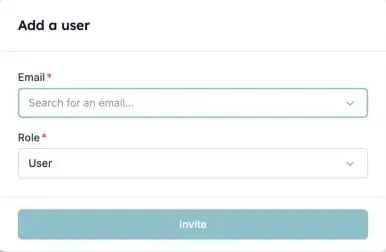
Invite a colleague who already uses HireData in another account.
2. The user has no email address in Carerix
HireData recognises users by their email address. A Carerix user without one cannot be matched to a HireData user. Add the email address in Carerix, then run a manual sync.3. The user has a shared placeholder address
Addresses such asprojects@carerix.com and test@example.com do not belong to one real person, so HireData never syncs them. Give the user their own email address in Carerix and sync again.