In Carerix, a company can have a status per business line, such as one for HR and one for Finance. HireData lists each of these statuses as its own field, named after the business line, for example Company: HR Status. An automation can now check or change the status of exactly one business line. Before, every business line status arrived as one field, Company: Status, so an automation couldn’t tell which business line it was looking at or updating.

Filter on one business line

Use the business line field anywhere you filter companies:
  • the start filter of an automation
  • a Filter step
  • the audience of a scheduled automation that runs over companies
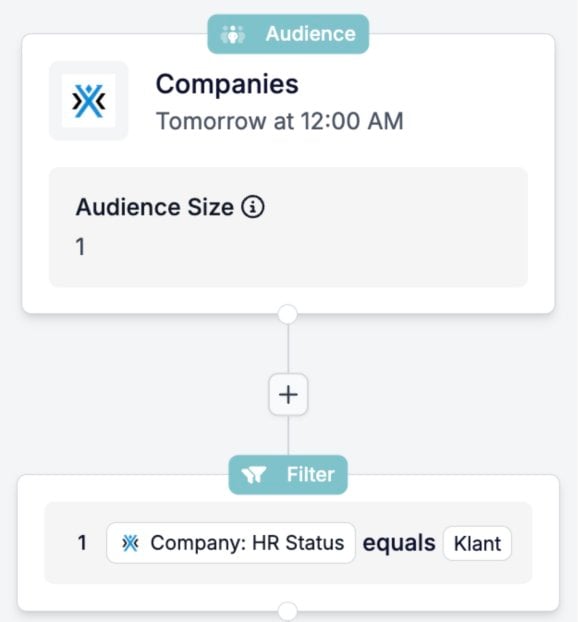
For example, Company: HR Status equals the status you want to target. Companies with that status in another business line don’t pass. A scheduled automation over Carerix companies with a Filter step reading Company: HR Status equals Klant

Update one business line

In an Update Field(s) task in Carerix, pick the status field of the business line you want to change, such as Company: HR Status, and choose the new value. Only that business line’s status changes. The other business lines keep theirs. For example: when a placement is created, set the client’s status for that business line to the value your team uses for active clients.

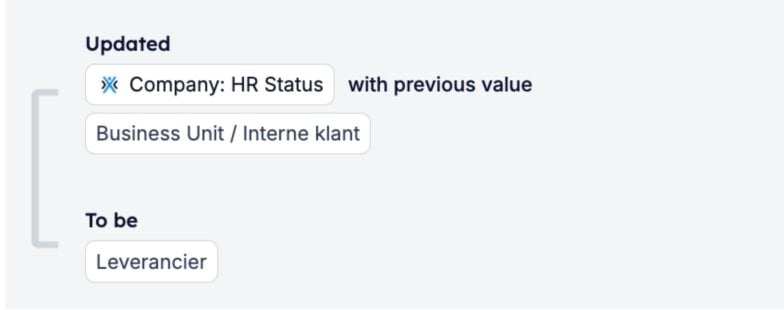
Check what changed

Open a run and click the update step. It shows the field with its previous value, and the new value under To be. An update step in a run reading Updated Company: HR Status with previous value Business Unit / Interne klant, To be Leverancier