

What a variable looks like
A variable is a field key wrapped in double curly braces:{{candidate.first_name}}and{{ candidate.first_name }}behave the same.
How a variable looks in the editor
Every editor that accepts variables shows each one as a badge with the field’s display name, such as Recipient: First Name. The badge is one object on the canvas, not the characters it stands for.
- A variable with modifiers adds a wand icon, and a count once there are two or more.
- A literal such as
{{ "text" | uppercase }}gets a tinted badge. - A key HireData does not recognise gets an orange warning badge.
The popover
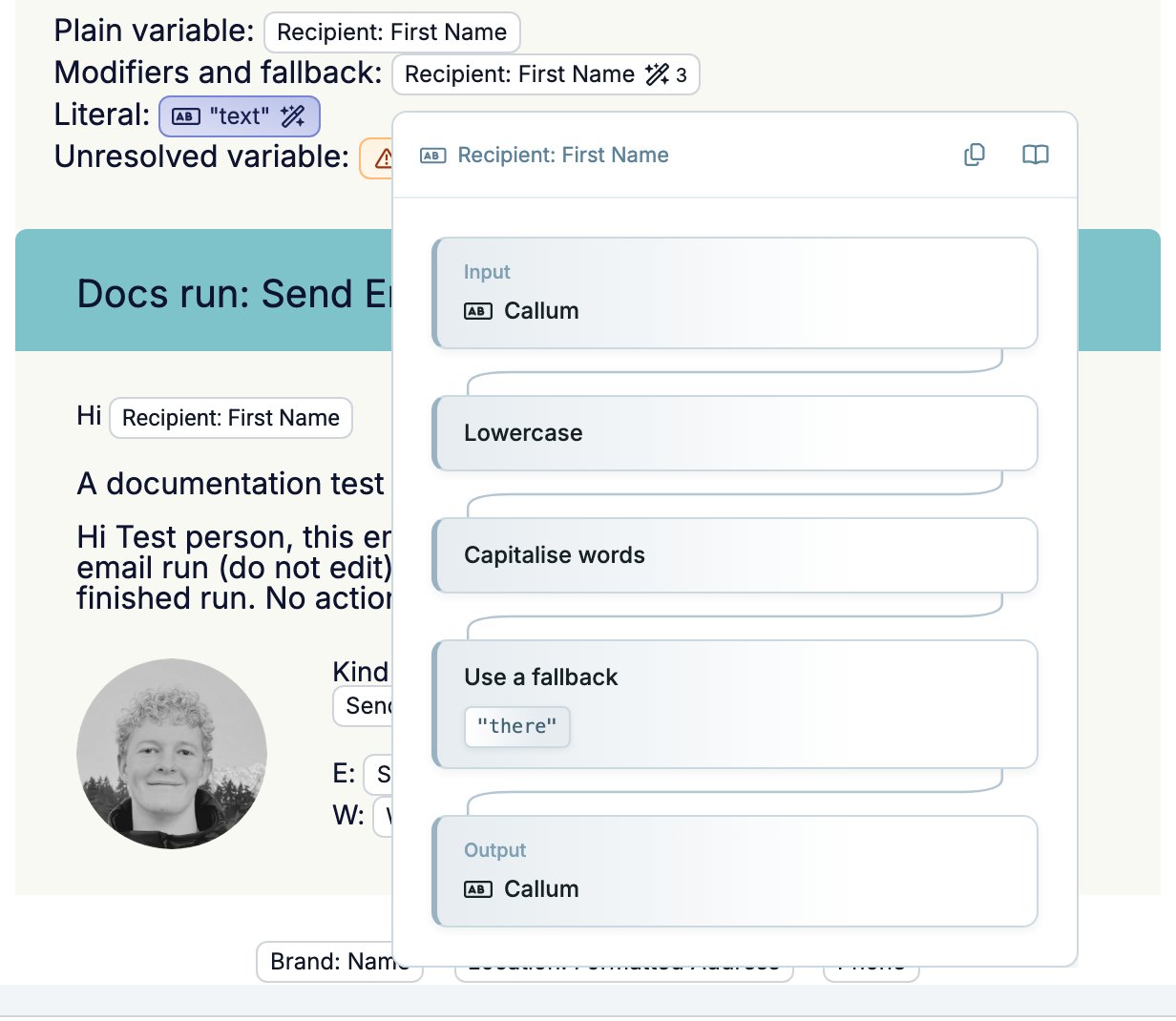
When a variable is not found
A key HireData does not recognise becomes an orange badge, and its popover reads Variable is not found. The expression stays in your content unchanged, so fix the key or remove the badge. A variable you delete from a template’s Variables list turns into this badge everywhere you used it.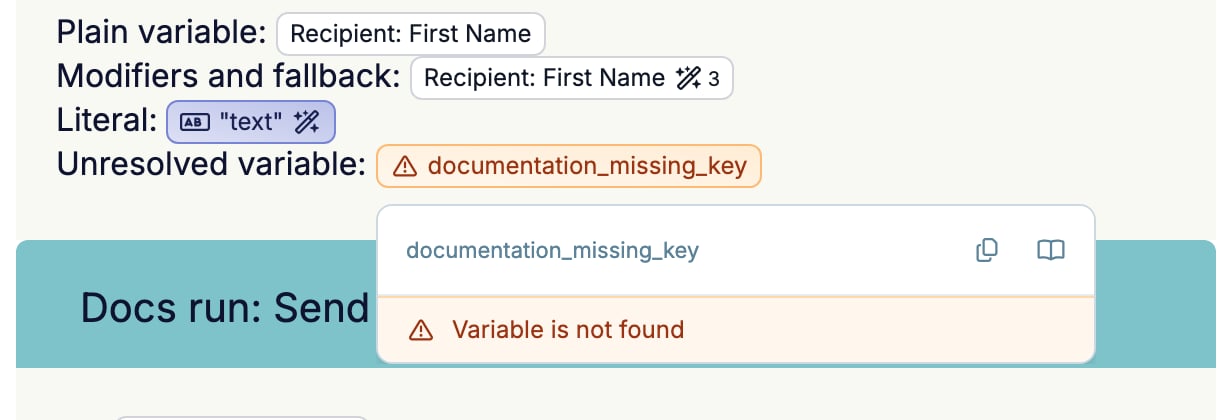
Editing a badge
Place the cursor after a badge and press Backspace. The badge turns back into text,{{ and the full expression, modifiers included. Edit it, type the closing }}, and the badge returns. The same works for a form reference written as @key@.
You can also type an expression from scratch, modifiers and all. It becomes a badge as soon as you type the closing braces.
Where you can use variables
You can use variables anywhere you write content that gets sent or stored:- Email — subjects and bodies
- WhatsApp — messages and templates
- Forms — questions and follow-up logic
- Automations — field mappings and scheduled tasks
Providing a fallback
If a field is empty for a particular record, the variable is replaced with nothing. To show a default instead, use thedefault modifier:
Transforming values with modifiers
Variables can do more than insert raw data. A modifier changes how the value appears. It can uppercase text, format a date, round a number, and much more. You add a modifier with a pipe (|):