

Open the panel
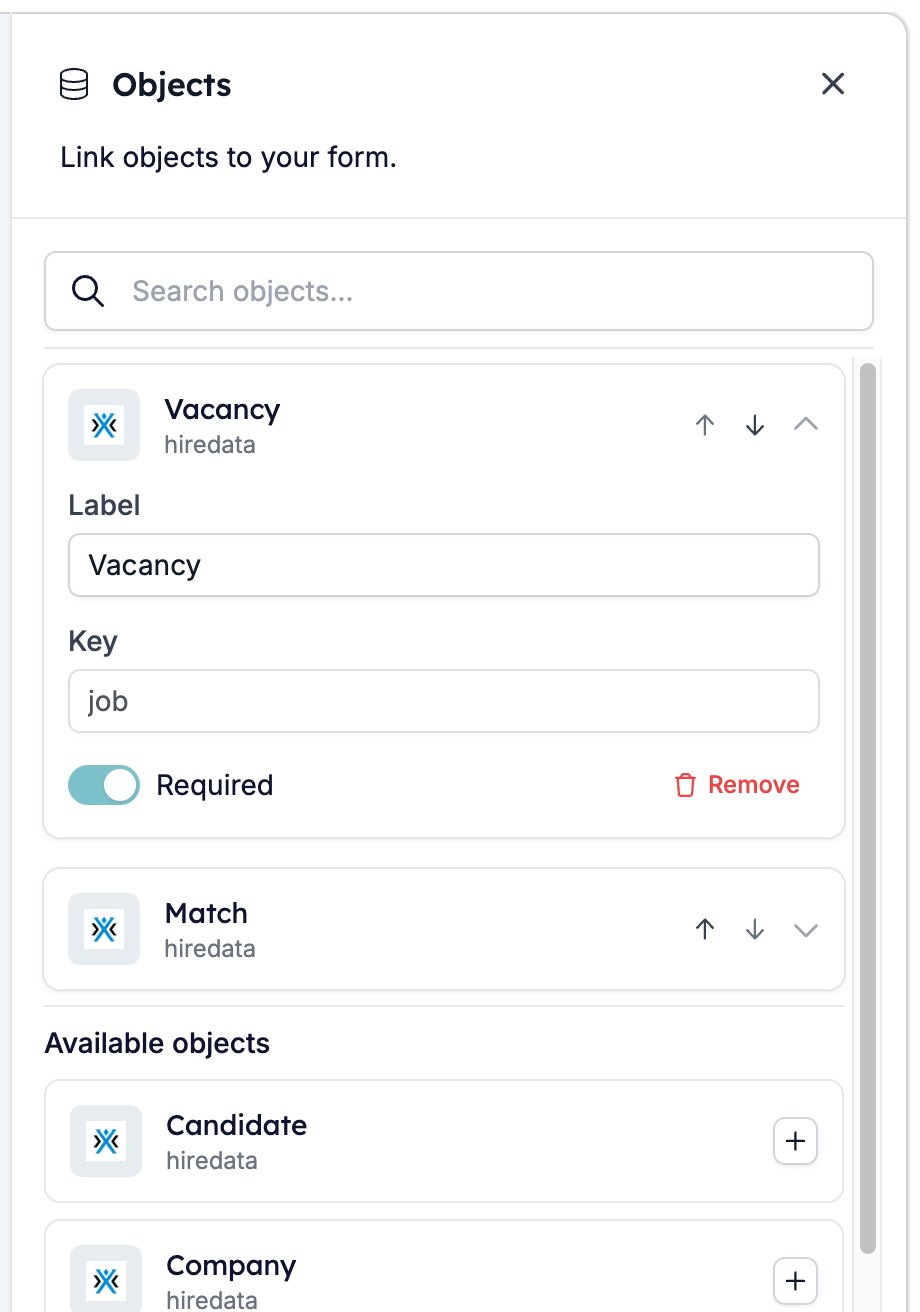
The third of the five drawer buttons in the toolbar opens Objects.
What linking an object gives you
Every field on the linked record becomes a variable. You can write it into any text setting the form has, including the question, the description, a placeholder, and an option label. That way, a question can open with the job title rather than “this role”. In the builder the variable shows as a badge such as Vacancy: Job Title. The variable list in the toolbar shows them all. Each one is named after the object’s label and addressed by its key.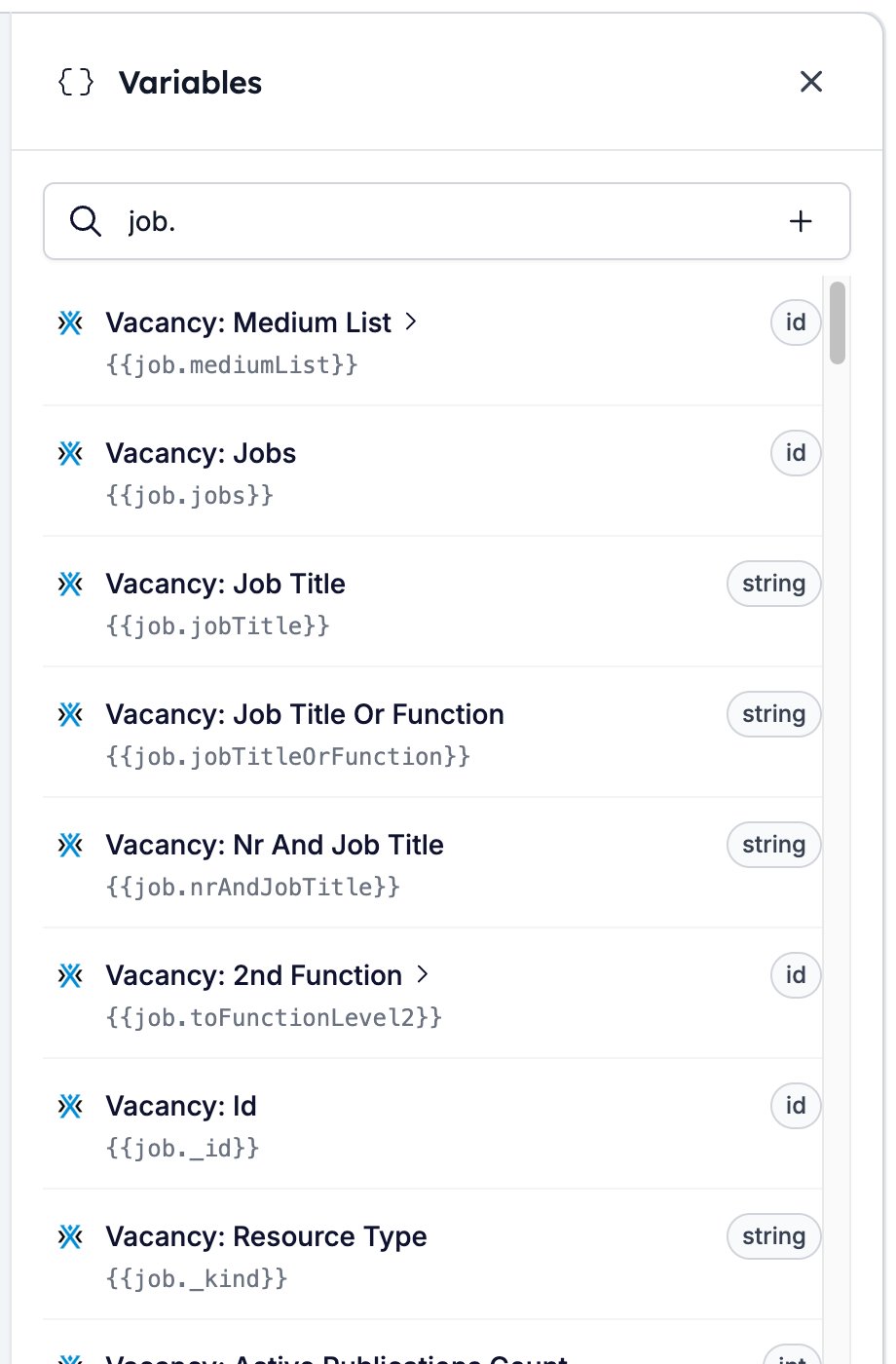
Settings per object
Click a linked object to open it.- Label names the object in the variable list, which is where “Vacancy: Job Title” comes from. Change it whenever you like.
- Key is the first part of the variable itself, as in
{{job.jobTitle}}. HireData sets the key when you link the object and locks it afterwards, so pick the object you want rather than planning to rename it later. - Required decides what happens when nothing supplies a record. See What Required does.
- Remove unlinks the object. Its variables stop resolving and every badge that used one turns orange, so check every question that used one.
- The up and down arrows move the object through the list. Which object sits at the top changes what the form can do, so read The first object decides the configuration before you use them.
The first object decides the configuration
The object at the top of the list is the form’s main object, and it decides which records you can configure the form for. Put Vacancy first and you can switch questions on and off per vacancy. Objects below it still supply their variables and still tie the response to their record, but you cannot configure the form against them. Reordering the list therefore changes more than the panel. Read Configuring a form per record before you move the top object on a form that is already in use.What Required does
Required matters when an automation sends the form. If the run has no record for a required object, the task fails and nothing goes out. That is better than sending a form whose questions have gaps where the job title should be. The form’s own page is more forgiving. Open a public form with nothing supplying the record and it still loads. Every variable from that object resolves to nothing, unless it carries adefault modifier. See Fallback.
Turn Required off for an object that only adds context, such as a match the form can do without.
Related
- Data sources fills a question’s options from a saved list.
- Configuring a form per record switches questions on and off per vacancy.
- Variables covers the syntax for writing a variable into a question.
- Form Builder: Overview covers the builder, the shared settings, and every field type.