

|) after the field.
How modifiers work
A modifier goes after the field, separated by a pipe:- Text — wrap it in quotes:
"EUR","there" - Numbers — write them plainly:
20,2 - Another field — reference it by key:
highlight: candidate.first_name
How the popover shows modifiers
In the editor a variable with modifiers keeps its display name and adds a wand icon. Hover the badge and the popover walks through the pipeline: the input value, one card per modifier in plain language, and the output.lowercase reads Lowercase, truncate_chars reads Limit characters, and arguments appear under the modifier’s name.
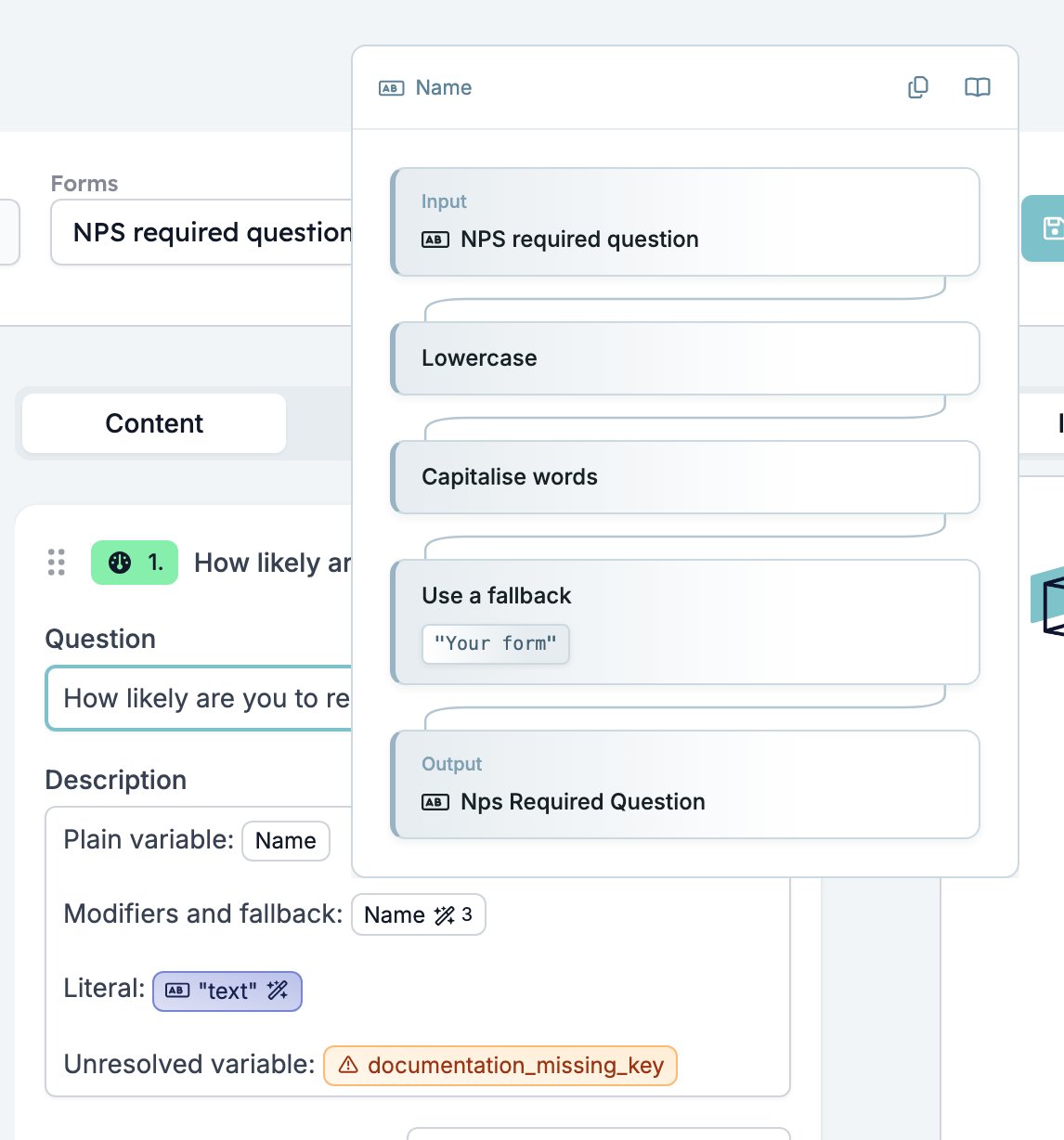
Some modifiers cannot be previewed. Their card stays in the pipeline with a note, and the output is left out. The modifier still runs when the content is sent.
Fallback
In the popover the fallback appears as its own step, Use a fallback, with the fallback text under it. When the field is empty, the input reads No value provided and the output shows the fallback.
Literals
A quoted text, a number, ortrue or false can stand in place of a field. It becomes a badge like any variable, and modifiers apply to it in the same way:
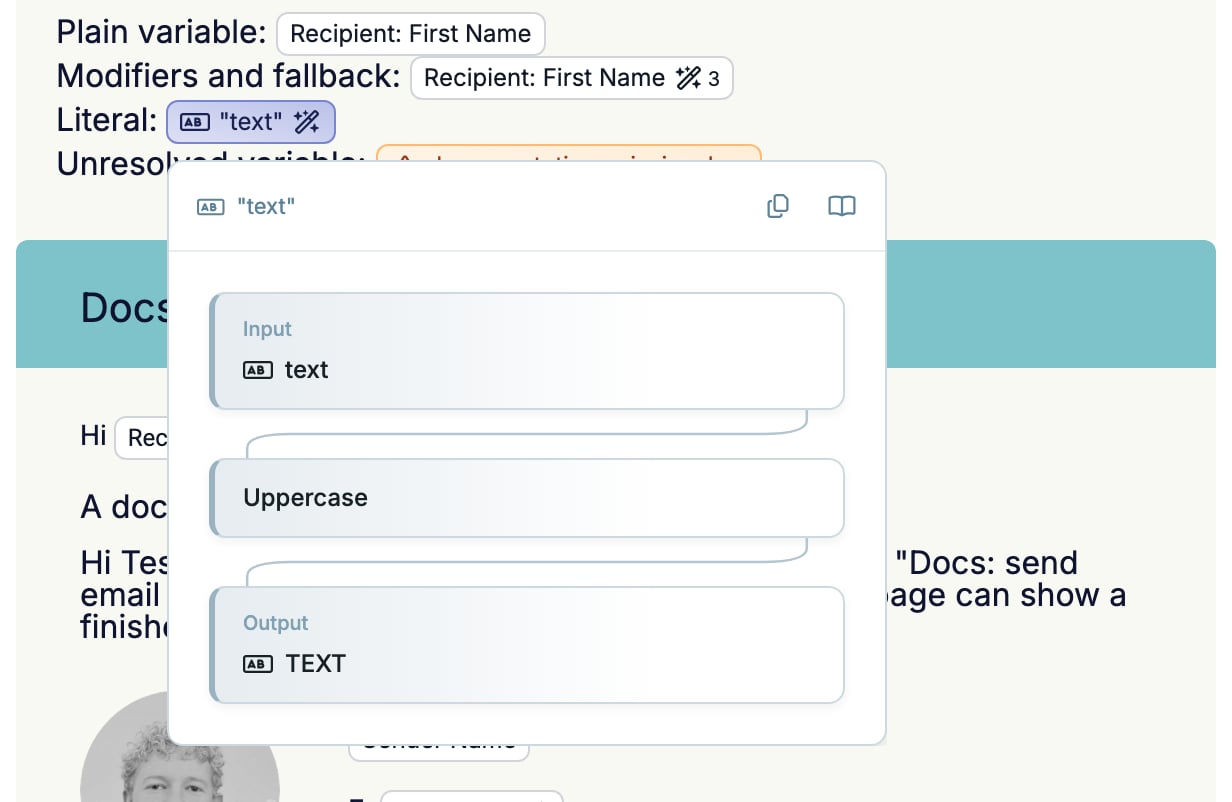
Text
Contact and locale
Numbers
Dates and times
Date formats use standard date tokens such asd (day), m (month), Y (year), H (hour), and i (minute).
The units for
start_of and end_of are year, quarter, month, week, day, hour, minute, and second.
Lists and structured data
These work on fields that contain a list of values.Conditions and logic
Conditions return true or false. Pair them withboolean_label to show a friendly label, or combine them with and, or, and not.
A condition combined with a label is a common pattern: