

Point a question at a data source
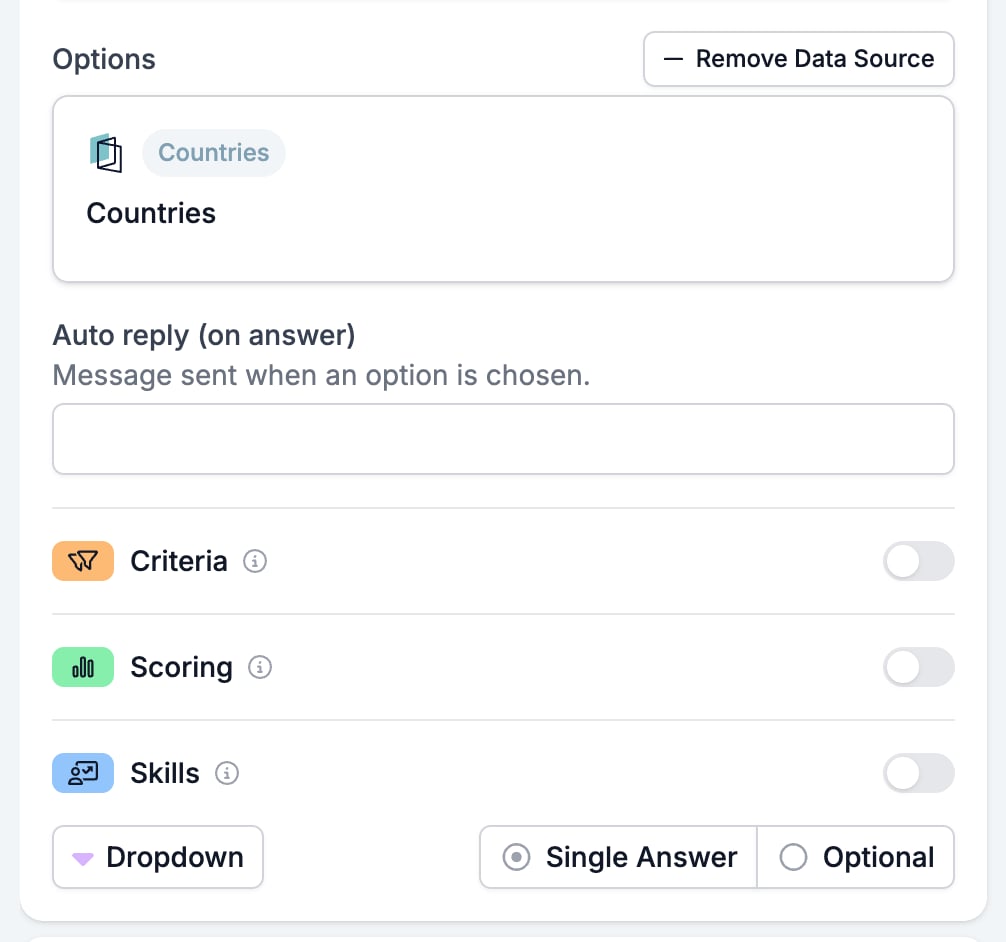
Open the question and click Add Data Source above the options. The Data Sources window lists every source the workspace has. Each card carries a badge naming the list it reads, plus a Filters badge when the source narrows that list. Add Data Source in the window’s header builds a new one from a workspace entity or from a connected app.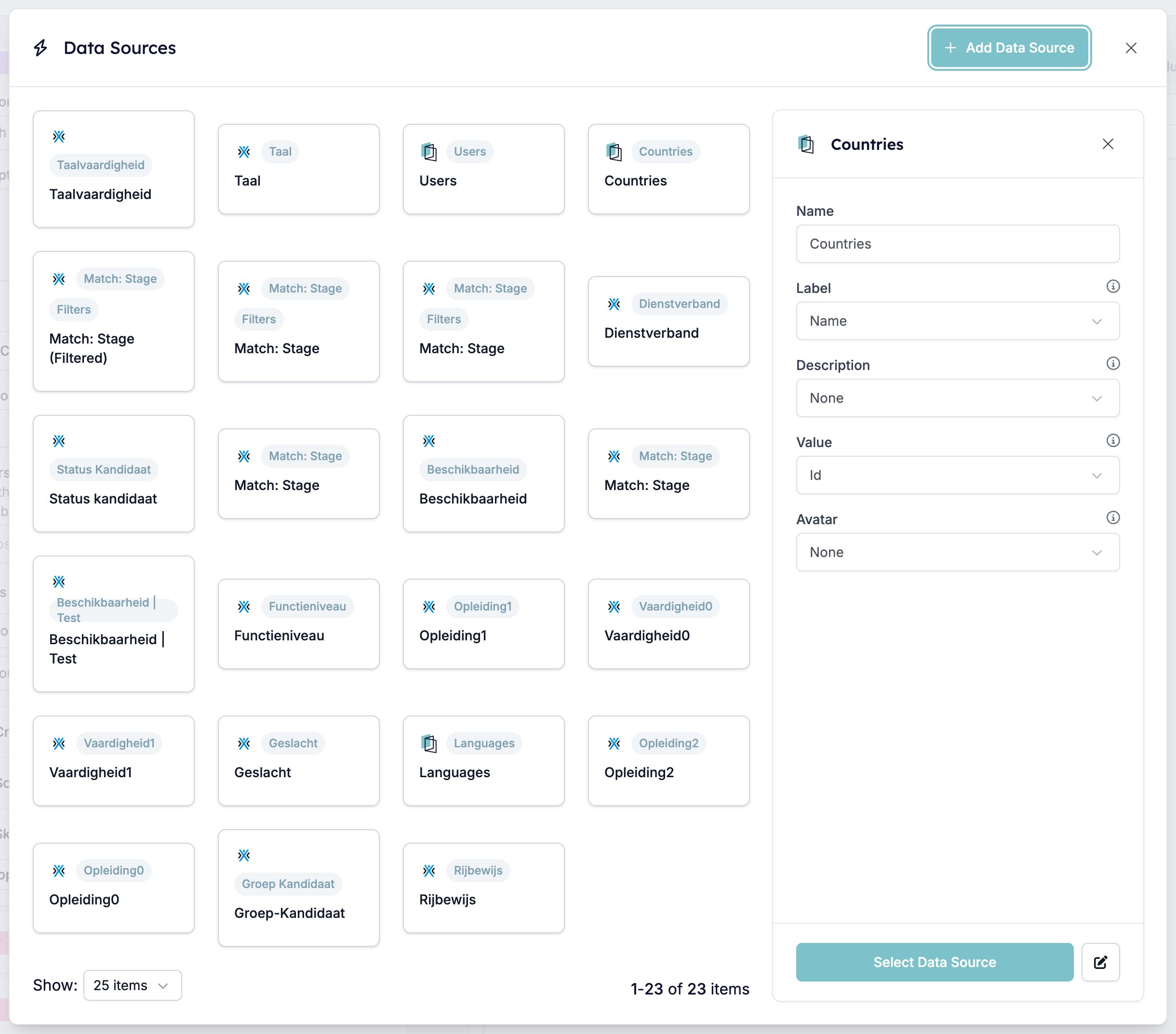
What a source maps
The pencil next to Select Data Source opens the source itself. Every setting here decides how a record turns into an option.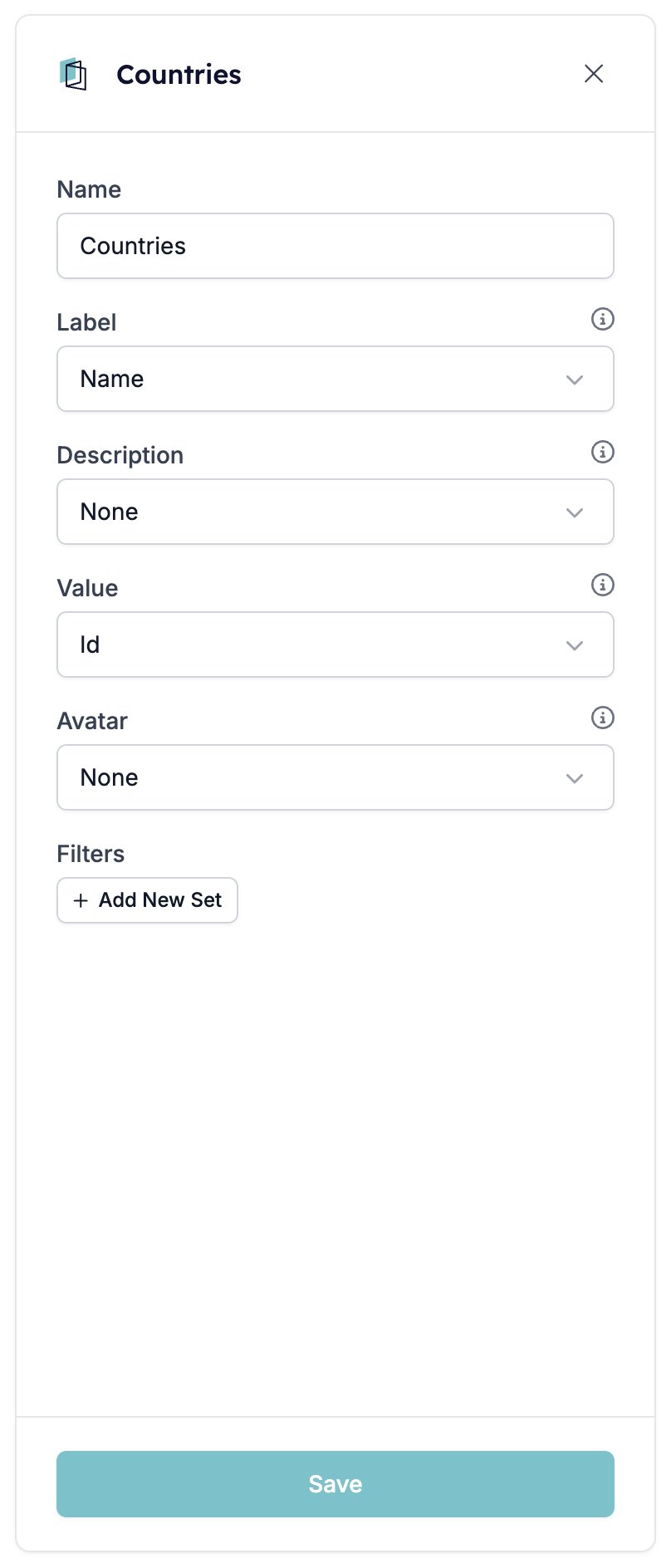
- Name is what the source is called in the library. It is the only setting you type. The rest are pickers listing the fields the records carry.
- Label is the field the respondent reads. Get this wrong and your options are a column of IDs.
- Description adds a second line under the label where there is room for one. None leaves it off.
- Value is the field stored with the answer, usually the record’s ID rather than its name.
- Avatar puts an image beside the label. Only image fields are offered, so most sources have nothing to pick.
Filters
Add New Set starts a set of conditions. Each row picks a field, a condition, and a value, and Add Filter adds another row to the set. Add New Set again gives you a second set. Filters are what make a source worth saving. Every country in the world is rarely the list you want to put in front of a candidate. The handful you recruit in usually is.One source, every question that uses it
A data source belongs to the workspace, not to the form. Save in the editor rewrites it for every question in every form pointing at it, and there is no per-form copy to fall back on. Before you narrow a source’s filters, work out who else is reading it. The records themselves are read when the form runs. A record added to the underlying list turns up as a new option without anyone opening the form builder.Related
- Multiple Choice and Dropdown is the only field type that takes a data source.
- Objects links a record to the form and turns its fields into variables.
- Form Builder: Overview covers the builder, the shared settings, and every field type.