

Settings
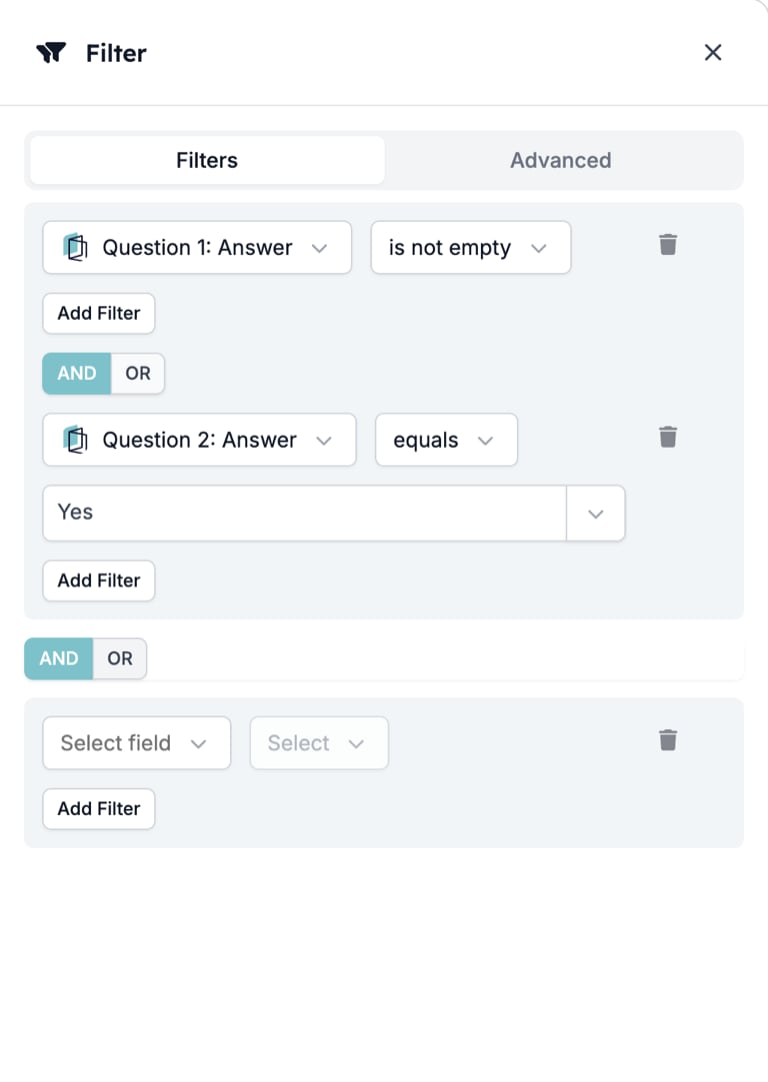
- Field. The Select field box. Type to search: “2: Answer” finds “Question 2: Answer”. The list holds the event’s fields and the outputs of earlier steps.
- Operator. The Select box beside the field. Disabled until a field is chosen. The operators offered depend on the field’s type, listed below.
- Value. A box that appears for operators that compare against something. is empty and is not empty have none.
- Add Filter. Adds a row to the same set.
- Add New Set. Starts a new set below the first.
- AND / OR. A toggle that appears between two rows, and another that appears between two sets. Default AND. Within a set it decides whether every row or any row must pass. Between sets it decides whether every set or any set must pass.
- Unique Constraints. On the Advanced tab. Select fields, and the Filter passes only once for each combination of their values. With an identifier and a status field selected, a record passes for a given status once, however many events it produces with that status.
Operators
Fields that hold a range or a set of values also offer between, one of, and not one of.
On the canvas
The card shows a Filter badge, the set number, and each row as field, operator, value.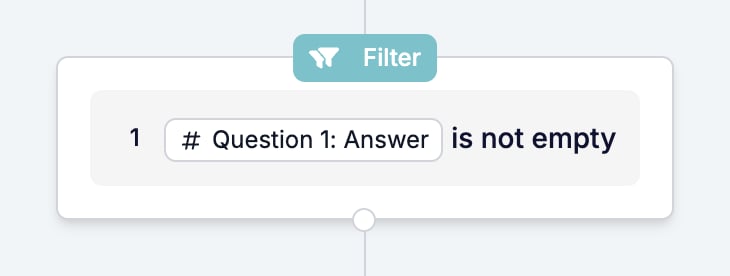
What it outputs
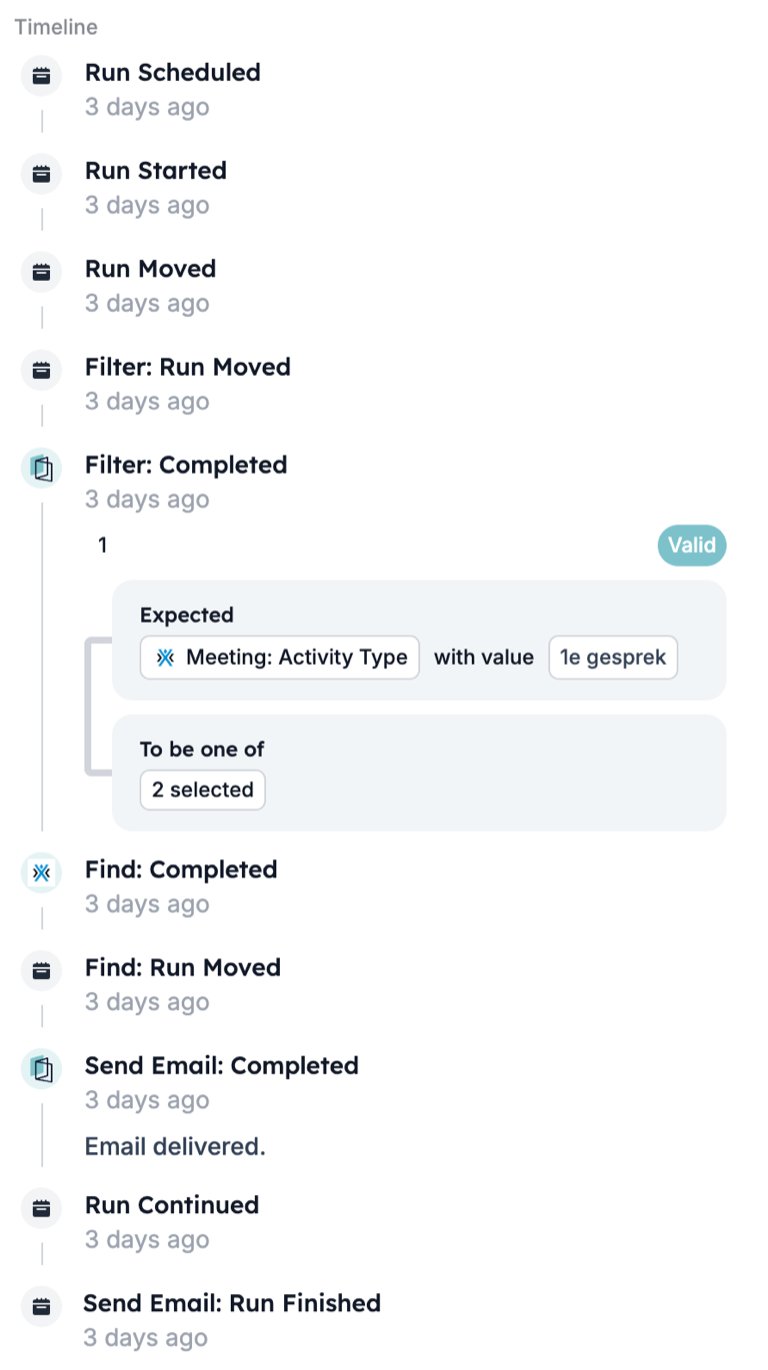
Nothing new. The variables available after a Filter are the same as before it. On the run page a passed Filter carries the line “Completed” with the time. The timeline records “Filter: Run Moved”, then “Filter: Completed” with each set marked Valid and the value it expected against the value it found.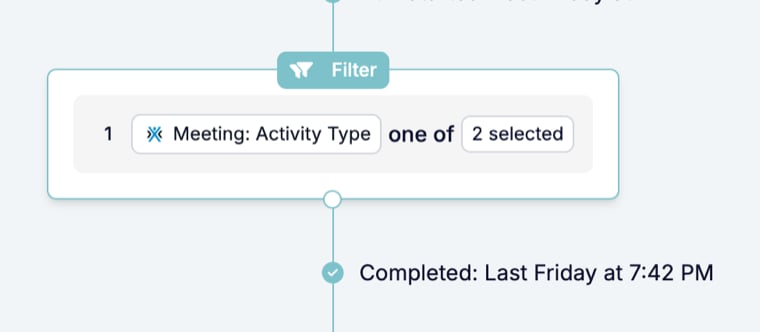
What stops the run
Conditions that do not pass. The timeline records “Filter: Cancelled” with the message “Filter not passed.” followed by “Filter: Run Cancelled”. Steps after the Filter show no status line, and in the runs list the run’s Step column reads “Filter”.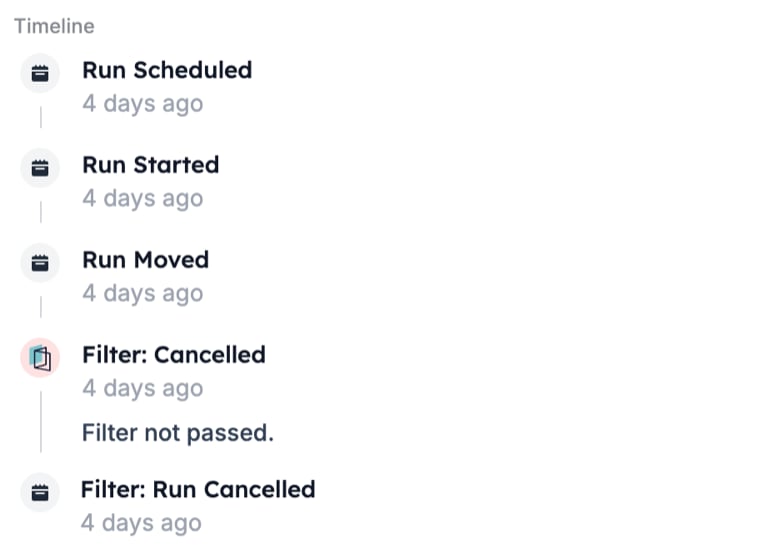
Patterns
- Guard the start. A Filter as the first step stops runs the start cannot exclude on its own, such as a response with an empty answer to the question that matters.
- Check again after a wait. A Delay then a Filter confirms the record still qualifies once the wait is over. A candidate placed in the meantime never gets the follow-up.
- Fire once per status. A unique constraint on the record’s id and its status field lets a status change through once, even when the app sends the same update more than once.
- Choose Split for two outcomes. A Filter ends the run on a no. When both yes and no need steps, use a Split with a Filter branch for each.
Common mistakes
- Saving a row without an operator. The drawer saves it and the canvas shows the raw key
enums.conditions.undefinedin place of the operator. Open the Filter again and select one. - Searching by number alone. “Question 2” also matches “Question 12”. Type part of the question’s title as well.
- Expecting a skipped step. A Filter that does not pass cancels the run, it does not skip to the next step.
- Mixing AND and OR without sets. Rows in one set share one toggle. To combine “A and B” with “C”, put A and B in one set, C in another, and set the toggle between the sets to OR.
Related
- Split runs a Filter per branch instead of stopping the run.
- Setup holds the start filter, which decides whether a run begins at all.
- Run cancellation reasons explains where to read the message a stopped run leaves.