

Settings
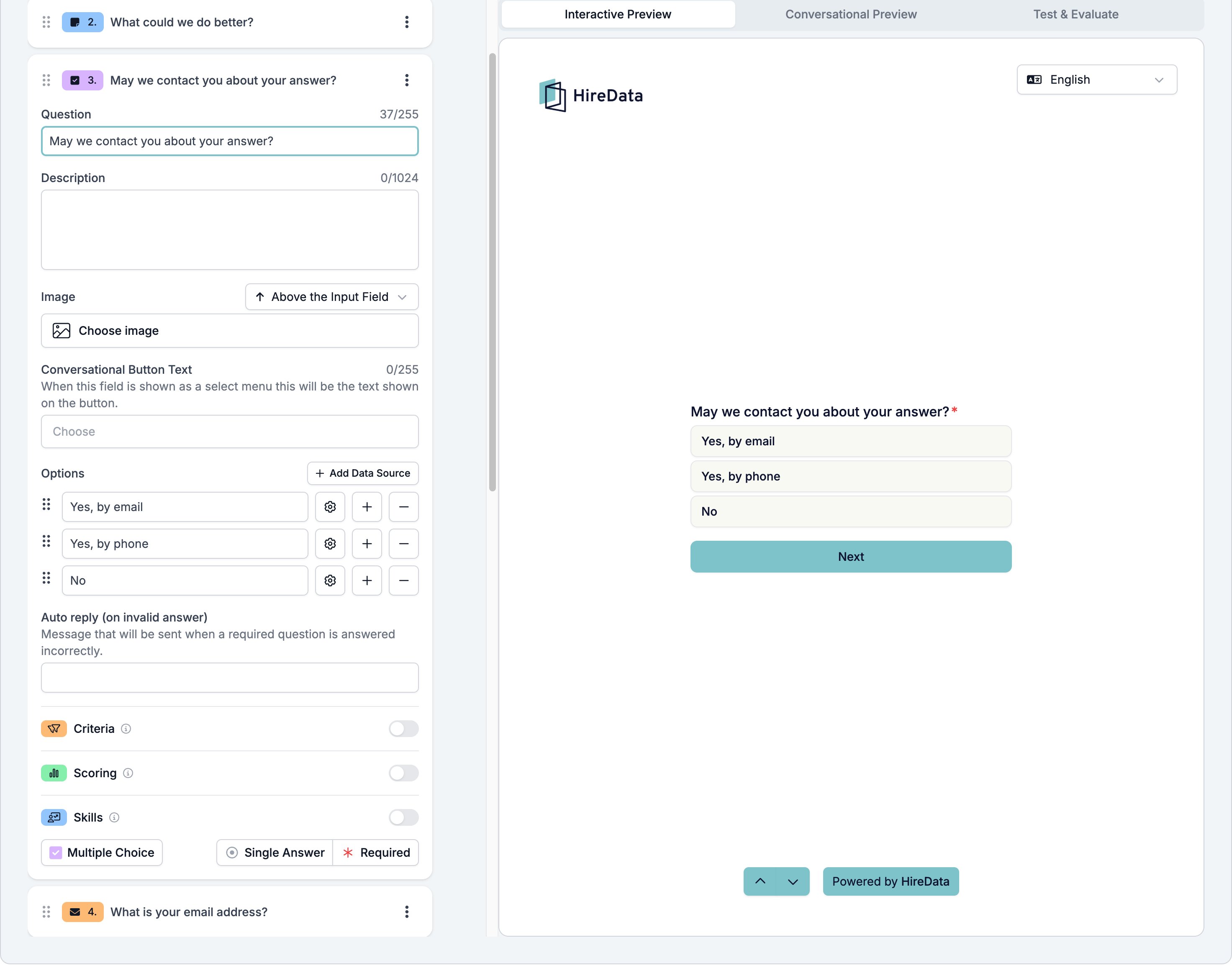
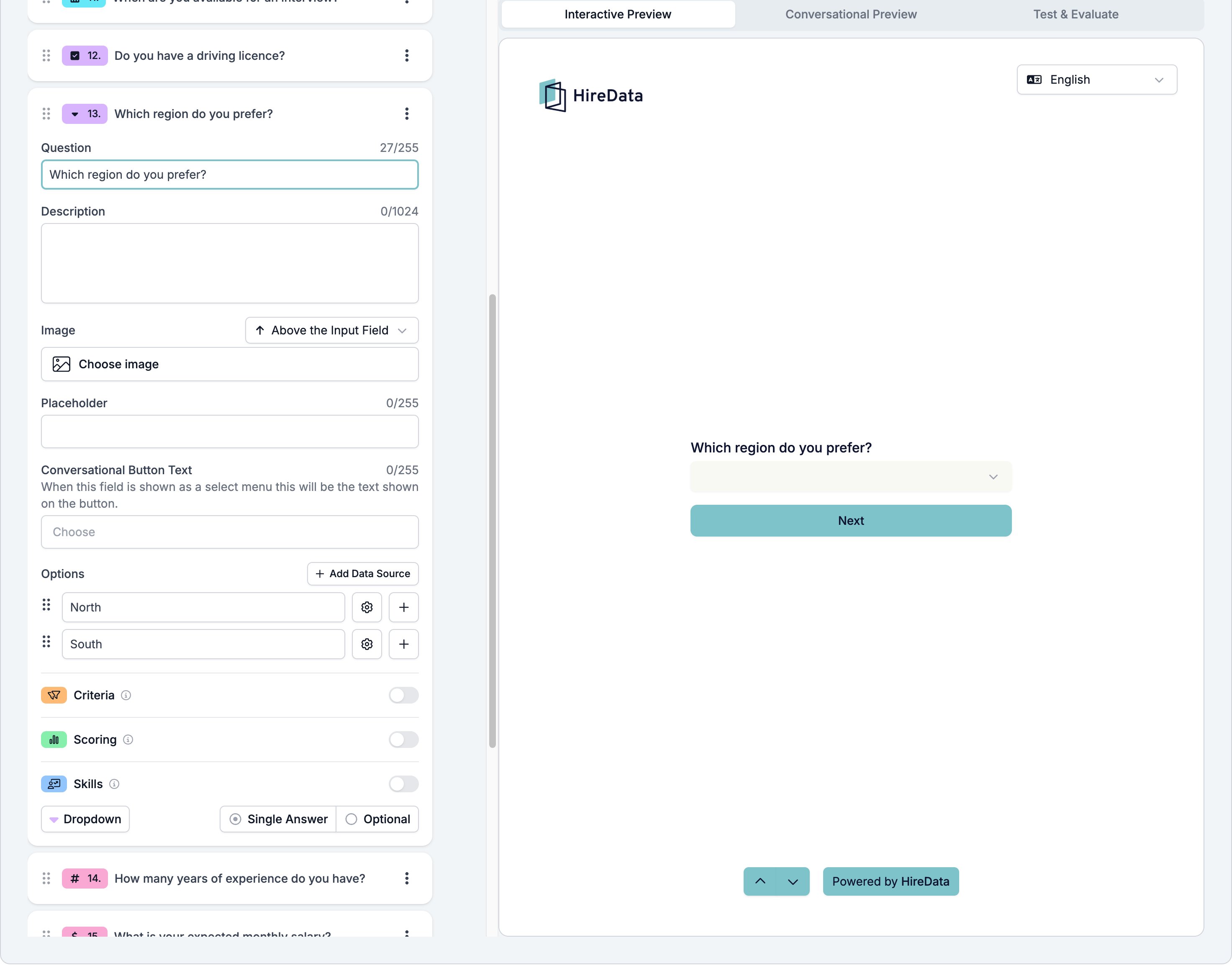
The card carries the settings every field shares. The options themselves and three more settings belong to this type.- Options, the list the respondent picks from.
- Add Data Source, above the list, which fills the options from a saved list your workspace already keeps instead of options you type. See Data sources.
- Conversational Button Text, the label on the button that opens the list in a WhatsApp conversation. The box shows “Choose” as its placeholder.
- Placeholder, on Dropdown only, the text in the closed menu before anything is picked.
- The footer button reading Single Answer opens Answer selection, which holds one switch, Allow multiple answers. Turn it on and the respondent can pick more than one option.
What it stores
The chosen options, as a list. A single-answer field stores a list of one.Logic operators
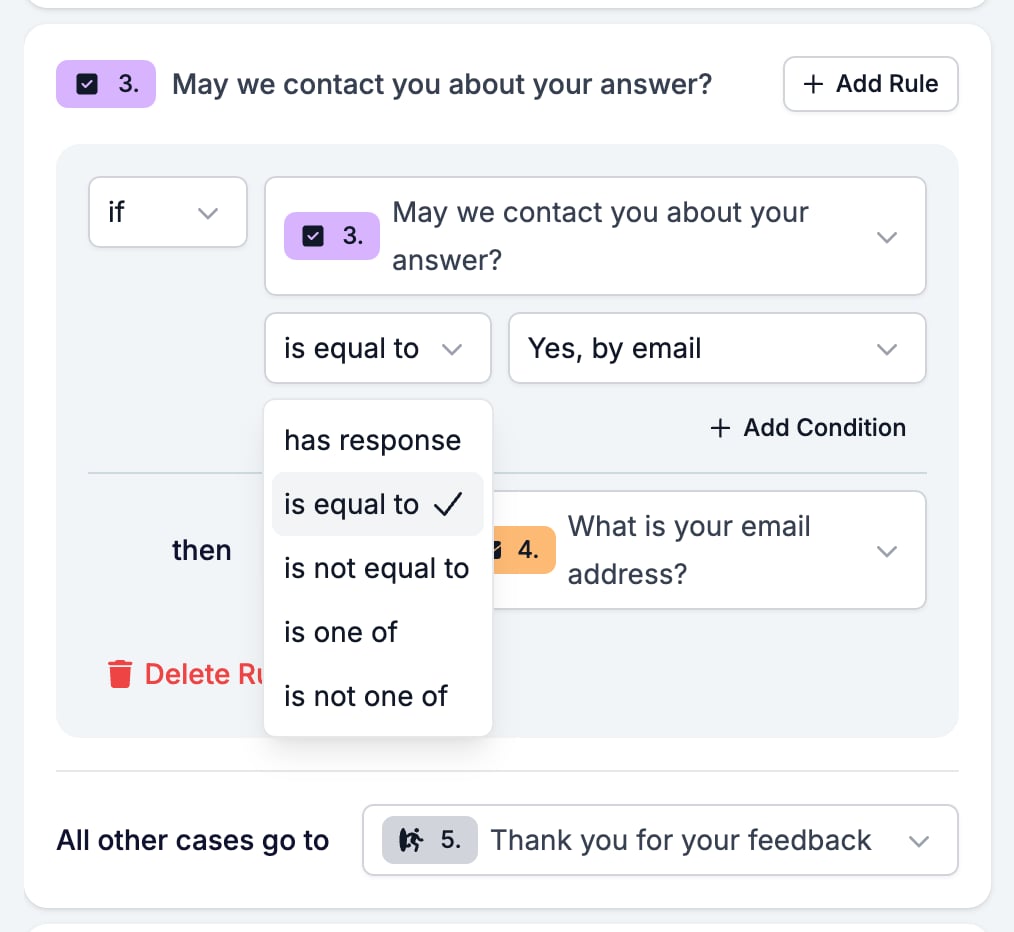
is one of is the one that saves rules. Three options that all lead to the same follow-up need one rule, not three.
Evaluation
Switch Criteria, Scoring, or Skills on for the form in the Evaluation tab and each one gets a switch on this card. A choice field is the easiest to score, because you already know every answer it can give. Points per option is a rule you can write once and trust.Related
- Form Builder: Overview covers the builder, the shared settings, and every field type.
- Logic covers the operators, the branching patterns, and what to check when a rule does not fire.
- Data sources explains filling the options from a saved list.
- Yes/No is the field to use for a plain yes or no.