

How it renders
The button comes out as a link styled to look like a button, at the width and alignment you set, on a row of its own. Width: Full stretches it across the section; in a column it stretches across the column.
Settings
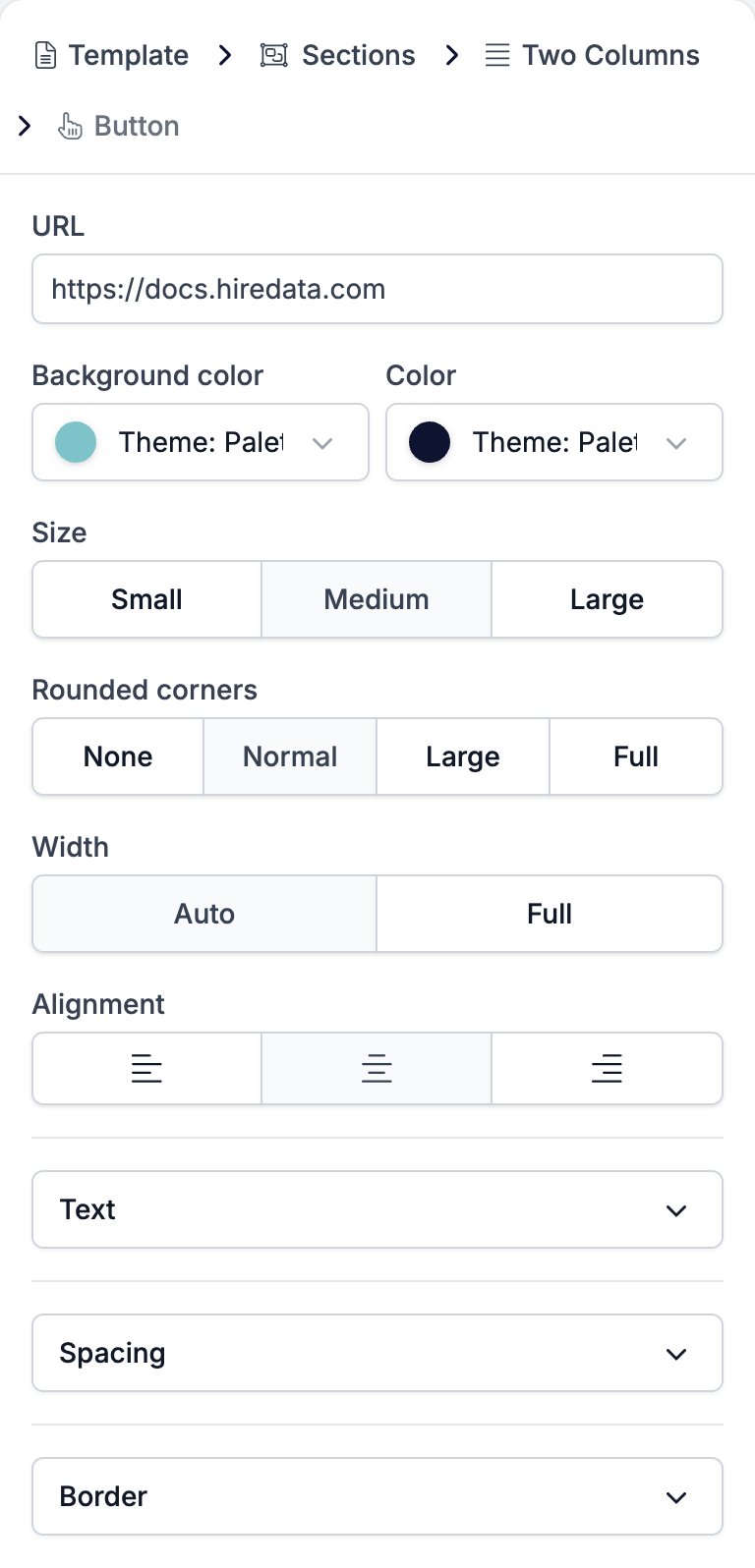
- URL is the address the button opens. The box takes a variable, so a button can point at a link that changes per recipient.
- Background color and Color sit side by side and style the button and its text.
- Size is Small, Medium, or Large. It moves the text size and the padding together, from 12 pixel text in a tight box to 24 pixel text in a generous one.
- Rounded corners is None, Normal, Large, or Full, which runs from square through to a pill.
- Width is Auto, which fits the button to its text, or Full, which stretches it across whatever holds it.
- Alignment is left, centre, or right, and does nothing at Full width.
- Text holds Font Family with a weight selector, Size, Letter Spacing, and Line Height.
- Spacing holds two controls.
- Margin, the gap above and below the button.
- Padding, the space between the text and the button’s edge.
- Border holds Border color, Border width, and Border radius.
Limits
HireData supportshttp, https, mailto, and tel addresses, and a variable that resolves to one of them. The URL box does not check what you type, so a mistyped scheme reaches the recipient as a dead link. Test the email before you send it.
An email template sent to the HireData API with any other scheme is rejected with “Builder links and images must use a supported URL scheme or a HireData variable.”
Related
- Email Builder: Overview covers the builder, the toolbar, the theme, and every block type.
- Paragraph covers links inside body text, which take the same schemes.
- Form draws its own buttons, and points them at a form rather than a URL.
- Variables covers the tokens the URL box takes.