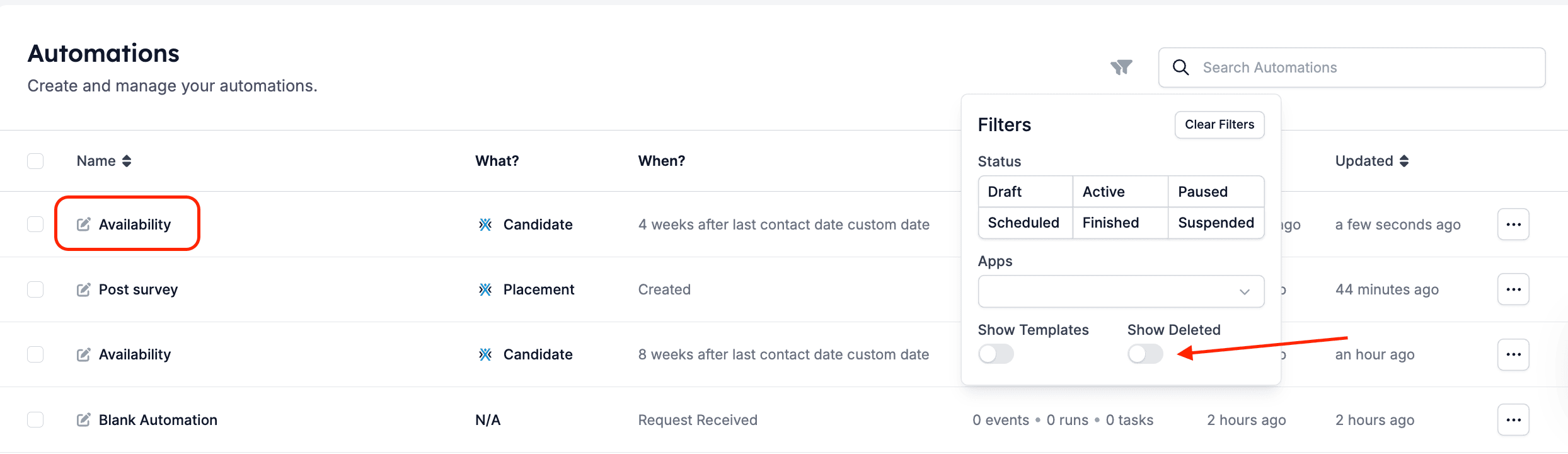
Step 1: Enable the deleted automations view
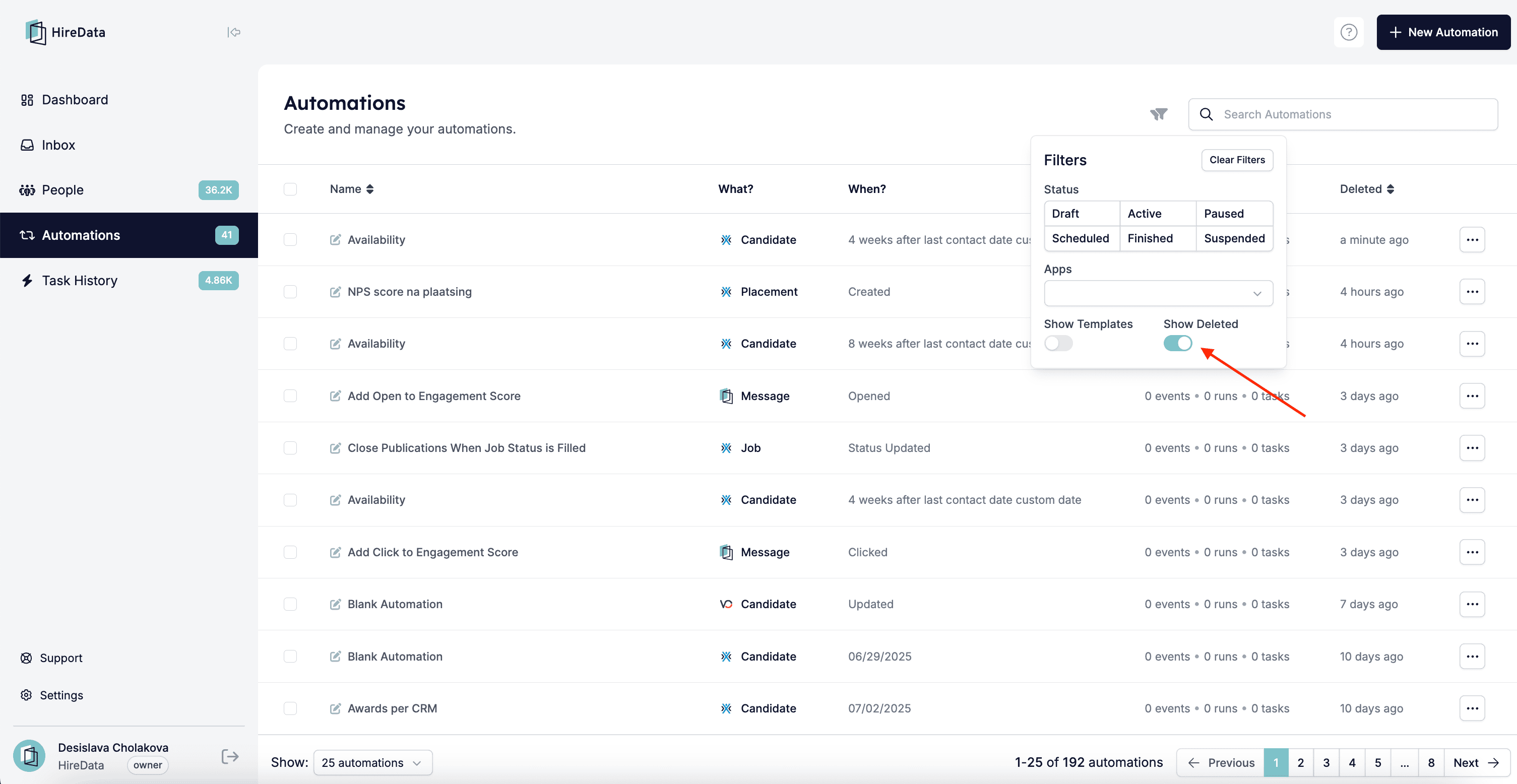
Go to the Automations page in HireData and click the Filters dropdown menu at the top of the page. Toggle the option to Show deleted.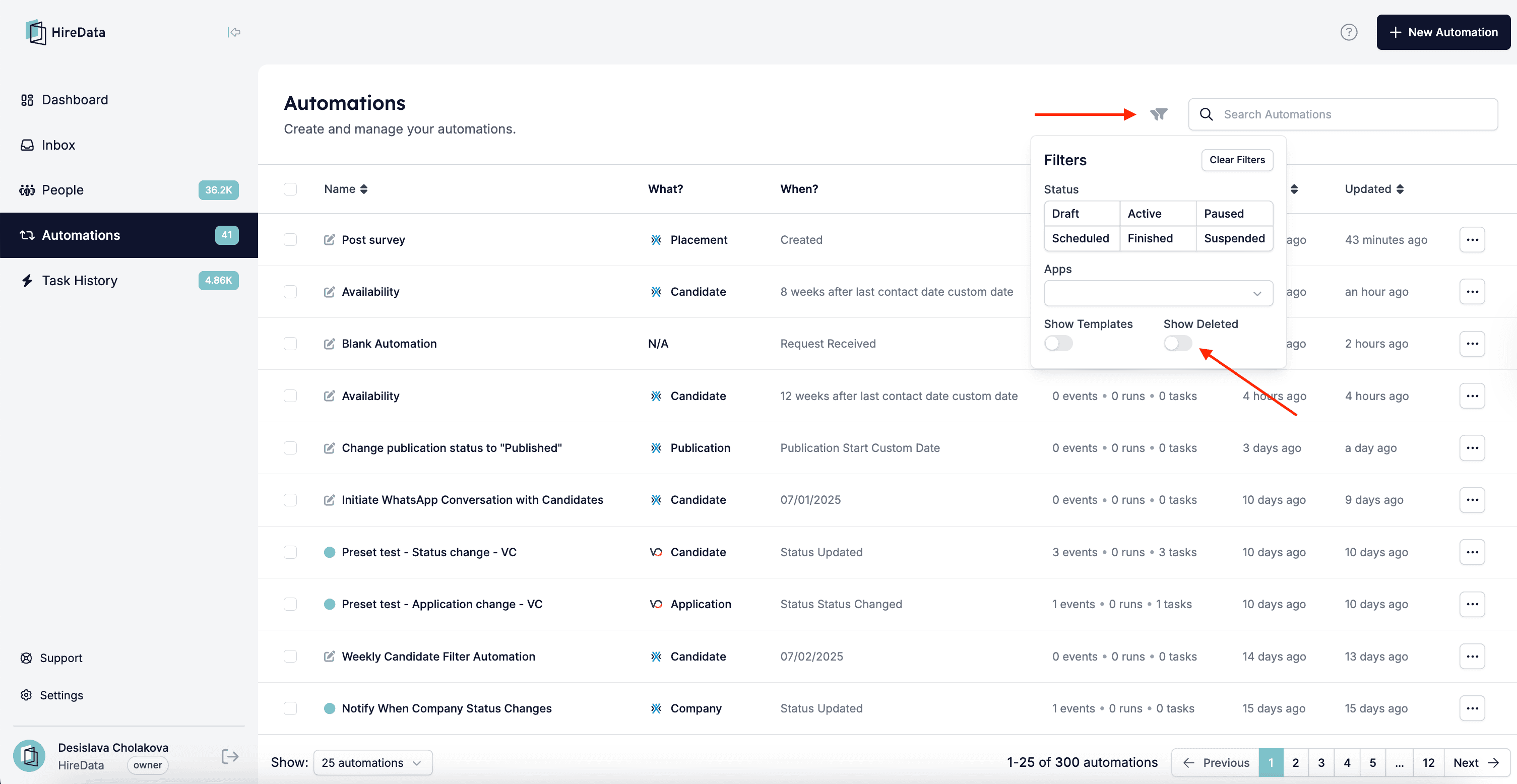
Step 2: Select automation(s) to restore
You now see a list of the deleted automations in your account. Check the box next to one or multiple automations you’d like to restore.Step 3: Restore the automation(s)
Once selected, click the Restore button at the top of the list.