

This is part of the HireData beta and works in the new automation builder. It replaces the Sync Person step for new automations.
Keep your people list up to date
In a new automation, click +. Choose Add or Update under Records, or Delete under Lifecycle, and pick HireData and Person.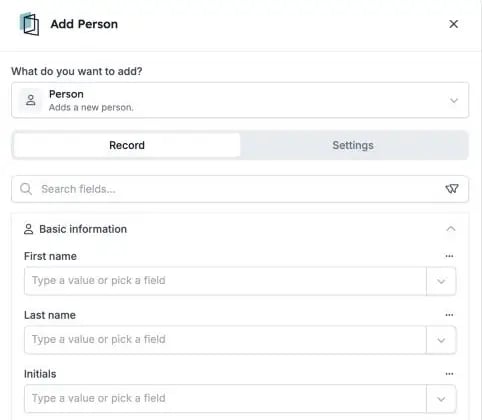
The Add Person step, with the person's details grouped in sections.
1. Add and update people
Fill in every field that Sync Person could write, including addresses and UTM campaign details that show where someone came from.2. Find the right person
Use Find with filters to choose which person a step changes. The run history shows the names of the people it found.3. Delete with care
Deleting a person is permanent. If you undo a step that added a person, HireData deletes that person again.What else to know
- Sync Person isn’t offered in new automations anymore. Automations that already use it keep running.
- Test with a test person first, so you don’t change or delete someone by mistake.