

This is part of the HireData beta. See How the Beta Works to join.
Choose what starts your automation
Open your automation, click the Start block and pick Carerix. Under Object, choose what the automation should listen to. Then pick when it starts.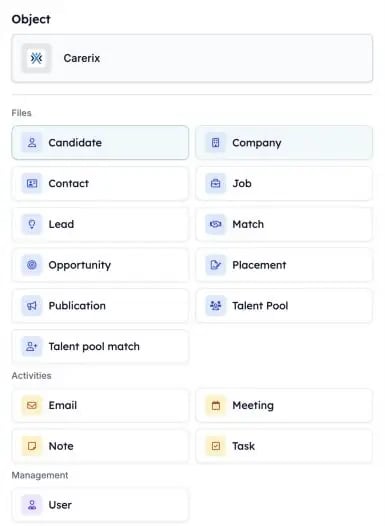
Pick the Carerix record that starts the automation.
1. E-mails
Start an automation when an e-mail is sent or received and added to Carerix. Drafts, the outbox, mailings and bulk e-mails don’t start one.2. Notes
Start an automation when a note is added in Carerix, for example after a consultant logs an intake call.3. Talent pool matches
Start an automation when a candidate’s talent pool membership changes, such as when they join a pool.4. Leads and opportunities
If your team uses the Carerix sales process, start an automation from a lead or opportunity. See Leads & Opportunities.Start on a date
Besides when something happens, you can start an automation on a specific date, such as a deadline or an end date. Your own Carerix date fields are in this list too. A date field you add in Carerix appears here the next day.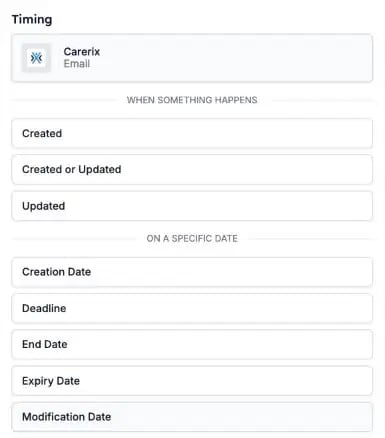
Choose when the automation starts: when something happens, or on a date.