

Update appears in the picker only when a connected app offers a task in this category.
Settings
- Object. The record type to change, in a search box and list. For Carerix: Activity, Appointment, Campaign, Candidate, Company, Contact, Email, List, Match, Meeting, News Letter, Note, Placement, Publication, System, Talent Pool, Task, User, Vacancy.
- Matching field. How the task finds the record to change. The canvas card reads it back as “Find a candidate by matching their Candidate: Id in Carerix with Candidate: Id”.
- Fields. The fields to write and the value for each, a fixed value or a variable from the run. The card lists them under Fields, such as “Candidate: Available Date: Now”.
On the canvas
The card shows a Task badge, the task name with the app, the sentence that names the matching field, and the fields it will write.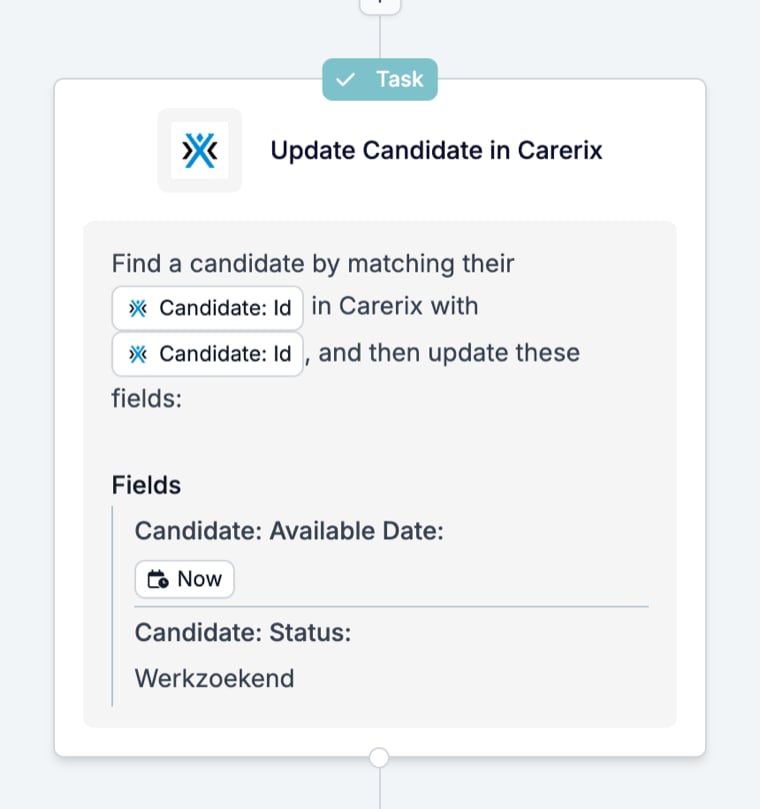
What it outputs
The record as it is after the change. On the run page, the task’s drawer is headed with the app, the task, and the record id, such as “Carerix Update Match (ID: 7.18)”. Badges count Field Updated and Run Moved, next to a status badge. Overview lists the Updated Object with a link and each field’s old and new value; a field that had no value reads “This field was empty before”. Fields lists every value the task used, with its source icon and type.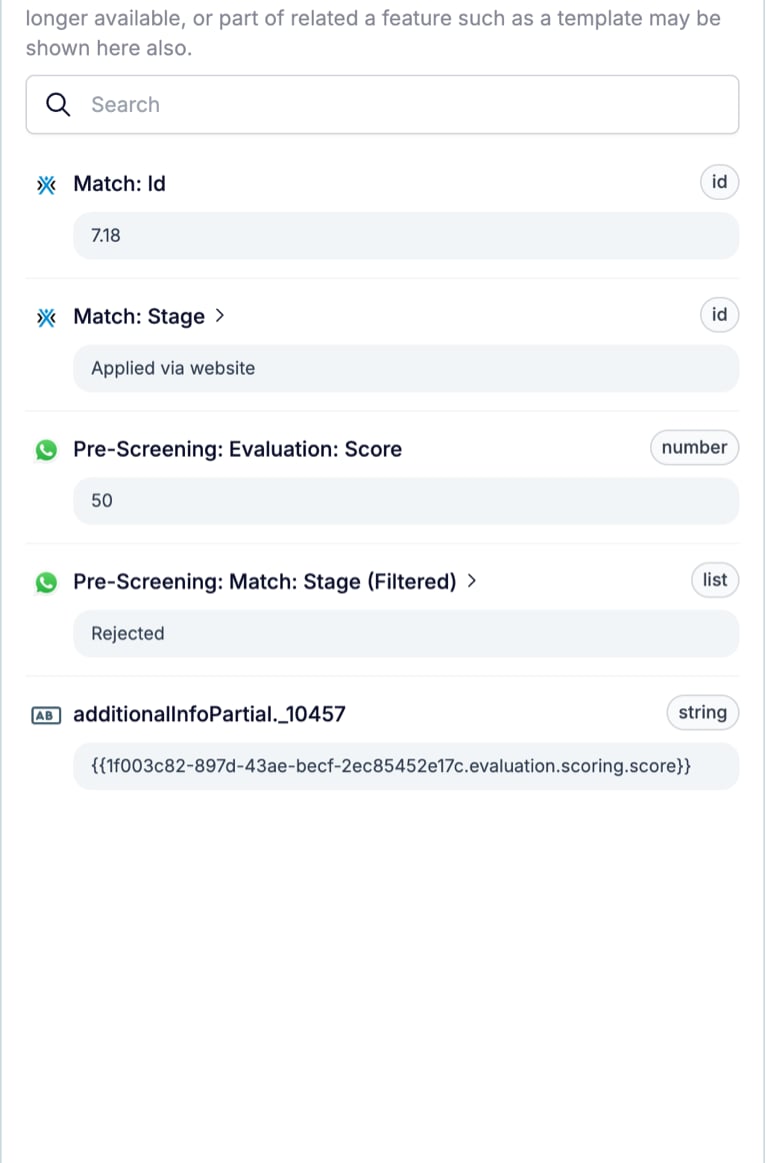
{{…evaluation.scoring.score}}, which is how you spot a field that was written with a placeholder instead of a value.
What stops the run
An update the app rejects, or a record the matching field does not find. The task card turns red with the line “Cancelled” and the time, and the timeline records the task name with “Cancelled” and the reason the app returned. See Run cancellation reasons.Related
- Find looks a record up when it is not in the event.
- Add creates a record instead of changing one.
- Prompt produces the values an Update writes.
- Task catalogue lists every task per connected app.