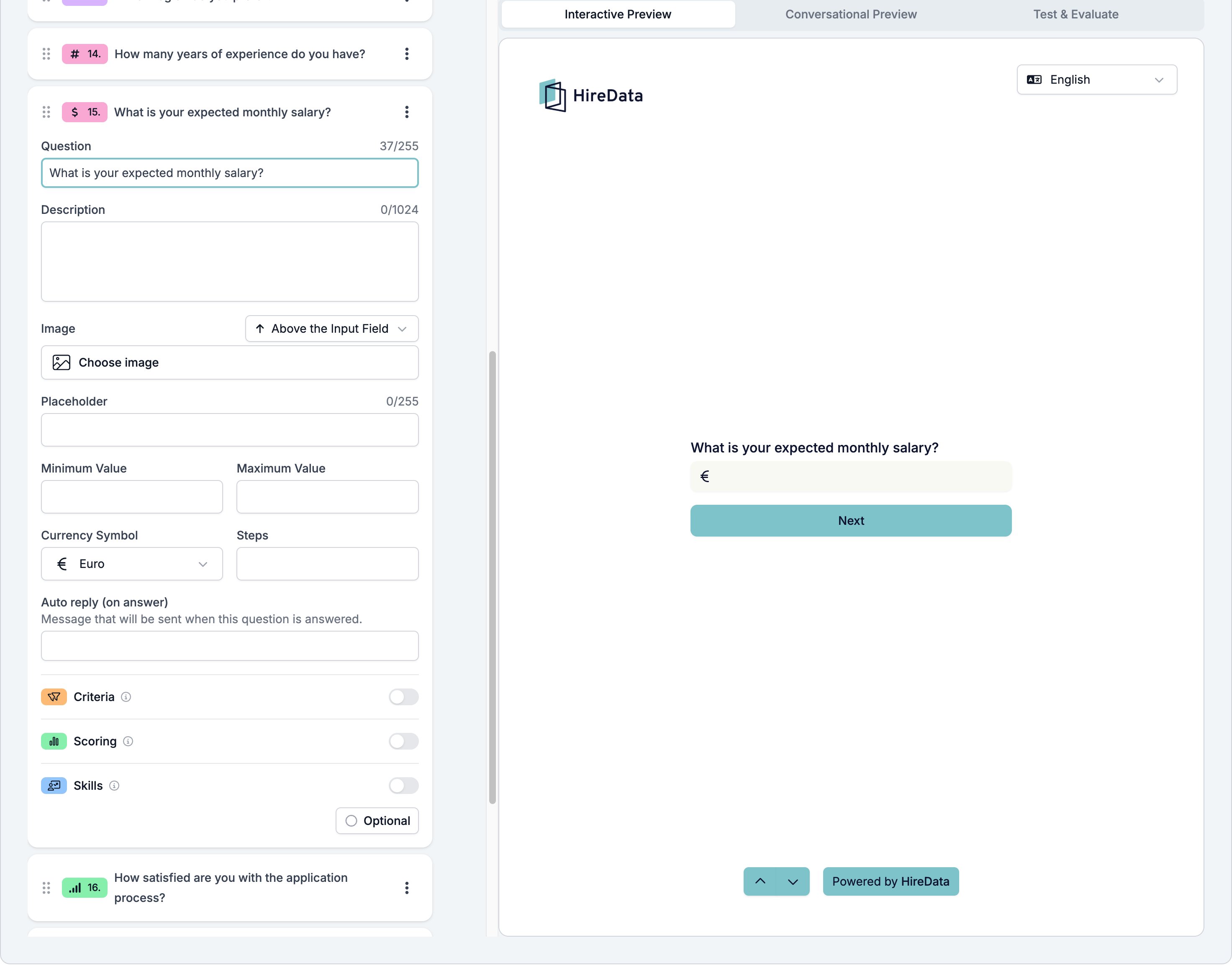
Currency is a Number field with a symbol in front of the box. Use it for a salary expectation, an hourly rate, or a budget. Logic and the evaluators treat the answer as a plain number, so everything a Number field can do, a Currency field can do too. It sits in the Numeric group of the Add Content palette.

Settings

The card carries the settings every field shares. Currency adds five of its own.
  • Placeholder, up to 255 characters, shown in the empty box.
  • Minimum Value and Maximum Value, the ends of the range you accept.
  • Currency Symbol, one of Euro, Dollar, Pound, Swiss Franc, Yen, or Rupee.
  • Steps, the size of one step.
The symbol is decoration on the box. HireData stores the number and does not convert between currencies, so a form that has to handle several of them needs a separate question asking which one the respondent meant. A Currency field card showing Question, Description, Image, Placeholder, Minimum Value, Maximum Value, Currency Symbol set to Euro, Steps, the auto reply, the three evaluator switches, and a footer reading Optional, beside a preview showing an answer box with a euro sign

What it stores

A number, without the symbol.

Logic operators

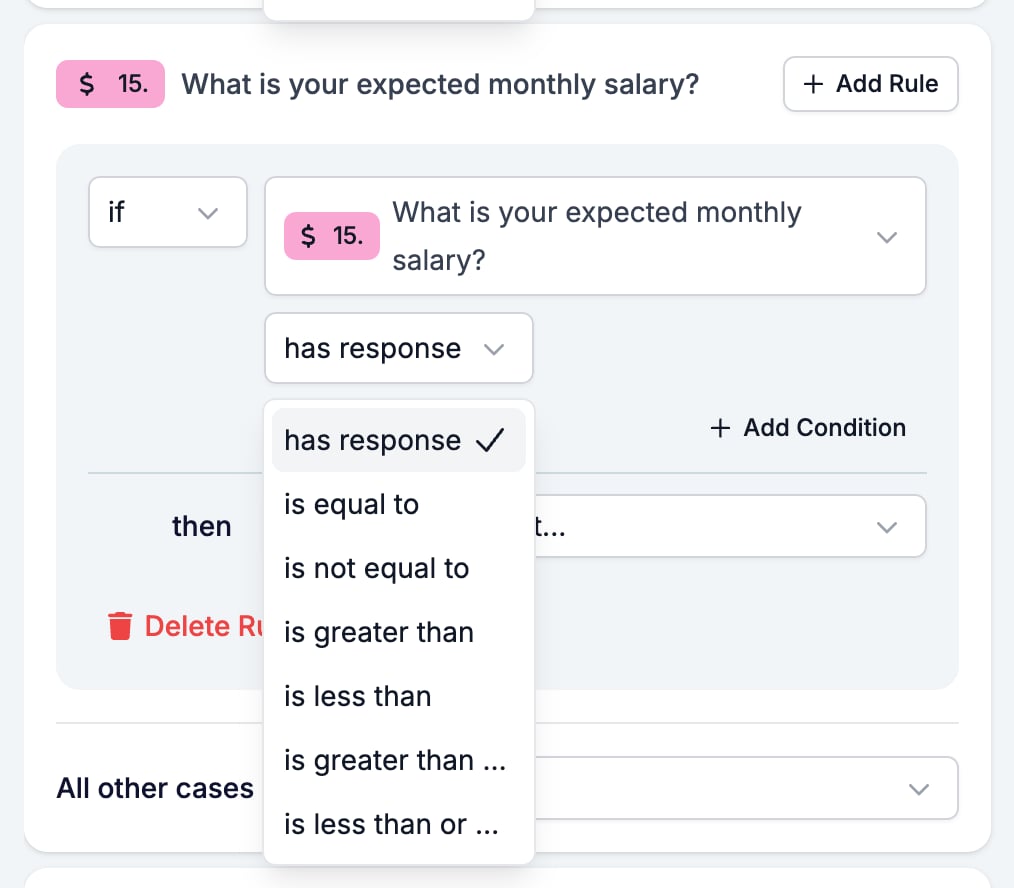
The Logic tab with the operator picker open on a Currency condition, listing has response, is equal to, is not equal to, and the four comparison operators

Evaluation

Switch Criteria, Scoring, or Skills on for the form in the Evaluation tab and each one gets a switch on this card. A salary ceiling is a sensible Criteria must-have: above the number, the candidate is out of range.
  • Form builder overview covers the builder, the shared settings, and every field type.
  • Logic covers the operators, the branching patterns, and what to check when a rule does not fire.
  • Number is the same field without a symbol.