

Settings
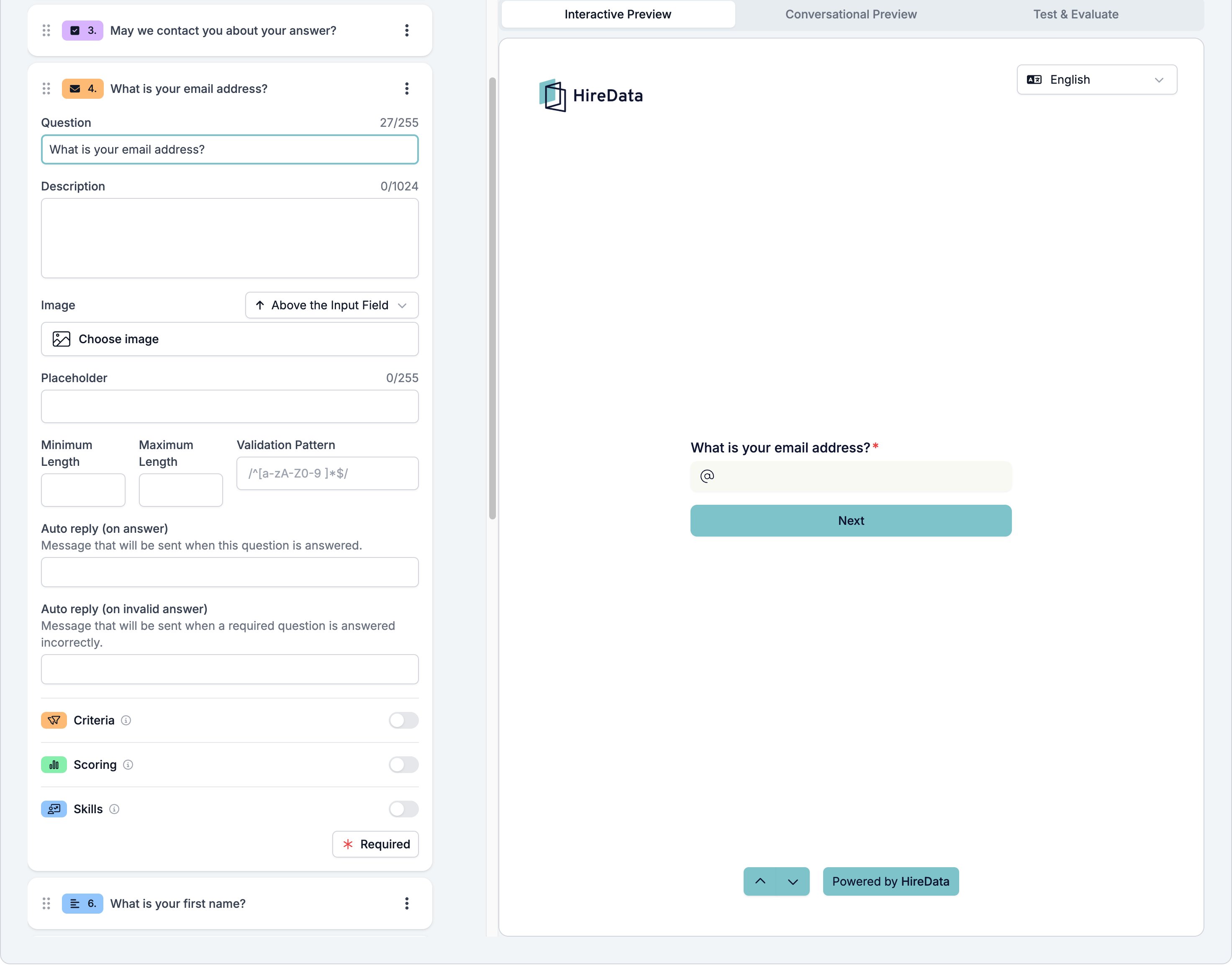
The card carries the settings every field shares. Email adds the same four a text field has.- Placeholder, up to 255 characters, shown in the empty box.
- Minimum Length and Maximum Length, counted in characters.
- Validation Pattern, a regular expression the answer has to match, on top of the address check.
What it stores
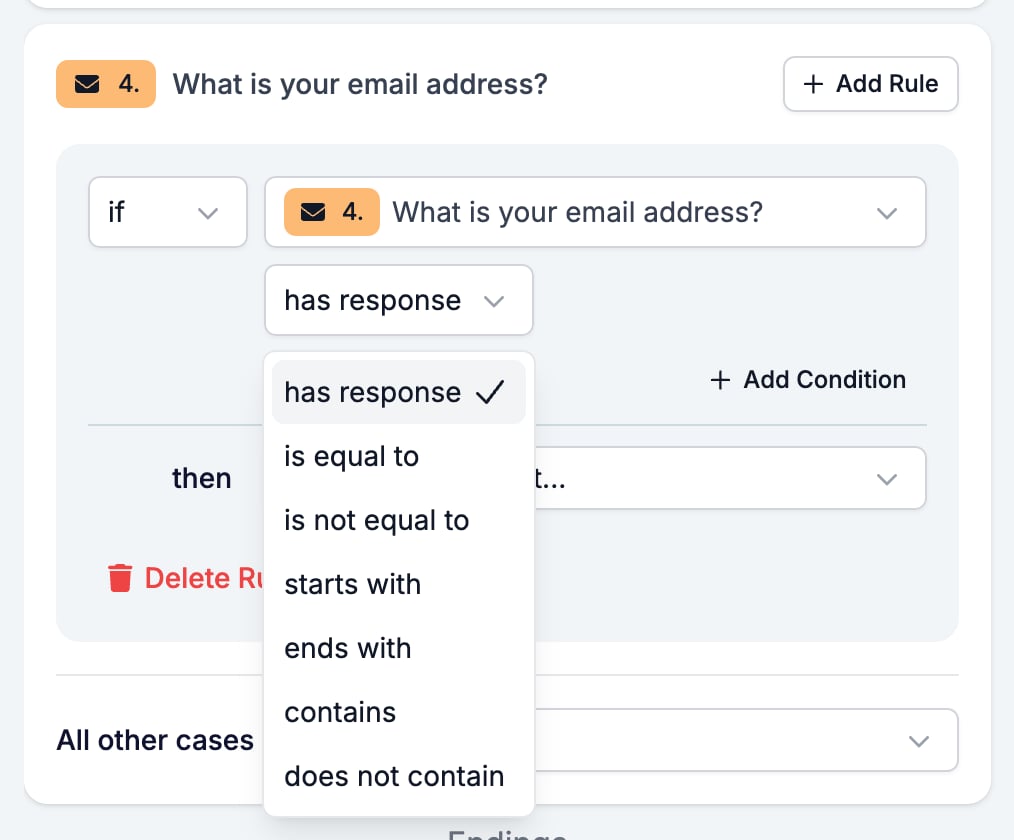
Text, the address as the respondent typed it.Logic operators
ends with is the useful one here. A rule reading
if email ends with @yourcompany.com tells an internal respondent apart from an external one.
Evaluation
Switch Criteria, Scoring, or Skills on for the form in the Evaluation tab and each one gets a switch on this card. An address rarely says anything about a candidate, so most forms leave all three off here.Related
- Form Builder: Overview covers the builder, the shared settings, and every field type.
- Logic covers the operators, the branching patterns, and what to check when a rule does not fire.
- Phone Number and Website are the other two Contact Info fields.
- Short Text and Long Text is the same box with no format check.