

Step 1: Create a form
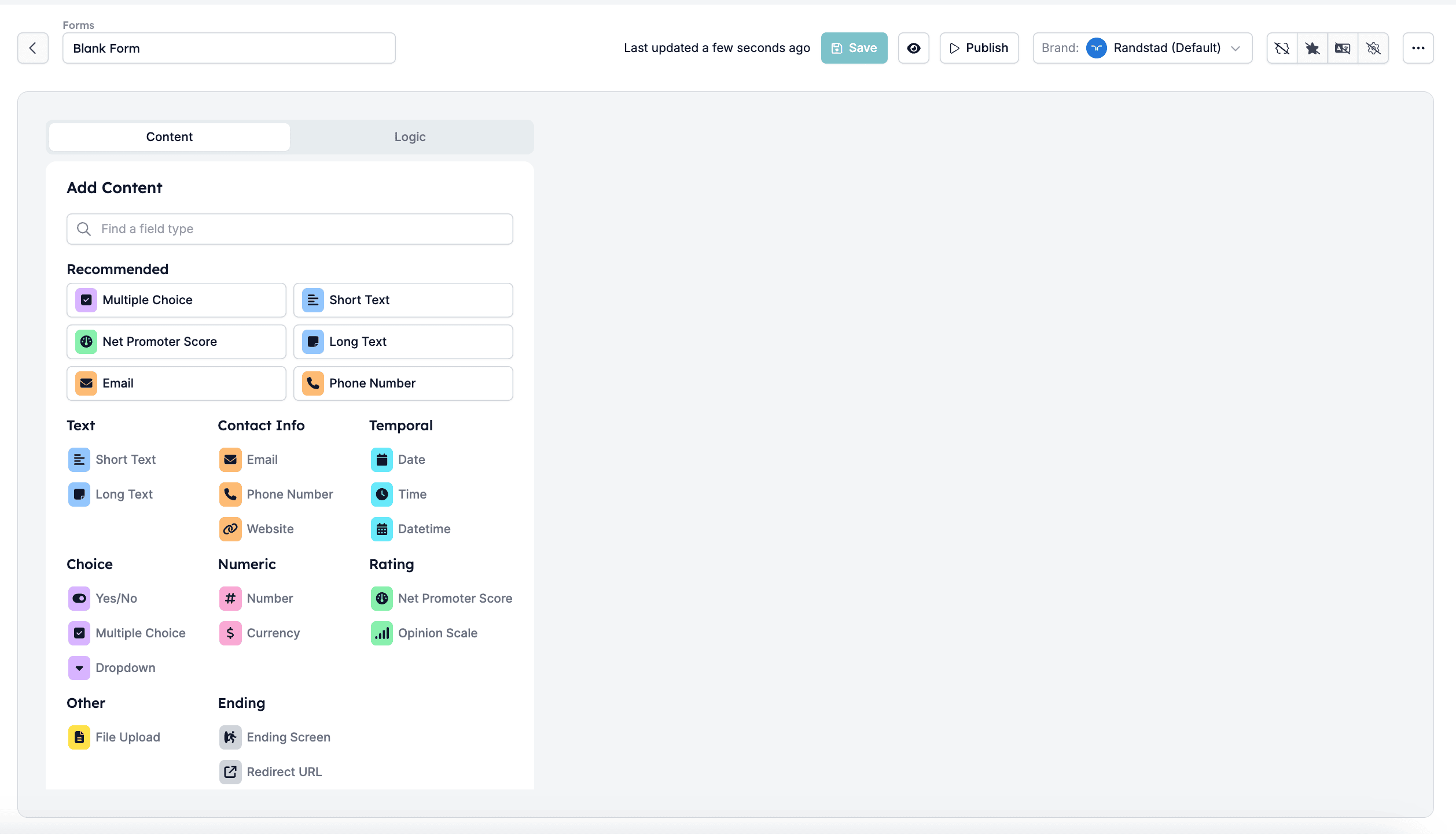
First, define the purpose of the form. Determine what data you need to collect (e.g., candidate’s details such as availability date, salary expectations, years of work experience, etc.). Then open the Forms page in Settings and click New Form: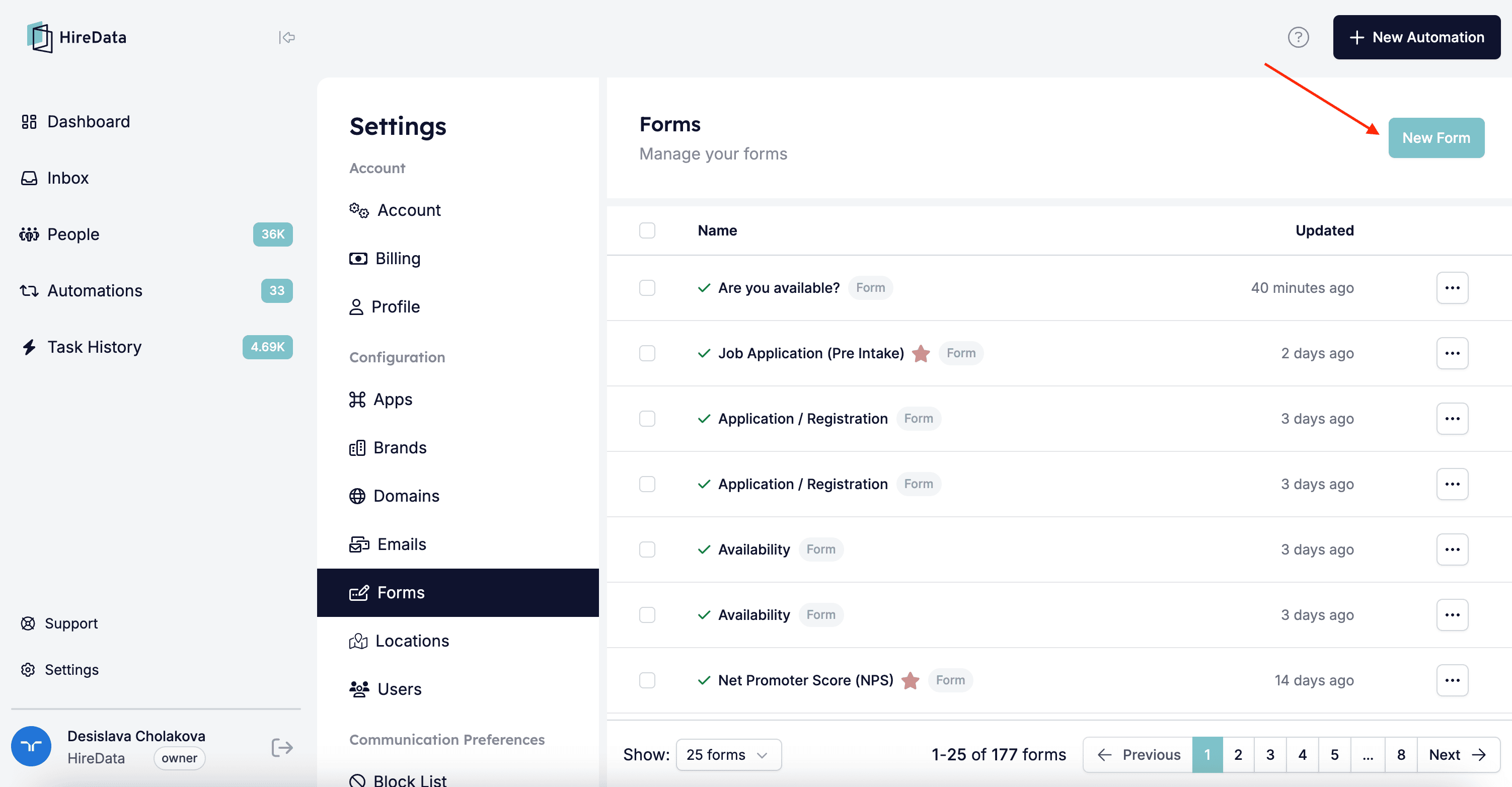
Step 2: Add a form to your automation
Create your automation with two tasks: Start a Conversation and Update field(s). Add the form you’ve created or select any of the templates: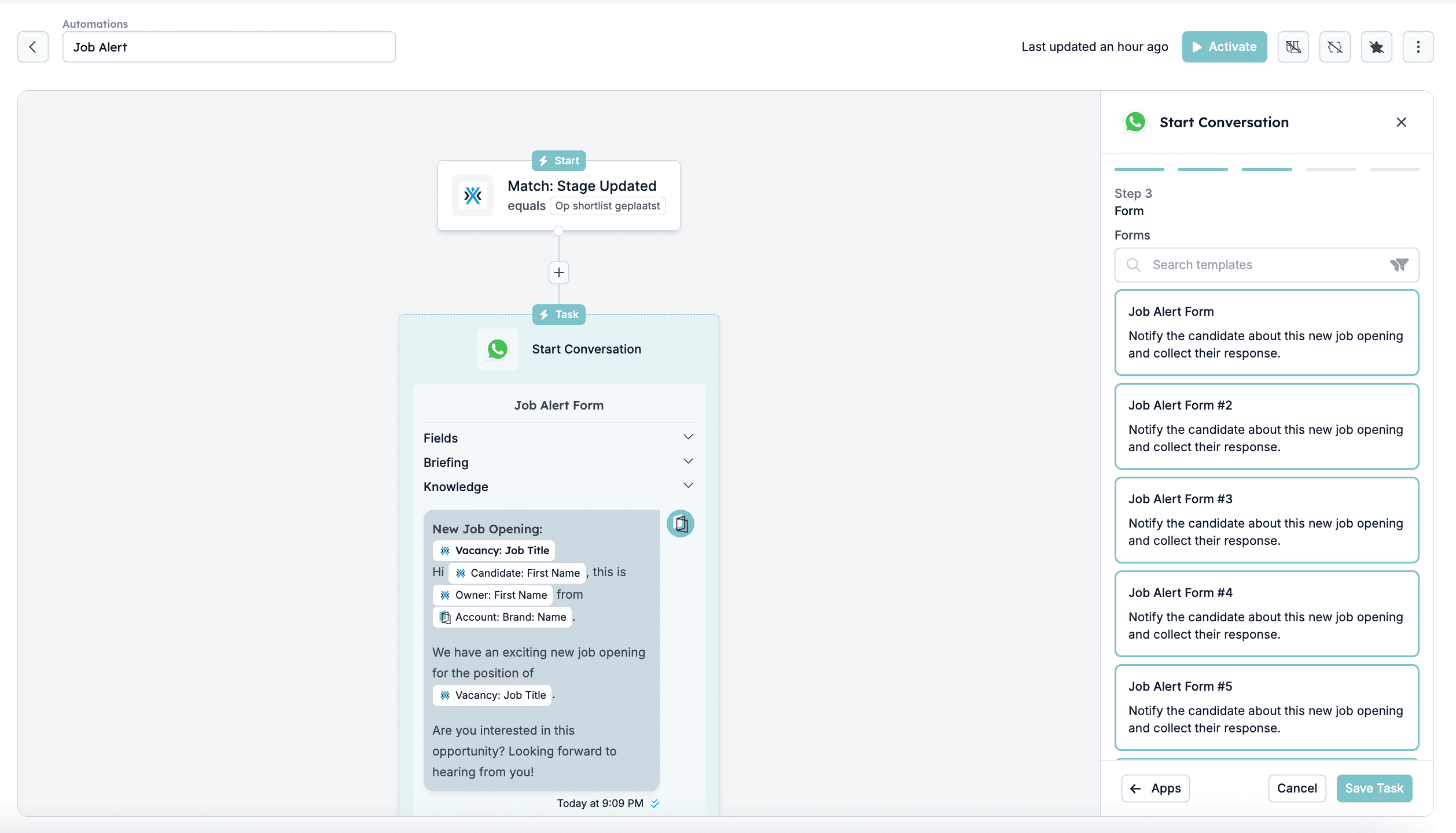
Step 3: Automatically update fields based on form responses
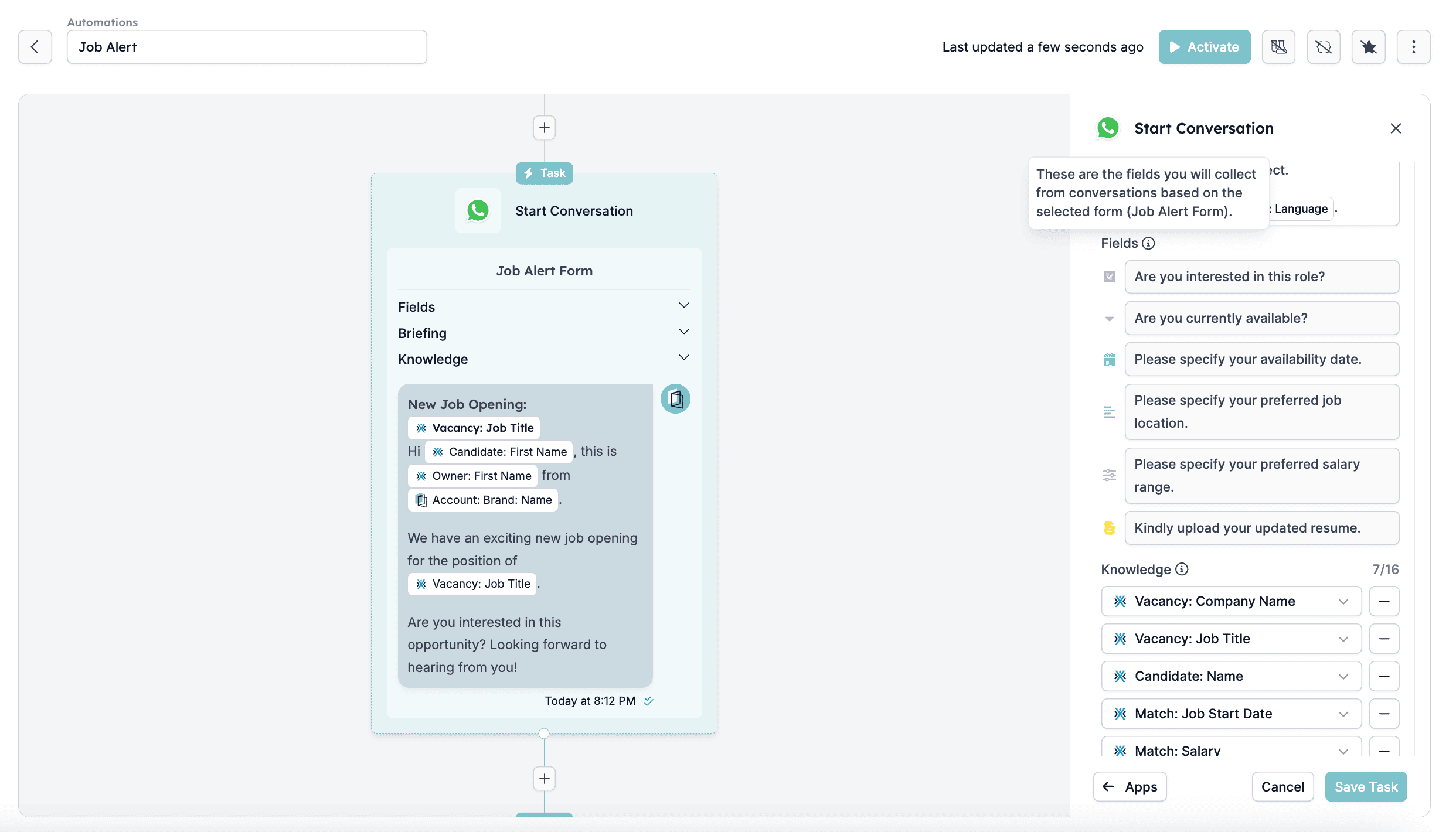
One of HireData’s key features is automatic field updates. When a candidate fills out a form in a WhatsApp conversation:- HireData collects the submitted responses in real-time
- HireData maps the answers to the corresponding fields and updates them in the specified app (e.g., Carerix)
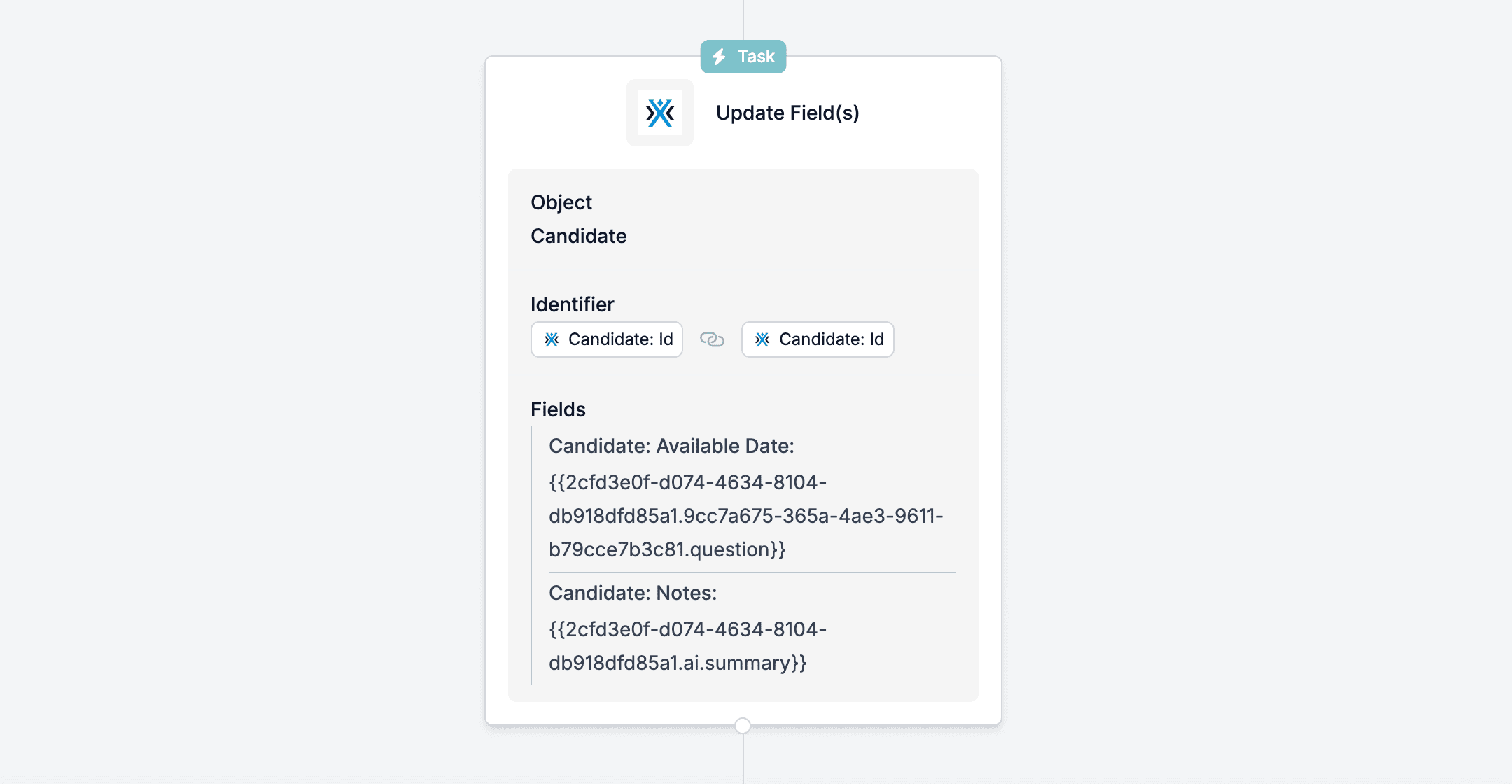
Example
- A candidate provides their availability date via the form
- HireData automatically updates their next availability date in your app, so all details stay up-to-date